Conditional Logic
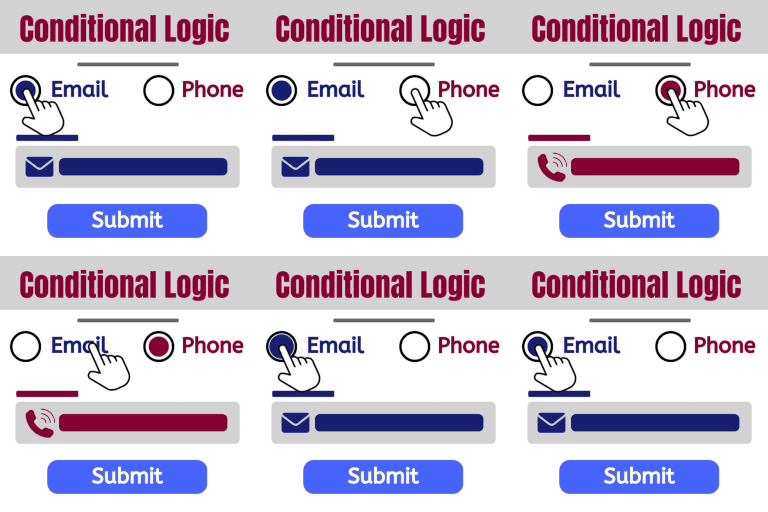
Build dynamic forms that can change as a user fills out the form. Show and hide fields. Send certain email, don’t send others. Redirect to one of many pages. The possibilities are endless! DEMO: https://demo.add-ons.org/demo-conditional-logic/ Document: https://add-ons.org/document-elementor-forms-conditional-logic/ Download Pro Version: https://add-ons.org/plugin/elementor-forms-conditional-logic/ Features Easy use Conditional Form Notification Emails: Sending emails to different addresses according to user answers Conditional Redirect on Form Submit: Showing additional questions when a user chooses a specific answer Conditional Webhook on Form Submit: Send data to specific webhook URLs only when certain conditions are met. All fields support: Works with all fields Submit Button support: The submit button can be shown or hidden Multiple Conditions: Define more than one condition for advanced control. No Validation Errors: Submit the form seamlessly even when required fields are hidden. Smart Field Control: Make your forms smart! Display or hide fields, sections, or entire questions based on user responses. No Technical Hassle: Enjoy the benefits of conditional logic without any technical headaches. It’s as simple as it sounds. Cross-browser support. Chrome, Firefox, Opera, IE8+ And more… Conditional Form Notification Emails – Conditional Email Routing Want to send out different notification emails depending on users’ selections in your forms? With our smart conditional logic, you can set up your form to send unique email notifications based on users’ input. Conditional Redirect on Form Submit Want to show website visitors different content based on their form submission? This guide will show you how to set up WordPress conditional redirect on form submit. Webhook Condition Logic Smart Conditional Webhooks – Send data to specific webhook URLs only when certain conditions are met. Dynamic Automation – Easily automate integrations with external systems (like Zapier, Make, or custom APIs) based on user input or form logic. Granular Control – Define “If/Then” rules per form field (for example: If user selects ‘VIP’, send data to CRM webhook). No Code Required – Configure conditional rules directly inside Elementor Forms without writing any PHP. Supports Multiple Webhooks – Trigger different endpoints simultaneously, depending on user selections or calculated values. Upgrade to pro version Additional operators ( greater than, less than, .. ) onditional Form Notification Emails > 5 Conditional Redirect Suports > 5 Conditional Webhook Suports > 1 Conditional Fields for Elementor Form – Display Conditions Elementor conditional fields, Elementor form display conditions, Elementor show hide fields, Elementor conditional logic, Elementor dynamic fields, Elementor form visibility, Elementor form conditions, Elementor conditional form, Elementor hide field on condition, Elementor field rules, Elementor logic form, Elementor smart form, Elementor conditional input, Elementor advanced form logic, Elementor form field toggle
Ele Conditions for Elementor
Ele Conditions for Elementor turns static Elementor elements into interactive, context-aware components — without writing a single line of code. There are two independent systems, both accessible from the Advanced tab of any widget, section, or container: ⚡ Triggers & Actions (client-side, no page reload) Attach one or more trigger → action pairs to any element. 10 trigger types: Click — user clicks the element Hover — user hovers over the element Delay on load — fires after X milliseconds from page load Scroll into view — fires once when the element enters the viewport Time on page — fires after X seconds the visitor has been on the page Exit intent — fires when the cursor moves toward closing the tab First visit — fires only on the visitor’s very first page load (localStorage) Nth visit — fires on the Nth page load (visit counter in localStorage) A/B Group A / B — fires for visitors randomly assigned to group A or B (persists via localStorage) 9 action types: Show — make the target element visible Hide — hide the target element Toggle — toggle visibility on each trigger Add / Remove / Toggle Class — apply a CSS class (great for CSS animations) Scroll To — smooth-scroll the page to the target element Focus — set browser focus on the target (input fields, etc.) Close Others in Group — hide all siblings sharing a CSS class (accordion pattern) Target selector: leave empty to act on the element itself, or enter any CSS selector to act on another element anywhere on the page. Hide Initially: a dedicated switcher that hides the element on load independently of triggers — useful for elements revealed by a trigger. 🎛 Display Conditions (server-side, evaluated at render time) Show or hide elements based on variables, rules, and time windows. Multiple conditions per element with AND / OR logic. Built-in variables include: user_role, is_logged_in, user_id, post_type, post_status, post_age_days, post_word_count, post_has_thumbnail, cart_count, cart_total, current_hour, current_day, current_month, current_year, utm_source, utm_medium, utm_campaign, utm_content, utm_term, and more. Condition types: Simple — compare a variable to a value using ==, !=, >, =, <=, contains, starts_with, ends_with, empty, not_empty Time interval — show element only between two times of day (supports cross-midnight ranges) Date/datetime interval — show element only within a date or datetime window Custom variables — register your own variables via the eleconditions_vars filter in your theme’s functions.php. ACF support — pick any ACF field from a searchable dropdown; the value is fetched at render time. User meta — condition on any WordPress user meta key for the current visitor. Debug mode — shows a red-bordered overlay with the evaluated variable values, visible only to editors and administrators. Developer-friendly Zero dependencies beyond Elementor Fully filterable variable system No inline styles injected into saved content — everything is evaluated at render Note: Requires the free Elementor plugin.