Conditional Fields for Elementor Form – Apply Conditional Logic
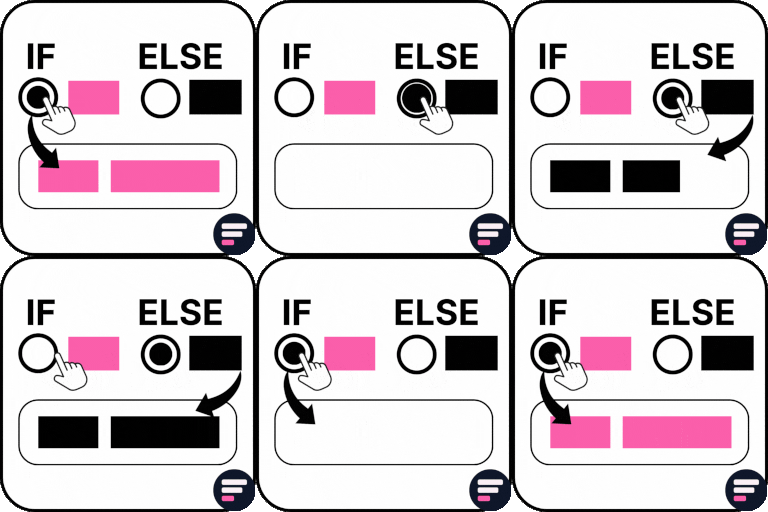
Using Elementor forms but unable to apply conditional logic on form fields? The Conditional Fields for Elementor Form plugin helps you apply conditional logic to Elementor form fields. You can hide, show, enable, or disable fields dynamically based on input values from other form fields. Basically, it uses “If condition” logic. For example, if condition A is true, then field XYZ will be visible; otherwise, it remains hidden within the Elementor form. 👉 CHECK FREE DEMO – FORMS WITH CONDITIONAL LOGIC Upgrade to Conditional Fields Pro for advanced features like conditional redirects, conditional emails, and conditional Mailchimp. Or supercharge your Elementor forms with Cool FormKit (aka coolformkit) — the all-in-one form builder addon for Elementor. With coolformkit, you can add powerful fields such as a range slider, signature field, Select2 field, and more to build smarter, feature-rich forms. Compatibility: You can use this ultimate addon to apply visibility logic on Elementor Pro and Hello Plus form widget fields. Conditional Fields Free Features Show / Hide Fields Conditionally: Easily add conditional logic to show or hide any field within an Elementor form based on values from other fields. You can currently add conditions to these field types: text, textarea, email, telephone, URL, radio, select, file upload, HTML, number, and checkbox. If / Else Logic Without Code: Apply if/else logic to form fields without writing any code. Simply add the ID of the field on which you want to base the condition. For example, if the “Query Type” field ID is “query_type,” you can set it to show the “Enter Order ID” field if query_type == check-order-status and hide it otherwise. Apply Multiple Conditions: Apply multiple conditions to a form field, with actions triggered only if all conditions are met (using AND logic). No Validation Errors: Avoid validation errors when a required field is hidden due to a condition. Compatibility with Hello Plus: The Conditional Fields for Elementor Form plugin is fully compatible with the Hello Plus plugin’s Form Lite widget, which you can use inside Elementor Free. Get Conditional Fields Pro for More Features Conditionally Redirect After Submission Redirect your Elementor form to a specific URL after submission based on set conditions. For example, redirect to URL-1 if condition-1 is true; otherwise, send users to URL-2. Apply Condition on Submit Button Apply conditional logic to the Elementor form submit button to enable/disable or hide/show it based on user input values. This feature can be used to block contact form spam, such as disabling the submit button if illegal words are entered in a textarea. Send Email Conditionally Send different emails to various user types based on their form inputs. You can design multiple email templates and send them according to matched conditions. Apply Multiple Conditions (AND / OR Logic) Apply multiple conditions to form fields using AND/OR logic. Actions are triggered when ANY or ALL specified conditions are met. Condition Triggers / Compare Operators Compare field values using various operators such as equals (==), not equals (!=), greater than (>), less than ( =), less than or equal to (<=), contains, does not contain, starts with, ends with, is empty, and is not empty. Premium Support Need help or have a question? Reach out to Cool Plugins premium support anytime — we usually respond within 24–48 hours. More Elementor Form Addons Explore a powerpack of Elementor form addons developed by the Cool Plugins team. Use them to extend your Hello Plus or Elementor Pro form widgets with advanced features, or create forms in Elementor Free if you are not using Pro. Cool FormKit for Elementor An advanced form builder for Elementor Free users. It also extends Elementor Pro and Hello Plus form widgets with features like conditional logic, country code, WhatsApp redirect, input masks, and more. Upgrade your form-building experience with Cool FormKit. Country Code for Elementor Form Telephone Field Adds a country code dropdown to phone fields, guiding your visitors to select their country code while entering their mobile number to ensure accurate and properly formatted data submissions. Form Input Masks for Elementor Forms Apply input masks to form fields so your users can enter correctly formatted data, such as phone numbers, dates, credit card numbers, and more. Some Other Essential Addons for Elementor Upgrade your website-building experience in Elementor by using these ultimate addons for Elementor developed by Cool Plugins. Timeline Widget for Elementor Showcase your history, events, or milestones in a stylish vertical or horizontal timeline layout on Elementor pages. Events Widgets for Elementor Adds The Events Calendar plugin widgets for Elementor, allowing you to display events in grid, list, or carousel layouts on your Elementor pages. AutoPoly – AI Translation for Polylang An addon for the Polylang plugin that automatically translates Elementor pages using AI-powered translation services — making multilingual site creation fast and simple. Loop Grid Extender for Elementor Pro Use ACF Repeater fields in Elementor Pro loop grids or add advanced taxonomy filters to your Elementor loop templates with this plugin. LocoAI – Auto Translate for Loco Translate Automatically translate any WordPress plugin or theme strings in one click — powered by AI. Check Users Feedback About This Plugin People love this plugin because it delivers a much-needed feature for Elementor forms – applying conditions to form fields, something not available by default 🤩 Finally! Easy Conditional Fields — Yay!!! ⭐⭐⭐⭐⭐ The intuitive setup means I can now implement conditional logic with ease, vastly improving our form functionality without compromising aesthetics. Highly recommended! — @sambadee Long Overdue ⭐⭐⭐⭐⭐ This plugin is so long overdue. Over the years I’ve seen many others that are overcomplicated and difficult to use. This is lightweight, powerful, and easy for anyone to use. Thank you. — @maxbyer Great Support ⭐⭐⭐⭐⭐ Simple and efficient! Support is ready to solve issues and committed to improving and implementing new features! Thank you for your help. — @xxkiefxx At Last ⭐⭐⭐⭐⭐ Finally, a free plugin that adds conditional logic to Elementor forms in a simple and intuitive way. It does what it says — and does it well. Thank you! — @mrprainx Great Plugin! ⭐⭐⭐⭐⭐ I searched the whole internet for this. Most Elementor add-ons you have to pay for don’t have it, but Cool Plugins did it. It’s super easy and directly integrated into the Elementor interface and form. Thanks a lot! Great job, guys! — @huks Get Conditional Fields for Elementor Form [PREMIUM] Use of 3rd Party Services: This plugin connects to the Cool Plugins feedback server only for optional usage data sharing and voluntary feedback submission (for example, during plugin deactivation). Data is transmitted solely after explicit user consent. No hidden tracking is performed, and no frontend visitor or site user data is collected. For more details, please review our Data Usage Policy, TOS, and Privacy Policy.
Top keywords
- elementor38×3.44%
- form29×2.63%
- fields21×1.90%
- conditional18×1.63%
- logic15×1.36%
- field12×1.09%
- apply11×1.00%
- elementor form11×1.00%
- conditions10×0.91%
- conditional logic8×0.72%
- cool8×0.72%
- forms8×0.72%
Premium Addons for Elementor – Elementor Templates, Widgets & MCP Tools
Premium Addons for Elementor supercharges your Elementor Page Builder with 90+ Elementor widgets, 550+ pre-made Elementor templates that will give you the ability to build sophisticated websites in less time with no coding required. Both Elementor and Premium Addons plugins take your WordPress website to the next level. It has Elementor elements like Carousel, Blog Posts List/Slider, Mega Menu Builder, Testimonials, WooCommerce, Search Form, Posts/News Ticker, etc. Check Elementor Widgets & Addons Demo Pages Useful Links Docs | Video Tutorials | Facebook Group | Upgrade to Pro New: AI Abilities (Premium Addons for Elementor MCP) Connect Claude, ChatGPT, Cursor, or any MCP client to your site in one click with OAuth or use an application password. No API key, no code. Built on the WordPress Abilities API and the Model Context Protocol (MCP), Premium Addons gives AI agents 35+ tools that work on your real Elementor site: build pages and templates, duplicate existing ones, insert widgets from Premium Addons and other third-party Elementor plugins, read your global colors and fonts, copy sections between sites, and manage plugin settings. New abilities ship with almost every release. Watch Use Cases!. Step by step setup guides: Connect ChatGPT to Your WordPress/Elementor Website | Connect Claude to Build WordPress/Elementor Pages. KEY FEATURES Modular & Lightweight 90+ Free and Pro Elementor Widgets 17+ Powerful Elementor Addons 580+ Ready made Elementor Container & Full Page Templates 35 AI Abilities (MCP Tools) to build/customize Elementor pages Carousel & Advanced Media Carousel Widgets Advanced Mega Menu Builder Mobile Menu Builder Widget Magazine Widgets Bundle (Smart Post Listing, Weather Forecast, World Clock, News Ticker, Tags Cloud and Recent Posts Notification) WooCommerce Widgets Bundle (Products Listing, Products Carousel, Categories Listing, Woo CTA, Woo Mini Cart) Advanced Display Conditions Addon Apple’s Liquid Glass Effect & Glassmorphism Addon Equal Height Elementor Containers Addon Lottie Animations Integration Cross Domain Copy Paste Elements Elementor Page and Post Duplicator 100% WPML Ready Fully Responsive & Cross Browser Ready Performance and Speed Improvements Premium Addons for Elementor is now much faster than ever. Only the required JS files will be loaded on your page to boost your page loading speed and site performance. All the editor loading issues have been fixed to make your site faster and minimize the time it takes for Elementor editor to load. New: Liquid Glass Addon Select between 6 attractive liquid glass and glassmorphism effects to be applied on any Elementor widget or container. It has also been added to be applied on specific parts inside our elements. Check it out now!. WooCommerce Mini-Cart and Categories Listing Widgets This powerful widget allows your customers to view the products in their shopping cart, change the quantity, remove items and check the total amount without leaving the page. We have also released Woo Categories widget to showcase your Woo categories in four neat skins. Check from here and here. Mobile Nav Menu Widget Create a neat mobile menu on your website with just few click with this powerful widget. You can set the click action of each menu item to a link or to open an off-canvas content. Check it out now!. AJAX Search Form Widget The ultimate solution to add a search form widget on Elementor websites. Customize the search results, add pagination or carousel and select between three different neat skins. Check it out now!. Animated Shape Divider Addon Add animated shape dividers for Elementor flexbox containers. You can select between 40+ shape dividers or use a custom SVG code to add your own divider. Check it out now!. Advanced Media Carousel Widget You can now create carousel using images, videos, Elementor templates to create the carousel you want. Select between four animations and dozens of customization options. Check it out now!. Elementor Navigation/Mega Menu Widget Now, you build outstanding navigation menus and mega menus using Premium Navigation/Mega Menu Widget which allows you to select between four different layouts with dozens of options to create a responsive menu. Check it out now!. Elementor Display Conditions A professional way to manage your website content with specific conditions. You can show/hide content dynamically based on location, browser, operating system, user role, URL parameters, device type, Woocommerce display conditions such as WooCommerce product and WooCommerce shopping cart data, ACF fields, etc. Check the demo page Equal Height Feature Now, you can make your containers, widgets or any selector you want the same height with just ONE click using Equal Height feature in container settings -> Advanced tab. Container and Full Page Elementor Templates Ever-growing Container/Page Templates Library Available on both Premium Addons Free and PRO versions. Browse, preview, and insert the template you like in your page/post with just ONE click. Lottie Animations Integration You can now use Lottie Animations in ALL our widgets. Whatever widget that have an image or icon option now have also the option to add a Lottie animation. Post and Page Duplicator Duplicate any post, page or template on your website with just ONE click. Check the documentation article from here. Modular & Instant Loading Premium Addons for Elementor is fully modular. You can enable/disable specific elements to prevent overloading your website with code you will not actually use which helps your website have a blazing fast performance. Editor Panel Not Loading How to resolve Elementor editor panel loading issue when Premium Addons is active. Elementor Widgets & Addons Included Content Widgets Carousel Widget (FREE): Create a slider of any Elementor content. Blog Widget (FREE): Showcase posts or any custom post type in 5 neat skins. AJAX Search Widget (FREE): Add search form to your website with custom search query. Smart Post Listing Widget (PRO): Create any posts layout you want using this widget. You can use it to create any grid layout to show your posts or any custom post type on your website. World Clock Widget (FREE): This widget helps you to show time from any place. You can use it to show analog/digital clock. Weather Widget (FREE): Weather widget is useful for showing weather forecast data by city name or custom coordinates. You can select between three neat layouts with dozens of customization options. News Ticker Widget (FREE): Show your posts in an attractive way using this news ticker widget. Select between four different layouts. You can also use the widget to show Gold, Stock and Currencies prices. Textual Showcase Widget (FREE): Elevate your text into stunning visual art with Elementor Textual Showcase. Experiment with Text, Images, Font Awesome Icons, SVG Draw, and Lottie Animations to craft eye-catching designs. Engage your audience by making your words move, fade, and transform dynamically, leaving a lasting impression. Tags Cloud Widget (FREE): Showcase tags and categories as cloud, sphere, labeled. Recent Posts Notification Widget (FREE): This widget helps you to show a notification icon on your website to show the latest posts that your website users have not seen yet. Google Maps Widget (FREE): Advanced Google Maps Widget comes with features like adding multiple markers, custom skins, and much more options. Team Members Widget (FREE): Very good widget to list team members, co-workers, etc. Team Members Widget comes with many customization options. Tabs Widget (PRO): Create both Vertical and Horizontal tabs with tons of styling features. Content Toggle (PRO): Present multiple content in a smart way. Animated Text Widget (FREE): The animated Fancy Text Widget comes with very useful options to help you create attractive marketing messages. Heading Widget (FREE): Heading Widget has many customization options and ready-made heading styles. Dual Heading Widget (FREE): Create a headline with 2 different unique styles. Image & Video Widgets Site Logo Widget (PRO): Create an attractive logo for your brand using an image, SVG shape, or Lottie Animation with tens of customization options. Media Gallery Widget (FREE): Highly customizable gallery widget that can be used for creating attractive looking image galleries and portfolios. Advanced Media Carousel Widget (FREE): Create advanced carousel using images, videos or Elementor templates. Image Scroll Widget (FREE): Allows you to represent your images in a brand new yet attractive way. Image Comparison Widget (PRO): Create vertical or horizontal image comparisons easily using this amazing widget. Image Hotspots Widget (PRO): The only Image Hotspots Widget with 100% freehand design experience. Add hotspots to your image using mouse drag n’ drop. Image Layers Widget (PRO): Combine images, Lottie animations and texts. Image Accordion Widget (PRO): Create eye-catching Image Accordions in both vertical and horizontal orientations. Video Box Widget (FREE): Bring videos from YouTube, Vimeo, Dailymotion, or upload your own using Video Box Widget. The widget comes with many customization features. Container Addons & Widgets Horizontal Scroll Widget (PRO): Create horizontal scroll websites with just few clicks. Vertical Scroll Widget (FREE): Create beautiful vertical scroll pages with advanced responsive control options using Premium Vertical Scroll Widget. Background Transition Widget (PRO): Create fancy, colorful, and eye-catching webpages. Multi-Scroll Widget (PRO): Create attractive multi-scroll effect. Custom Mouse Cursor Global Addon (PRO): Add a custom mouse cursor to any container or widget. Magic Scroll Global Addon (PRO): Create outstanding scroll animations to any widget with just few clicks and control every single detail in the animation scene. Animated Shape Divider Addon (FREE): Create animated shape divider on containers. Select between tens of pre-made dividers or use your own. Tooltips Global Addon (FREE): Add icon, image, Lottie animation or Elementor template as a tooltip for any Elementor container element. Badge Global Addon (PRO): Add an icon, image, Lottie animation, or SVG blob shape badge to any container. Animated Blob Generator (PRO): Add multiple animated blob layers to your containers with a wide range of smart customization options. Lottie Animations Container Addon (PRO): Add multiple Lottie Animations easily to any container with a lot of customization and interactivity options. Parallax Container Addon (PRO): The only Parallax Container Addon that can be enabled for containers with freehand design experience and many styles to choose from. Particles Container Addon (PRO): Create eye-catching particles background with many customization options. Animated Gradient Container Addon (PRO): Subtle animated gradients effect that makes your backgrounds attractive. Ken Burns Container Addon (PRO): Add multiple images to your container background and animate them with the popular Ken Burns effect. Off-Grid Widgets Modal Box Widget (FREE): All purpose modal box widget with the ability to use Elementor Templates and many other options. Alert Box Widget (PRO): Show a popups, GDPR alerts and much more with this handy widget from Premium Addons. Off-canvas Widget (PRO): Another off-canvas widget allows you to slide in a container from any direction with a trigger. Preview Window Widget (PRO): Very clever way to show more data in less content area. Elementor WooCommerce Widgets & Addons Woo Products Listing (FREE): Display your WooCommerce products in customizable grid, masonry, or carousel layouts with flexible query controls and ready-made skins. Woo Categories Listing (FREE): Show your WooCommerce product categories in stylish grid or carousel layouts with full control over filtering and design.. Woo CTA (FREE): Add beautifully designed “Add to Cart”, wishlist, or compare buttons anywhere on your product pages to boost conversions. Woo Mini Cart (FREE): Show a live, interactive mini cart that updates instantly as customers browse — fully customizable and easy to place anywhere with dozens of styling and free shipping progress bar option. Woo Display Conditions (PRO): Show or hide any Elementor content based on WooCommerce conditions like cart items, product categories, stock, user role, and more. Social Reviews & Testimonials Widgets Testimonials Widget (FREE): The modern Testimonials Widget is available with many customization options. It can be used with Carousel Widget to create testimonials carousel. Facebook Reviews Widget (PRO): This widget allows you to show off your Facebook Reviews on your website. Google Reviews Widget (PRO): Show your business’s latest Google Reviews right on your webpage. Yelp Reviews Widget (PRO): Show your business’s Yelp Reviews in your website pages with this useful widget. Blurbs & CTA Widgets Bullet List Widget (FREE): Create a bullet list with icons, images, and text tags beside Lottie animations. Countdown Widget (FREE): Create sense of urgency with this widget. It’s perfect for under construction pages, events, sale items, etc. Banner Widget (FREE): Animated and interactive Banner Widget comes with multiple styles and customization features. Button Widget (FREE): Advanced Button Widget comes with lots of interactive animation, styling options, and onClick event option. Image Button Widget (FREE): Image Button Widget is a unique element that can be used for creative and innovative call to action ideas. 3D Hover Box Widget (PRO): Comes with 8 cool 3D interactive effects. Icon Box Widget (PRO): An advanced Icon Box Widgetwith endless customization options. iHover Widget (PRO): The popular iHover Widget with various interactive animations and styling options. Unfold Widget (PRO): Advanced way to fit long text in small area. Unfold Widget is a great trick as it will make your layout design look better. Social Feed Widgets Pinterest Feed Widget (FREE): Get pins and boards from your Pinterest account and show them on your website. Select between three layouts and four skins. TikTok Feed Widget (FREE): Get feed from your TikTok account and show them on your website. Advanced filtering options, three layouts and three skins. Facebook Feed Widget (PRO): Show your Facebook Feed directly inside your website. Twitter Feed Widget (PRO): Display your Twitter Feed on your website pages. Instagram Feed Widget (PRO): Show your Instagram photos right on your webpage. Behance Feed Widget (PRO): Show off your amazing portfolio projects using Behance Feed Widget. Tables, Charts & Anything Data Widgets Progress Bar Widget (FREE): The most advanced Progress Bar Widget comes with multiple labels option. Pricing Table Widget (FREE): Highly customizable Pricing Table Widget with tons of styling options. Charts Widget (PRO): The only advanced Charts Widget is available in Premium Addons. Create Line Chart, Bar Chart, Doughnut Chart, Radar Chart, and more. Tables Widget (PRO): Create sophisticated tables with unique styling and interactivity options. Counter Widget (FREE): Show your facts & figures with Counter Widget. Contact Widgets Contact Form 7 Widget (FREE): Include contact forms in your contact us page using Contact Form 7 Widget. WhatsApp Chat Widget (PRO): Get instant WhatsApp messages right from your website visitors. Design Widgets Divider Widget (PRO): Design beautiful dividers with this unique widget. Image Separator Widget (FREE): Add an Image Separator between containers with this handy yet fully responsive widget. Support & Documentation Documentation Search …