Vimeotheque – Vimeo WordPress Plugin & Video Gallery
The Vimeo plugin for WordPress that imports, embeds, and organizes your videos Vimeotheque helps you bring Vimeo into WordPress the right way: import videos as posts, auto-sync collections (channels, showcases, portfolios, folders, user uploads), and display beautiful, responsive players and playlists with Gutenberg blocks or shortcodes. Perfect for membership sites, portfolios, online courses and video libraries. Highlights – Import & Sync – Single videos or bulk from channels, showcases, groups, portfolios, folders, user uploads, or Vimeo search. – Video as Content – Creates complete WP posts (title, description, thumbnail, embed) using a dedicated vimeo-video post type. – Blocks & Shortcodes – Add single videos, set video position in posts, or build playlists with native Gutenberg blocks. Classic Editor shortcode included. – Responsive & Fast – Uses the latest Vimeo HTML5 player, lazy-load options, “one-video-at-a-time” playback to avoid conflicts, and a no-tracking embed parameter. – Elementor-friendly – Works cleanly inside Elementor layouts; playlists and single embeds drop into any section/column. – Templates (optional) – Enable the plugin’s template system or override in your theme for full design control. Use cases – Membership / LMS – Embed lessons and restrict access with your membership/LMS plugin. – Portfolio / Showcase – Auto-sync a Vimeo showcase/portfolio to your site. – Blog / Magazine – Import as posts and surface videos in archives and widgets. PRO adds even more Automatic bulk imports (schedule & hands-off sync). Private video imports. Import as regular posts (not just the custom post type). Video theme compatibility and priority support. Live demo & Docs – Live demo – Knowledge Base – Getting started with Vimeo OAuth Blocks This plugin provides the following blocks: 1. Vimeotheque – Video Position (place the player inside single video posts) 2. Vimeotheque – Single Video (embed a specific Vimeo video anywhere) 3. Vimeotheque – Playlist (build playlists from imported videos) Troubleshooting Tested with the latest WordPress and default themes across major browsers and mobile. If something looks off, please open a support request and include theme, WP version, and browser/device details.
Timeline Block For Gutenberg
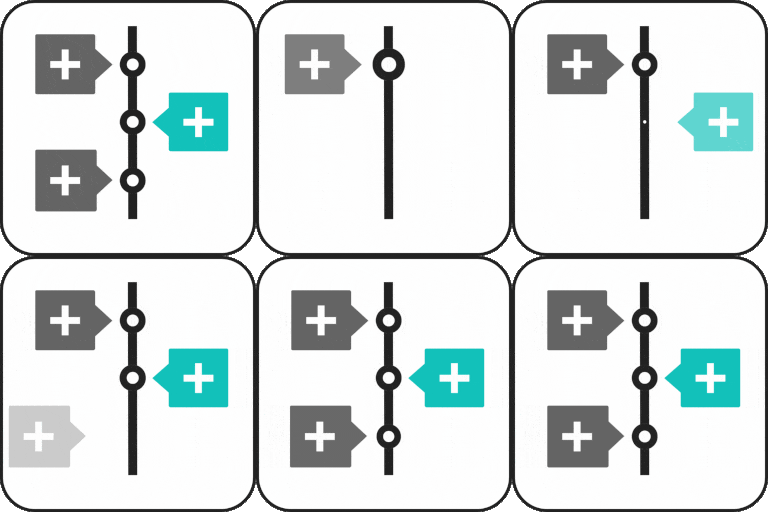
Timeline Block for Gutenberg/Block Editor Timeline Block for Gutenberg is a powerful WordPress timeline slider plugin designed specifically to help you build vertical step-by-step timelines, history/future stories, events, appointments, and many other cool things directly inside the WordPress editor. Just search ‘Timeline Block‘ from the block editor ‘Add Block‘ section and create a stunning timeline slider. View Demos | Watch Video Tutorials Key Features Vertical Timeline Layout: Display your stories using a vertical timeline. Multiple Timeline Designs: Choose whether you want to display the timeline on both sides or one side according to your preferences. Content Alignment: Align your timeline content to the left, right, or center. Customizable Labels: Add labels like step numbers, dates, tags, or short titles to make your timeline more organized and easy to navigate. Image & Multimedia Support: Enhance your timeline’s engagement using interactive images that visually tell your story. Story Icon Support: Add a custom icon to each timeline slider step to give visual context, or, by default, you can choose to display a dot. Fully Responsive: This plugin is fully responsive, ensuring that your events display perfectly on all screen sizes. Where can you use Timeline Block? Represent your company’s story. Showcase tutorial/process steps in timeline format. Create a program timeline. Represent history. Create events/appointments timeline. Job stories/achievements timeline. Personal story timeline. Product roadmap. Upgrade To Pro: Horizontal Layout: Timeline Block Pro offers Horizontal Default Design and Horizontal Simple Design layouts. Multiple Timelines:Easily create and display multiple timelines on one website, categorized by different layouts. Video, Images & Slider: Seamlessly integrate images, videos (YouTube), and slideshows into your timelines. Dot, Icon, Image & Text: Customize icons with options including dot, icon, image, and text for personalized timelines. Get Pro! Check Our Other Timeline Plugins Cool Timeline: Display your company’s history, product roadmaps, personal stories, or key events using the built-in block or via simple shortcode. View Demo Timeline Widget For Elementor: Showcase your company history, product roadmap, and personal journey in vertical & horizontal layout directly inside Elementor. View Demo Timeline Builder: Create a small timeline inside the Gutenberg block editor using a vertical or horizontal timeline. View Demo Timeline Module Pro For Divi: Showcase your personal story or company history using stunning vertical or horizontal timelines directly inside the Divi Builder. View Demo Use of 3rd Party Services: This plugin connects to the Cool Plugins feedback server only for optional usage data sharing and voluntary feedback submission (for example, during plugin deactivation). Data is transmitted solely after explicit user consent. No hidden tracking is performed, and no frontend visitor or site user data is collected. For more details, please review our Data Usage Policy, TOS, and Privacy Policy.