CharityGlow
🚀 Create high-converting donation forms in minutes and start collecting donations today. CharityGlow is a modern WordPress donation plugin designed to help nonprofits, NGOs, mosques, and fundraising organizations increase donations — not just collect them. 👉 Simple setup. Powerful features. No coding required. 🔥 See It In Action (Live Demo) 👉 https://demo.charityglow.com/ 👉 https://charityglow.com/ 🎁 Free setup for the first 100 organizations We’ll help you install, configure, and launch your donation system. 🎯 Why Choose CharityGlow? Most donation plugins are: – ❌ Complicated – ❌ Expensive (addons required) – ❌ Hard to customize CharityGlow is different: ✅ All-in-one solution ✅ Beginner-friendly setup ✅ Built for higher conversion rates ✅ Works worldwide + Bangladesh 💰 What You Can Do With CharityGlow ✔ Accept donations via Stripe, PayPal, SSLCommerz ✔ Accept bKash, Nagad, Rocket (Bangladesh) ✔ Create unlimited fundraising campaigns ✔ Accept one-time or recurring donations ✔ Track donors with built-in CRM ✔ Show progress bars, donor walls, and stats 👉 Everything you need in ONE plugin. ⚡ Built to Increase Donations CharityGlow is not just a form plugin. It helps you: ✔ Build donor trust ✔ Improve conversion rate ✔ Encourage recurring giving ✔ Create professional fundraising pages 💳 Payment Gateways Stripe – Credit/Debit Cards (Worldwide) PayPal – PayPal SSLCommerz 🇧🇩 – bKash, Nagad, Rocket, Upay, Bank Cards Bank Transfer – Offline/manual donations 🇧🇩 Perfect for Bangladesh CharityGlow is the first free WordPress donation plugin with built-in SSLCommerz. Accept: ✔ bKash ✔ Nagad ✔ Rocket ✔ Upay ✔ All Bangladeshi bank cards 👉 No extra plugins needed. 🧩 Powerful Features 🎨 5 Beautiful Donation Form Templates 🔁 Recurring Donations (monthly/yearly) 🌍 Multi-Currency (25+ currencies) 📊 Real-time Reports & Analytics 👥 Donor CRM (profiles, history, lifetime value) 📧 Email Receipts & Notifications 📈 Campaign Goals & Progress Tracking 🔒 Secure & GDPR compliant 📱 Fully mobile responsive 🆓 Free vs Pro Free version includes everything you need to start collecting donations: Donation Forms (5 Templates): ✅ Free, ✅ Pro Stripe Payment Gateway: ✅ Free, ✅ Pro PayPal Payment Gateway: ✅ Free, ✅ Pro SSLCommerz (bKash, Nagad, Rocket): ✅ Free, ✅ Pro Bank / Offline Transfer: ✅ Free, ✅ Pro Recurring Donations: ✅ Free, ✅ Pro Unlimited Campaigns: ✅ Free, ✅ Pro Campaign Goals & Progress Bar: ✅ Free, ✅ Pro Donor CRM (profiles & history): ✅ Free, ✅ Pro Email Receipts & Notifications: ✅ Free, ✅ Pro Donor Wall & Recent Donations: ✅ Free, ✅ Pro 25+ Currencies: ✅ Free, ✅ Pro Anonymous Donations: ✅ Free, ✅ Pro GDPR Compliance Tools: ✅ Free, ✅ Pro Mobile Responsive Forms: ✅ Free, ✅ Pro Advanced Form Builder: ❌ Free, ✅ Pro Multi-step Donation Forms: ❌ Free, ✅ Pro Conditional Form Fields: ❌ Free, ✅ Pro 10 Premium Form Templates: ❌ Free, ✅ Pro PDF Receipt Generator: ❌ Free, ✅ Pro Custom Receipt Branding: ❌ Free, ✅ Pro Sequential Receipt Numbers: ❌ Free, ✅ Pro Campaign-Level Reports: ❌ Free, ✅ Pro Analytics Dashboard: ❌ Free, ✅ Pro Elementor Widgets: ❌ Free, ✅ Pro Failed Payment Email: ❌ Free, ✅ Pro 🚀 Upgrade to Pro: https://charityglow.com/ 🎥 Live Demo 👉 Frontend Demo: https://demo.charityglow.com/ ❤️ Who Is This For? Nonprofits & NGOs Mosques (Bangladesh) Churches & religious organizations Schools & universities Fundraising campaigns Community & social organizations ⭐ Early Users Feedback “Simple, powerful, and perfect for our donation campaigns.” (👉 Add real testimonials soon) 🔧 Installation Upload plugin to /wp-content/plugins/ Activate via WordPress admin Go to CharityGlow → Settings Configure payment gateways Create your first campaign Add [charityglow_form] to any page ⚡ Quick Start Install & activate plugin Add Stripe or PayPal keys Create campaign Add form shortcode Start collecting donations 🔧 Shortcodes [charityglow_form] — Main donation form [charityglow_form campaign_id="123"] — Form linked to a specific campaign [charityglow_form amounts="10,25,50,100,250"] — Custom preset amounts [charityglow_campaigns] — Display all campaigns grid [charityglow_progress_bar campaign_id="123"] — Campaign progress bar [charityglow_donor_wall] — Public donor wall [charityglow_recent_donations] — Recent donations list [charityglow_stats] — Donation statistics 🔒 Security & Compliance PCI compliant (via Stripe/PayPal/SSLCommerz) GDPR ready (data export/delete) Secure API & encrypted transactions External Services This plugin connects to third-party services for payment processing. These connections are essential to process donations securely. No data is sent until a donor actively initiates a payment. Stripe This plugin uses Stripe to process credit and debit card payments. Stripe is a payment processing platform that securely handles card transactions. What it’s used for: Processing credit/debit card donations, managing recurring subscriptions, and handling refunds. What data is sent: * Payment amount and currency * Card details (sent directly to Stripe via Stripe.js, never touches your server) * Donor name and email address * Billing address (if collected) * Donation metadata (campaign ID, form ID, donation ID) When data is sent: When a donor submits a donation form using the Stripe payment method. Service Provider: Stripe, Inc. * Website: https://stripe.com * Terms of Service: https://stripe.com/legal/ssa * Privacy Policy: https://stripe.com/privacy This plugin includes the Stripe PHP library to communicate with Stripe’s API (https://api.stripe.com). PayPal This plugin uses PayPal to process donations via PayPal accounts and PayPal guest checkout. What it’s used for: Processing donations through PayPal, allowing donors to pay using their PayPal balance, linked bank accounts, or cards via PayPal. What data is sent: * Payment amount and currency * Donation/order description * Return URLs (success and cancel pages on your site) * Donor name and email (processed by PayPal) * Invoice/donation ID for tracking When data is sent: When a donor selects PayPal as their payment method and clicks to proceed. The donor is redirected to PayPal’s website (https://paypal.com) to complete the payment. Service Provider: PayPal, Inc. * Website: https://www.paypal.com * Terms of Service: https://www.paypal.com/webapps/mpp/ua/useragreement-full * Privacy Policy: https://www.paypal.com/webapps/mpp/ua/privacy-full This plugin connects to PayPal’s API endpoints (https://api-m.paypal.com for live, https://api-m.sandbox.paypal.com for testing). SSLCommerz This plugin uses SSLCommerz to process donations via Bangladeshi payment methods including bKash, Nagad, Rocket, Upay, and Bangladeshi bank cards. What it’s used for: Processing donations from Bangladesh using local payment methods (mobile wallets, internet banking, and bank cards). What data is sent: * Payment amount and currency (BDT only) * Donor name, email, and phone number * Donation/transaction ID for tracking * Return URLs (success, fail, and cancel pages on your site) * Store ID and transaction reference When data is sent: When a donor selects SSLCommerz as their payment method and clicks to donate. The donor is redirected to SSLCommerz’s secure hosted payment page (https://securepay.sslcommerz.com) to complete the payment. Service Provider: SSLCOMMERZ Limited * Website: https://sslcommerz.com * Terms of Service: https://sslcommerz.com/terms-condition/ * Privacy Policy: https://sslcommerz.com/privacy-policy/ This plugin connects to SSLCommerz API endpoints: * Sandbox: https://sandbox.sslcommerz.com * Live: https://securepay.sslcommerz.com Note: SSLCommerz is only available for BDT (Bangladeshi Taka) transactions. It is intended for use by organizations based in Bangladesh. Additional Info Brand & WordPress.org Assets Bundled under assets/images/ in the plugin package. When publishing to WordPress.org SVN, copy into the repository assets/ folder (sibling of trunk/): assets/images/wordpress-org/icon-256x256.png → assets/icon-256x256.png assets/images/wordpress-org/banner-772x250.jpg → assets/banner-772x250.jpg assets/images/wordpress-org/banner-1544x500.jpg → assets/banner-1544x500.jpg (optional retina) Marketing / social: assets/images/facebook/, twitter/, linkedin/, favicon/. On first activation, if the site has no Site Icon (Appearance → Site Identity), CharityGlow imports its favicon once via wp_site_icon / site_icon. Existing site icons are never replaced. Support support@charityglow.com Documentation https://charityglow.com/docs Credits Stripe PHP Library – stripe.com SSLCommerz – sslcommerz.com Chart.js – For beautiful charts in admin dashboard WordPress Community – For the amazing platform
Order Tip & Donations for WooCommerce
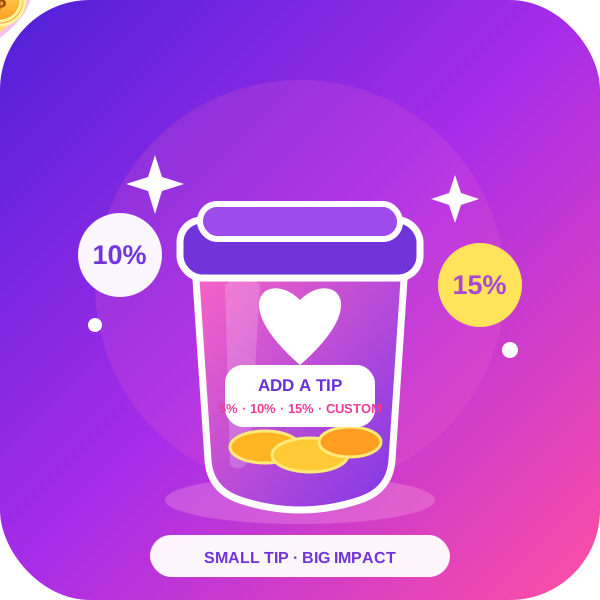
Plugin enables customers to add a tip to a WooCommerce order seamlessly. Whether it’s a custom tip WooCommerce setup or a cash tip WooCommerce option, this plugin provides flexible configurations to enhance the customer experience and support businesses effortlessly. Accept Tips & Donations Seamlessly in WooCommerce Our WooCommerce Tips & Donations Plugin is the good solution for store owners who want to encourage customer generosity by allowing them to add a tip at checkout or make a donation to their order in their WooCommerce store. Whether you run a restaurant, nonprofit organization, freelancer service, or any WooCommerce store that benefits from customer contributions, this WooCommerce tip plugin makes the process seamless and user-friendly. Why Use This Plugin? In today’s eCommerce landscape, customers appreciate the option to support businesses and causes they love. This WooCommerce tip plugin integrates smoothly into your WooCommerce store, ensuring that tipping or donating is simple, flexible, and fully customizable. ✅ Key Features & Benefits 1️⃣ Multiple customer service tips & Donation Options ✔️ Allow customers to add a custom order tip or choose from predefined order tip percentages. ✔️ Offer fixed-amount donations to support a cause, charity, or business operations. ✔️ WooCommerce tip configuration allows tipping as a percentage of the cart total or a fixed amount. 2️⃣ Seamless Checkout Integration ✔️ Display the tipping/donation option on the cart page, checkout page, or both. ✔️ Provide a smooth and intuitive experience for customers without disrupting the order flow. ✔️ Works flawlessly with WooCommerce payment gateways. ✔️ A WooCommerce order tip that works with block-based checkout. 3️⃣ Customizable UI & Display Settings ✔️ Modify the tip section text, labels, and colors to match your brand. ✔️ Enable or disable tipping for specific user roles. 4️⃣ Guest Checkout Support ✔️ Store tips and donations even if the customer is not logged in. ✔️ Collect customer email and transaction details for tracking. 5️⃣ Compatibility & Performance ✔️ Fully compatible with the latest WooCommerce and WordPress versions. ✔️ Lightweight and optimized for speed & performance. ✔️ Works with other WooCommerce plugins. WooCommerce Order Tip Plugin Configuration The WooCommerce tip configuration settings allow store owners to customize how order tips are collected during checkout. You can configure: Order Tip types: Choose between fixed amounts or percentage-based tips. Order Tip placement: Display tip options on the cart page, checkout page, or both. User role restrictions: Enable or disable tipping for specific customer roles. Custom labels & UI: Modify text, colors, and labels to match your store branding. WooCommerce Order Tip Tax Options (PRO) Managing tax on tips is crucial for compliance and accounting. The WooCommerce tip tax options allow you to: Enable or disable tax on tips based on local regulations. Set tax rates for tips separately from product taxes. WooCommerce Order Tip Rates Offering predefined order tip rates simplifies the tipping process for customers. The WooCommerce order tip rates feature includes: Standard order tip percentages (e.g., 5%, 10%, 15%, 20%). Custom order tip amounts where customers can enter their own value. Cash order tip option for offline payments. Dynamic order tip suggestions based on order total or customer preferences. 🎯 Use Cases for WooCommerce Order Tip Plugin ✔️ Restaurants & Cafés – Accept tips online for food delivery and takeaway orders. ✔️ Nonprofits & Charities – Collect donations to support a cause. ✔️ Freelancers & Service Providers – Let customers add tips for excellent service. ✔️ eCommerce Stores – Allow customers to support your business with a small contribution. ✔️ Event Organizers – Accept donations for virtual or in-person events. 🔥 Why Choose Our Plugin Over Others? ✔️ User-Friendly Setup – No coding required. Just install, configure, and start collecting tips! ✔️ Highly Customizable – Adjust settings, labels, and display options to fit your needs. ✔️ Mobile Responsive – Works seamlessly on all devices, including desktops, tablets, and smartphones. ✔️ Regular Updates & Support – We continuously improve the plugin based on user feedback. 💎 Upgrade to the Pro Version for More Features! The Pro version unlocks additional features, including: 🚀 Advanced analytics – Get insights into customer tipping behavior. 🚀 Collect tax on the tip and donation amount 🚀 Give customers the option to round up their order total to the nearest dollar and donate the difference. 🚀 Give option of the tip only for the large order say subtotal is more then 500 or qunaity in cart is more then 10 🚀 Give tip option only when specific category or Tag product is present in the cart 🚀 Only show Tip option during a specific day. Alternative Use Cases Service Fees & Convenience Charges Add optional service fees for premium support or faster delivery. Charge a convenience fee for digital downloads or exclusive content. Crowdfunding & Fundraising Allow customers to contribute to a crowdfunding campaign for new product development. Collect funds for community projects or social causes. Membership & Loyalty Contributions Enable customers to support your business with voluntary membership fees. Offer a “supporter contribution” for loyal customers who want to help sustain your store. Event Sponsorships & Participation Fees Accept sponsorship contributions for virtual or in-person events. Allow attendees to pay an optional participation fee for workshops or webinars. Charity & Social Impact Initiatives Collect funds for disaster relief or humanitarian aid. Enable customers to round up their total to donate to a cause. Key Features add order tip for waitress in WooCommerce checkout WooCommerce plugin to collect donations or tips on orders add a custom order tip field for waitresses before payment in WooCommerce accept customer service tips from customers in WooCommerce WooCommerce checkout order tip box – free plugin collect customer service tips on a WooCommerce store WooCommerce order tip jar plugin for the checkout page enable order tipping for WooCommerce orders WooCommerce order tip amount selection at checkout ask customers for a donation on a WooCommerce site add optional customer service tips to orders in WooCommerce WooCommerce checkout custom fee for order tips Privacy If you choose to opt in from the plugin settings, or submit optional feedback during deactivation, this plugin may collect basic technical information, including: Plugin version WordPress version WooCommerce version Site URL Deactivation reason (if submitted) This data is used solely to improve plugin quality, compatibility, and features. No personal or user-specific data is collected without consent.