BoltAudit AI
Speed up your WordPress site with AI. BoltAudit looks at your site the way a senior performance engineer would, tells you exactly what is slowing it down, and offers one click fixes for the most common problems. Most speed plugins hand you a long checklist and ask you to figure it out. BoltAudit is different. It looks at your real site data, picks the single biggest reason your site is slow, and explains the fix in plain English. No theory, no guessing. Why your site is slow Slow WordPress sites usually fall into one of four areas: What visitors see and download (images, fonts, scripts, page weight) What WordPress is doing on the server (plugins, hooks, request time) What is in your database (table size, old data, query load) Where your site is hosted (hosting tier, caching, network) Most performance plugins try to do everything at once and fix nothing. BoltAudit looks at all four areas at the same time and tells you which one is actually hurting you the most. Then it gives you a ranked action plan to fix that area first. One click fixes that you do not need to be a developer to apply When you connect your site to BoltAudit, eligible findings come with a one click apply button. You see what is about to change, confirm it, and BoltAudit makes the change for you. Reversible fixes can be undone in one click for the next 30 days. This works with the cache plugin you already have installed. WP Rocket, LiteSpeed Cache, W3 Total Cache, WP Super Cache, WP Fastest Cache, and Autoptimize are all supported. If you do not have one, BoltAudit will tell you what is worth installing. How AI Audit is different One verdict, not a checklist. Every audit picks the single biggest reason your site is slow. The fixes for that area are ranked first. Plain English explanations. Every finding tells you what it is, why it matters, and what to do, in language anyone can act on. Evidence behind every finding. Numbers, plugin names, and concrete measurements. No “consider optimizing your assets” non advice. Honest about confidence. When a security plugin or firewall blocks a measurement, BoltAudit says so and lowers the report confidence instead of guessing. Mobile aware. On Pro plans, BoltAudit translates Core Web Vitals into estimated mobile bounce and conversion impact. Faster site, better SEO, more conversions Google ranks faster sites higher. Visitors leave slow sites. A faster WordPress site means: Better Core Web Vitals scores (LCP, INP, CLS) Higher Google search ranking Lower bounce rate More mobile conversions Less abandoned WooCommerce carts Lower hosting costs (servers do less work) Built for WooCommerce stores If you run a WooCommerce store, you probably already know slow checkout costs money. BoltAudit understands stores. It looks at the things that actually matter for an online store: how long checkout takes, what your payment and shipping plugins are doing on every page, how your product pages render on mobile, and whether your background jobs are stuck. The fixes are sized for store owners, not just developers. Run a free local audit, no account needed The Local Audit runs entirely inside your WordPress admin. No data leaves your site. No account. No setup. You see a full report of what is happening on your site within seconds. Use it to decide whether you want the deeper AI Audit before connecting anything. When you do want AI Audit, connecting takes one click. You get unlimited audits on the Pro plan and a 14 day money back guarantee. How it works Install and activate the plugin from the WordPress plugin directory. Open Tools and then BoltAudit in your WordPress admin. Run a Local Audit. See your site report in seconds. To get the deeper AI Audit and one click fixes, click the AI Audit tab and connect your site to your free BoltAudit account. Start an AI Audit from your dashboard. Review the verdict, apply the ranked fixes one click at a time. Plans Free. Local Audit, one connected site, three AI audits a month, basic findings. No credit card. Pro. Twenty nine dollars a month. Unlimited audits, three sites, mobile visitor loss score, one click apply fix, branded reports. Agency. Ninety nine dollars a month. Twenty five sites, five team seats, white label, public report URLs, API access. Every paid plan has a 14 day money back guarantee. Privacy and safety Read only by default. The plugin never deletes anything on your site on its own. Local audits stay local. Your data never leaves WordPress unless you explicitly connect the site for AI Audit. Every change asks for your consent. One click fixes show you exactly what is about to change and let you confirm before anything happens. Deep scan is optional. A deeper diagnostic pass is available but only when you turn it on. No frontend overhead. Audits run on demand, never on every page load. Your visitors never wait for BoltAudit. Useful links Website: boltaudit.com Dashboard: app.boltaudit.com Sample report: boltaudit.com/report Blog: boltaudit.com/blog
Top keywords
- site17×2.00%
- boltaudit16×1.89%
- audit12×1.42%
- click10×1.18%
- ai9×1.06%
- fixes8×0.94%
- wordpress8×0.94%
- ai audit7×0.83%
- local6×0.71%
- report6×0.71%
- slow6×0.71%
- audits5×0.59%
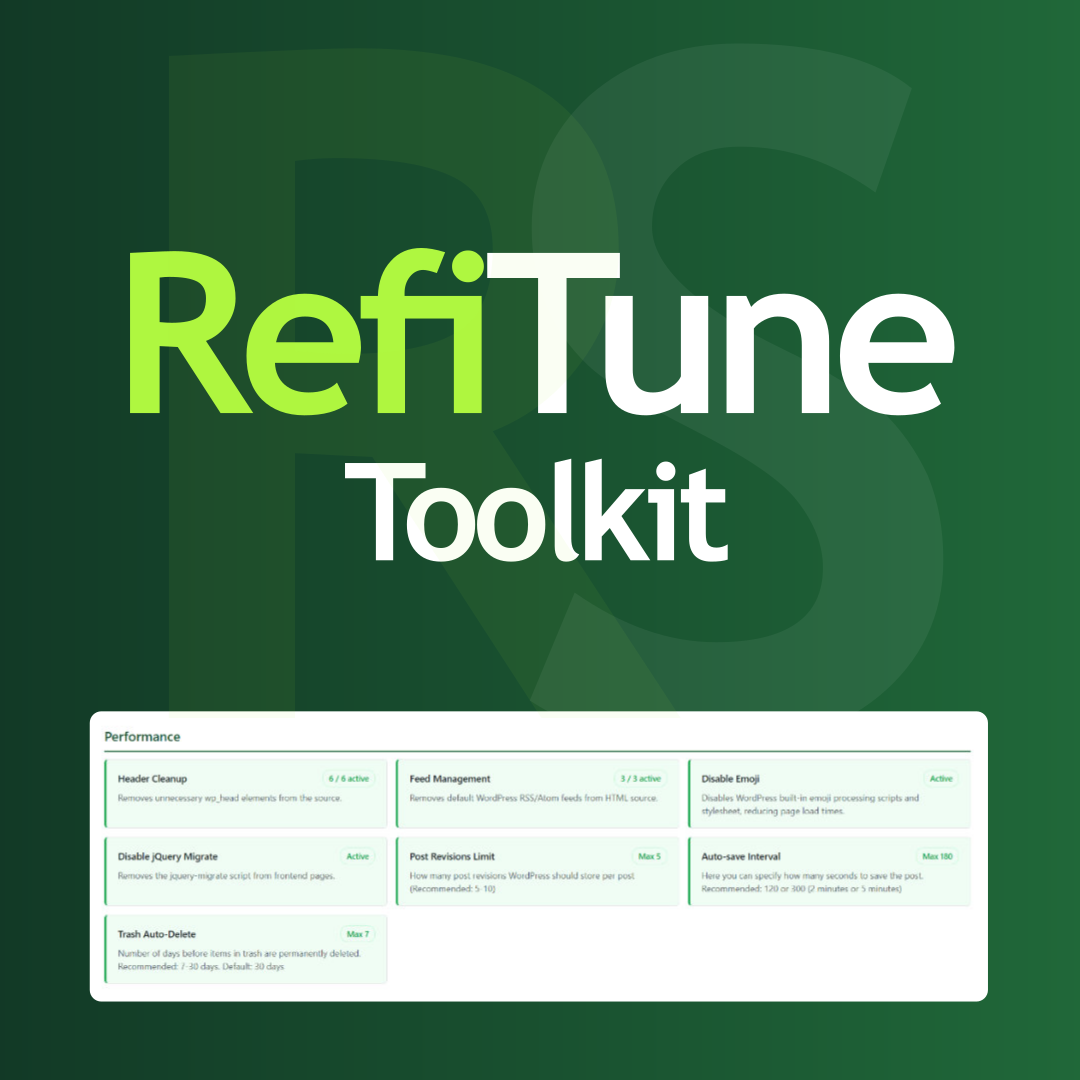
RefiTune – Site refiner toolkit
Hungarian: Magyar nyelvű bővítmény leírás RefiTune – Site refiner toolkit is a modular Swiss Army knife for WordPress. Clean up unnecessary front-end code, harden login and uploads, tune Heartbeat and updates, or brand wp-login – each module is opt-in. Enable or disable features individually. A clean dashboard shows what is active. In-plugin Help pages document behaviour, trade-offs, and requirements. What’s Inside? (35 Modules) Performance: * Header Cleanup – Strip unnecessary wp_head output for leaner pages. * Feed Management – Control RSS/Atom feed link tags in the document head. * Disable Emoji – Remove WordPress emoji scripts and styles. * Disable jQuery Migrate – Drop legacy jquery-migrate when your stack does not need it. * Disable oEmbed – Stop automatic embeds from pasted YouTube, Vimeo, Twitter/X, and similar URLs. * Remove Asset Version Query Strings – Strip ?ver= from front-end CSS/JS (can break cache busting; prefer CDN purge or hashed filenames). * Post Revisions Limit – Cap stored revisions per post. * Auto-save Interval – Change how often the editor auto-saves. * Trash Auto-Delete – Set trash retention; expired items are removed in batches so large queues stay memory-safe. * Convert Uploads to WebP – Convert JPEG/PNG to WebP on upload, optional max size resize, then remove the original (GD or Imagick with WebP; uses unique filenames and refuses unsafe overwrites). * Heartbeat API Control – Tune or disable Heartbeat in admin, front end, and the post editor. Security: * Hide Generator Tags – Remove WordPress (and WooCommerce, when active) version meta tags. * Disable XML-RPC – Respond to XML-RPC with 404 and remove RSD discovery. * Disable Trackback/Pingback – Close pings and strip pingback methods/headers. * Disable File Editor – Set DISALLOW_FILE_EDIT so theme/plugin editors stay off. * Automatic Updates Control – Tri-state plugin, theme, translation, and core updates; reschedule update checks. Respects AUTOMATIC_UPDATER_DISABLED and WP_AUTO_UPDATE_CORE when defined. * Login Error Messages – Generic login errors to reduce username enumeration. * Restrict Admin Access – Choose which roles may open wp-admin UI. Users with manage_options always keep access. Front-end admin-ajax.php is intentionally not blocked. * REST API Restrictions – Limit selected core REST routes to users with manage_options. * Login Limit – Rate-limit failed logins by IP and IP+username pair (REMOTE_ADDR only). Optional IP whitelist (one address per line). Covers wp-login.php and other wp_signon() paths (including WooCommerce). * Verified Upload – Block disguised uploads: double extensions, MIME/magic mismatches, and script markers. Visual: * Hide Admin Bar – Hide the admin bar for selected roles. * Block Visibility (Mobile) – Show/hide blocks by device via wp_is_mobile(); sends Vary: User-Agent (full-page caches must honour it). * Login Page Customization – Brand wp-login.php with logo and colours. Email: * Email Notifications – Disable or redirect selected WordPress system emails. * Email sending – SMTP with encrypted password storage, or disable all site emails. In production, disabling TLS/certificate verification is blocked. Miscellaneous: * Disable Comments – Site-wide comments off (optional WooCommerce review keep). * External Links in New Window – Open external links in a new tab with safe rel attributes. * Enable Page Excerpt – Excerpt support for pages. * Clean Upload Filenames – Sanitize upload filenames (accents, spaces, special characters). * SVG Upload – Role-gated SVG uploads with allowlist-based sanitization (XXE-safe parse). * AVIF Upload – Role-gated AVIF uploads (full core AVIF support needs WordPress 6.5+). * Role Redirects – Per-role login and logout redirect URLs. * Maintenance Mode – 503 maintenance page for guests; chosen roles keep access. Admin, AJAX, and cron stay available so staff can work. * Dynamic Year Shortcodes – [refi-year] and [refi-year from="2006"]. More plugins: rotistudio.com Author site: rottenbacher.hu GitHub: github.com/rotisoft/refitune Translations English (default – source strings in code and refitune.pot) Hungarian (Magyar) – refitune-hu_HU.po (compile to .mo for WordPress to load) Contribute translations under /wp-content/plugins/refitune/languages/. Text Domain: refitune.