Rich Text Formats
BlaBlaBlocks Formats lets you enhance your Gutenberg editor with interactive rich text formats like tooltips, markers, inline typography controls, and formatting utilities directly inside WordPress. No coding needed. Just select your text, choose a format, and instantly make your content more engaging. With BlaBlaBlocks Formats, you can add animated markers, interactive tooltips, inline typography styling, and quick formatting controls to improve readability and emphasize key information. Key Features Interactive text formats – Add InfoTips, markers, typography controls, and clear formatting directly from the block toolbar. Live customization – Change color, animation, and behavior in real time. Lightweight & optimized – Assets load only when formats are used. Native Gutenberg integration – Seamlessly fits the WordPress Block Editor. Why Choose BlaBlaBlocks Formats? Because plain text doesn’t always tell the full story! Highlight key phrases, provide helpful InfoTips, adjust inline typography, or quickly remove formatting, all within the familiar block editor UI. No shortcodes or custom HTML needed. 100% visual control inside the editor. Works with all themes and blocks. How It Works Select any text in the Gutenberg editor. Choose a format such as Marker, InfoTip, Typography, or Clear formatting. Adjust style and behavior using the sidebar options. See the preview instantly. Formats are rendered on both editor and frontend views with minimal code overhead. Use Cases Add InfoTips to glossary terms or product details. Highlight important phrases in tutorials or documentation. Apply inline typography styles to emphasize selected text. Clear unwanted formatting from copied or edited content. Available Formats 1. Marker Underline or highlight text segments with customizable color and animation. 2. InfoTip Attach informative tooltips to any text selection perfect for definitions, links, or extra context. 3. Typography Apply inline typography styles such as font family, font size, appearance, letter spacing, and letter case. 4. Clear formatting Remove applied inline formatting from selected text with a single toolbar action. Customization Options Marker color & animation style Tooltip position, size, and behavior Typography presets and inline text styling Backend-only or frontend-visible options Per-format settings saved automatically Performance & Optimization BlaBlaBlocks Formats loads assets only when necessary, reducing frontend bloat. No React, Redux, or large JS libraries Powered by the web component, not loaded on the public site unless formats are active. Open Source and Free The BlaBlaBlocks Formats is open source. Not only is it free to use, but you are also welcome to collaborate and contribute to its development. Source Code: https://github.com/lubusIN/blablablocks-formats Report Issues: https://github.com/lubusIN/blablablocks-formats/issues Documentation: https://github.com/lubusIN/blablablocks-formats/wiki
Rich Text Formats Block
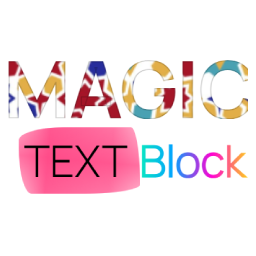
Magic Text Block enhances your WordPress Gutenberg editor with powerful text formatting options that go beyond the standard capabilities. This plugin brings creative typography and styling directly to your content creation workflow. Key Features: Gradient Stroke Text: Apply beautiful gradient borders to your text that catch the eye and make headlines pop. Gradient Text Color: Transform ordinary text with vibrant gradient color fills that flow smoothly from one color to another. Post Theme Selector: Apply custom themes (Dark, Light, Milkshake, Popsicle) to individual posts or pages, creating unique visual experiences for different content. Text Background Image: Select images from your media library to apply as backgrounds behind specific portions of text, creating striking visual effects. Underline Effects: Apply decorative curved underline effects with customizable colors to highlight important text. Tooltip Text: Add customizable tooltip bubbles to text with your own message, background color, and text color—great for inline explanations or quick hints. Unstyle Text: Remove all formatting from selected text instantly. Realistic Text Marker: Highlight text with authentic marker effects using 8 handcrafted styles (uneven, thick, messy, double, faded, wavy, textured) that simulate real highlighter strokes. Perfect for bloggers, designers, and content creators looking to make their content stand out without requiring any coding knowledge. Simply select your text and apply the formatting options from the text toolbar. Compatible with all WordPress themes and works seamlessly with the Gutenberg block editor. This plugin’s code is available on GitHub. Please feel free to fork the repository and send a pull request. If you find a bug in the plugin, open an issue. Video Tutorial Watch our step-by-step guide on how to apply Magic Text Block formatting in WordPress! Learn how to enhance your text with gradient effects, background images, and stylish underlines. 📺 Watch the tutorial here: Demo