BibleGet I/O
Once the plugin is installed, you will find a Bible quote block in the widgets section of the block editor. Also available is a shortcode [bibleget] that you can use to insert Bible quotes in articles or pages from different versions of the Bible in different languages. The text of the Bible quotes is retrieved from the BibleGet API https://query.bibleget.io. Sample usage of the shortcode: [bibleget query="Exodus 19:5-6,8;20:1-17" version="CEI2008"] [bibleget query="Matthew 1:1-10,12-15" versions="NVBSE,NABRE"] It is also possible to place the reference for the desired Bible quote in the contents of the shortcode: [bibleget version="NABRE"]John 3:16;1 John 4:7-8[/bibleget] The Plugin also has a settings page “BibleGet I/O” under “Settings” in the Administration area, where you can choose your preferred Bible versions from those available on the BibleGet server so that you don’t have to use the version or versions parameter every time. After you have made your choices in the settings area, remember to click on “Save”! Once the preferred version is set you can simply use: [bibleget query="1 Cor 13"] Other parameters available to the shortcode are: popup: can have a value of true or false. Will determine whether the text of the Bible quote will show in a full block, or instead in a popup window upon clicking the Bible quote. Example: [bibleget query="Romans 8:28" popup="true"] preferorigin: can have a value of GREEK or HEBREW, useful in those cases where there are multiple texts for the same book, chapter or verse in the same Bible edition, such as in the Book of Esther where both versions are included, one based on the original Greek text, and the other based on the original Hebrew text. Example: [bibleget query="Esther 1:1" preferorigin="HEBREW"] layoutprefs_showbibleversion: can have a value of true or false. Example: [bibleget query="Ezekiel 25:17" layoutprefs_showbibleversion="false"] layoutprefs_bibleversionalignment: can have a value of LEFT, CENTER, RIGHT or JUSTIFY. Example: [bibleget query="Psalm 149:3" layoutprefs_bibleversionalignment="LEFT"] layoutprefs_bibleversionposition: can have a value of TOP, BOTTOM or BOTTOMINLINE. Example: [bibleget query="2 Samuel 6:14" layoutprefs_bibleversionposition="BOTTOM"] layoutprefs_bibleversionwrap: can have a value of NONE, PARENTHESES or BRACKETS. Example: [bibleget query="Ecclesiastes 3:1-4" layoutprefs_bibleversionwrap="BRACKETS"] layoutprefs_bookchapteralignment: can have a value of LEFT, CENTER, RIGHT or JUSTIFY. Example: [bibleget query="Galatians 5:7-10" layoutprefs_bookchapteralignment="RIGHT"] layoutprefs_bookchapterposition: can have a value of TOP, BOTTOM or BOTTOMINLINE. Example: [bibleget query="Mark 13:35-37" layoutprefs_bookchapterposition="BOTTOMINLINE"] layoutprefs_bookchapterwrap: can have a value of NONE, PARENTHESES or BRACKETS. Example: [bibleget query="John 8:12" layoutprefs_bookchapterwrap="PARENTHESES"] layoutprefs_bookchapterformat: can have a value of USERLANG, BIBLELANG, USERLANGABBREV or BIBLELANGABBREV. Example: [bibleget query="Psalms 144:1-2" layoutprefs_bookchapterformat="USERLANGABBREV"] layoutprefs_bookchapterfullquery: can have a value of true or false. Example: [bibleget query="Isaiah 6:8" layoutprefs_bookchapterfullquery="true"] layoutprefs_showversenumbers: can have a value of true or false. Example: [bibleget query="1 John 2:15-17" layoutprefs_showversenumbers="false"] The style settings are customizable using the WordPress Customizer, so you can make the Bible quotes fit into the style of your own blog / WordPress website. The Bible quote block also has a number of customizable options in the block editor which allow you to set not only the style but also the layout of the elements that make up the Bible quote. BibleGet Website Subscribe to the Youtube channel! Follow on Facebook! Follow on Twitter!
Visual Bible Verse of the Day Widget
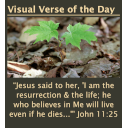
The Visual Bible Verse of the Day inspires people through God’s Word and His creation. Each day a new thumbnail photograph combined with a Scripture reference appear in a widget area on a site using the plugin. You control the size and widget area the verse and scripture reference appear. When someone clicks on the thumbnail they get the full image and verse. The images come from the outstanding wildlife and landscape photography collection of award-winning outdoor photographer Pasquale R Mingarelli. The Visual Verse of the Day makes a great addition to any Christian website or any site that wants to daily inspire its site visitors. Pasquale is also a Christian speaker. He speaks on how nature touches us through its majesty, mystery and beauty. His presentations help us to see how nature reveals the glory of God and His attributes. You can view his website here: www.thecreationspeaks.com.