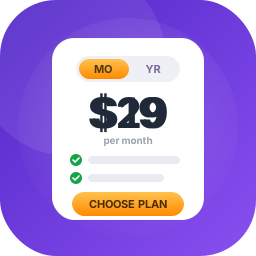
Pricing Table – Block – Show Product or Service Pricing in Table Format
Pricing Table Block is a modern and lightweight WordPress plugin that allows you to design and display fully customizable pricing tables directly within the Gutenberg editor. Perfect for SaaS, product pages, service-based websites, freelancers, and agencies, this plugin helps you create transformative pricing tables. Pricing Table | Live Demo | Support Key Features – Free Version Unlimited Add Pricing Table: Add pricing tables using the Gutenberg block editor. Basic Styling Options: Customize colors, fonts, borders, and backgrounds to match your brand. Feature List with Icons: Display service features clearly with styled checkmark icons. Button Support: Add call-to-action buttons with custom text and links to drive conversions. Responsive by Default: Mobile-friendly layout that works across desktops, tablets, and phones. Optimized for Performance: Lightweight code ensures fast loading and smooth user experience. Gutenberg Block Support: Build pricing tables visually using WordPress’s block editor. Pricing Table Pro – Unlock Premium Features Take your pricing tables to the next level with powerful design and control feature in the Pro version. What’s New in the Pro Version? 21 Professionally Designed Styles: Choose fromFifteen unique, modern pricing table templates — crafted to fit any brand and maximize conversions. Responsive Device-Based Controls: Individually adjust layout, spacing, and styles for desktop, tablet, and mobile. Custom Styling Options: Control border radius, background colors, shadows, padding, and image positioning — style your tables your way. Advanced Typography: Fully customize the font, size, weight, color, and alignment of your pricing titles, descriptions, and features. Interactive Buttons: Design call-to-action buttons with custom icons, sizes, colors, and hover effects that enhance engagement. Flexible Layout Controls: Manage the number of columns, control the gaps, fine-tune padding, and adjust container width for a pixel-perfect layout. How to use First, install the B Pricing Table plugin Add the B Pricing Table from the block category called “Widgets” in the Gutenberg editor. You can change block settings from the right-side settings sidebar. Enjoy! For installation help click on Installation Tab. Feedback Did you like this plugin? Dislike it? Do you have a feature request? Please share your feedback with us Check out the Parent Plugin of this plugin- B Blocks – A blocks collection and page building tool for Gutenberg. Check out our other WordPress Plugins- Html5 Video Player – Display videos as single and playlist in multiple skins. PDF Poster – Display/Embed PDF files with different styles. Html5 Audio Player – Listen audios with awesome visuals. StreamCast – Customizable radio player with different skins. 3D Viewer – Embed 3D models and 3D products with interaction. Advanced Post Block – Show posts and custom posts in different layouts. External Services This plugin connects to the following external services from the admin dashboard: bPlugins API Service URL: https://api.bplugins.com Purpose: The plugin’s admin dashboard fetches product comparison data and pricing information to display relevant upgrade options and feature details. Data Sent: Only the plugin slug is transmitted; no personal or site data is collected. Terms of Service: https://bplugins.com/terms-of-service/ Privacy Policy: https://bplugins.com/privacy-policy/ Freemius (wp.freemius.com) Endpoint: https://wp.freemius.com/ Used for: Processing plugin opt-in consent form submissions. Data sent: Only after explicit user opt-in — user name, email, site URL, WP/PHP version, plugin version. Terms of Service: https://freemius.com/terms/ Privacy Policy: https://freemius.com/privacy/ WordPress.org Plugins API Service URL: https://api.wordpress.org/plugins/info/1.2/ Purpose: The admin dashboard queries the official WordPress.org Plugins API to retrieve and display a curated list of other plugins by the same author (“Our Plugins” section). Data Sent: Plugin slugs and author name; no personal or site data is collected. Terms of Service: https://wordpress.com/tos/ Privacy Policy: https://wordpress.org/about/privacy/ Third-Party Libraries / bpl tools Source / GitHub: https://github.com/bPlugins/bpl-tools License: GPL-2.0-or-later – https://www.gnu.org/licenses/gpl-2.0.html Purpose: Shared utility library providing admin dashboard components and common Gutenberg editor controls. External Services: The library may connect to bPlugins, WordPress.org, and Freemius services for product data and checkout functionality. See full details: https://github.com/bPlugins/bpl-tools#external-requests–why-they-are-made
Top keywords
- pricing14×2.08%
- https12×1.78%
- com10×1.49%
- wordpress9×1.34%
- block7×1.04%
- bplugins7×1.04%
- data7×1.04%
- pricing table7×1.04%
- table7×1.04%
- display6×0.89%
- freemius6×0.89%
- gutenberg6×0.89%
WP Go Maps Block
The easiest to use Google Maps and Open Layers Map Plugin is now available as a standalone map block! Create a custom map block with high-quality markers and add them to your WordPress posts and pages effortlessly. Perfect for contact pages, business locations, event venues, and more! Map blocks are lightweight and deliver optimal performance, ensuring a seamless experience for your WordPress site. They’re easy to customize, allowing you to quickly add and configure maps to suit your needs without compromising site speed or performance. If you need more features like multiple markers, shapes, and a store locator, our full (free) WP Go Maps plugin might be perfect for you. Block Features Add unlimited map blocks to your posts/pages Choose between Google Maps or OpenLayers for each block Edit your marker directly from the block editor Set marker location by free location search, or by right-clicking on the map preview Preview your map in real time, within the block editor Easy to use and customize without any coding experience Control width, height and alignment of your maps From the team that brought you the most popular Google Maps plugin on WordPress Lightweight for optimal performance No database queries or tables Basic info-window for your marker Control zoom level of your map Support for localization Latest Google Maps API Latest OpenLayers API Already using WP Go Maps? You can still use this block for single locations, as it is fully integrated with both our basic and Pro versions! References We make use of a various libraries and 3rd party service providers in order to render maps in your preferred mapping engine. This section will describe each of these in more detail and when they are used. OpenLayers: Served from a local library file (lib/ol.js & lib/ol.css), provided by OpenLayers. We use this library when you set your block to use OpenLayers (default). You can find the source files on the OpenLayers GitHub. OpenStreetMap: When you select the OpenLayers engine, a default map tile server is used, which is provided by OpenStreetMap. This is a 3rd party service provider that we rely on to render your map. They may also make use of MapBox for some of their assets. Google Maps API: If you decide to use Google Maps as your map engine, we will include the Google Maps API as a 3rd party service provider that we rely on to render your maps. In this case, admin map previews are still rendered by OpenLayers and OpenStreetMap. Nominatim (OpenStreetMap): If you perform an address search within the admin area, we will make use of the OpenStreetMap Nominatim to lookup locations and suggest addresses to you. This is a 3rd party service provider that we rely on for address searches.
Top keywords