AUIA – AI Accessibility Audit for WCAG & EAA Compliance
Is your website ready for the European Accessibility Act (EAA)? Avoid legal risks, boost your SEO, and improve User Experience with AUIA. Powered by AI, AUIA runs a deep WCAG 2.2 AA accessibility audit of your WordPress site and gives you actionable steps to fix issues—not just a superficial overlay. Web accessibility is no longer optional; it’s a legal requirement. With the European Accessibility Act (EAA) in full effect, ensuring your website meets WCAG 2.2 AA standards is critical to avoiding penalties, boosting your SEO, and providing an inclusive experience for all users. AUIA Audit Accessibility helps you detect, understand, and fix accessibility issues on your WordPress website using the power of Artificial Intelligence. Unlike superficial overlays that just mask problems, AUIA performs a deep, structural analysis of your code and content, giving you an accurate map of what needs to be fixed. 100% GDPR Compliant: We only process the HTML structure and accessibility violations, not sensitive user personal data. 🤖 Powered by AI, Built for Humans Web accessibility is dynamic. AUIA uses a smart AI algorithm to analyze invisible issues and behavioral patterns that static rules often miss. 🚀 Key Features Comprehensive WCAG Audits: Analyze your website against strict WCAG criteria. Detect contrast issues, missing alt text, ARIA label errors, structural HTML flaws, and more. Actionable & Prioritized Reports: Don’t get overwhelmed. AUIA provides clear, structured reports that prioritize the most critical issues so you know exactly where to start. Zero Front-End Impact: The audit runs asynchronously via our external API in the background. It will not slow down your server or affect your website’s Core Web Vitals. 100% GDPR Compliant: We prioritize your security. AUIA only processes public HTML structure and accessibility violations, never sensitive personal data from your users. AI Chatbot Assistant: Get context and help on how to resolve specific technical accessibility errors. 💎 Free vs Premium Model AUIA is built on a Freemium model to help everyone get started: Free Version: Fully functional plugin. It allows you to run an initial overview of your site’s accessibility with a limited monthly quota of audits provided by the API. Perfect for small sites or initial evaluations. Premium Plans: Need to audit a large site or run continuous checks? Upgrade via the AUIA platform to unlock unlimited audits, premium support, and higher performance quotas. No plugin feature is locked behind a paywall; limitations only apply to the API volume. 🛡️ External API & Privacy Disclosure To provide deep AI analysis without overloading your WordPress hosting, this plugin relies on the external AUIA Accessibility Analysis API. How it works: When you manually trigger an audit, the plugin securely sends page data (URL, HTML content, computed styles) to the API. No Automatic Tracking: Data is ONLY sent when you explicitly run a scan from the admin dashboard. Service Provider: Built and maintained by Basetis. API Endpoint: https://auditoria-api.basetis.com Legal: Terms of Use | Privacy Policy External services This plugin relies on a third-party API service to perform accessibility audits and generate reports. AUIA Accessibility Analysis API The plugin sends page data (URL, HTML content, detected accessibility violations and computed styles) to the AUIA analysis API in order to generate detailed WCAG accessibility reports. Data is sent when the user explicitly triggers an accessibility audit from the plugin’s admin panel. No data is sent automatically or without user action. Service provider: Basetis (https://www.basetis.com) API endpoint: https://auditoria-api.basetis.com Terms of use: https://auia-accesibility.basetis.com/es/terminos-y-condiciones/ Privacy policy: https://auia-accesibility.basetis.com/es/politica-de-privacidad-plugin/
Top keywords
- accessibility17×2.88%
- auia12×2.03%
- api11×1.86%
- basetis7×1.18%
- data7×1.18%
- audit6×1.02%
- ai5×0.85%
- analysis5×0.85%
- basetis com5×0.85%
- com5×0.85%
- html5×0.85%
- https5×0.85%
Snap Carousel
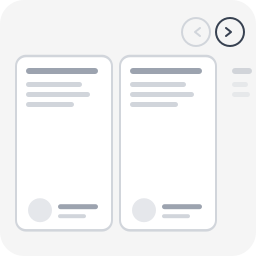
Most WordPress carousel plugins load heavy libraries (Slick, Swiper, jQuery) and fail basic accessibility checks. Screen readers can’t navigate them, keyboard users are stuck, and WCAG audits flag them every time. Snap Carousel takes a different approach: CSS scroll-snap does the scrolling, proper ARIA attributes do the rest. No JavaScript library, no configuration panel, no learning curve — just a block style to apply in one click. Built by WeAre[WP], a WordPress agency specializing in accessible websites and RGAA audits. This plugin exists because we needed a carousel that actually passes our own audits. Supported blocks Apply any of the 4 carousel styles to: Group block (core/group) — any child blocks become slides Query Loop block (core/query) — posts scroll as carousel slides Gallery block (core/gallery) — images scroll as carousel slides Variants Carousel (3 items) — 3 visible items + peek Carousel (1 item) — full-width slideshow Carousel (2 items) — 2 visible items + peek Carousel (4 items) — 4 visible items + peek Features 100% CSS scroll-snap — no Slick, no Swiper, no jQuery Prev/next navigation buttons Keyboard navigation (Arrow keys, Home, End) Full ARIA attributes (role=”region”, aria-roledescription, aria-live) Peek effect: partial visibility of the next item, signaling scrollable content Responsive (auto tablet/mobile adaptation) Respects prefers-reduced-motion Works with Group, Query Loop, and Gallery blocks Works with any child block (images, columns, groups, WooCommerce…) Lightweight: ~2 KB CSS + ~2 KB JS, zero external dependency Full RTL (right-to-left) language support Fully internationalized (i18n ready, French translation included) Easy to customize via CSS custom properties or overrides Accessibility (WCAG 2.2 AA) role="region" + aria-roledescription="carousel" on the container role="group" + aria-roledescription="slide" on each item aria-label="X of Y" for position context tabindex="0" for keyboard focus aria-live="polite" to announce changes Buttons with aria-label and aria-controls Touch targets 44×44px minimum Visible focus indicator Usage With a Group block In the editor, create a Group block Set the group layout to Row Add child blocks (images, groups, columns…) In the sidebar panel → Styles → choose Carousel (3 items) (or another variant) Publish With a Query Loop block Insert a Query Loop block Configure the query (post type, filters, number of items…) In the sidebar panel → Styles → choose a Carousel variant Publish — posts scroll horizontally as carousel slides With a Gallery block Insert a Gallery block and add images In the sidebar panel → Styles → choose a Carousel variant Publish — images scroll horizontally as carousel slides Navigation buttons and accessibility attributes are automatically injected on the front-end. Customization The carousel is designed to work out of the box, but you can easily override styles in your theme’s style.css or via the WordPress Customizer > Additional CSS. Disable the peek effect By default, items are slightly narrower than the visible area so the next item “peeks” in — signaling there is more content to scroll. To disable this and show full-width items: /* Disable peek — 3 items variant */ .is-style-snap-carousel > * { flex-basis: calc(33.333% - 1rem) !important; } /* Disable peek — 1 item variant */ .is-style-snap-carousel-single > * { flex-basis: 100% !important; } /* Disable peek — 2 items variant */ .is-style-snap-carousel-duo > * { flex-basis: calc(50% - 0.75rem) !important; } /* Disable peek — 4 items variant */ .is-style-snap-carousel-quad > * { flex-basis: calc(25% - 1.125rem) !important; } Customize navigation arrows /* Arrow color and background */ .snap-carousel-prev, .snap-carousel-next { background: #0073aa; color: #ffffff; border-color: #0073aa; } /* Arrow hover state */ .snap-carousel-prev:hover, .snap-carousel-next:hover { background: #005177; color: #ffffff; } /* Arrow size (default: 44px — WCAG minimum touch target) */ .snap-carousel-prev, .snap-carousel-next { width: 48px; height: 48px; } /* Square arrows instead of round */ .snap-carousel-prev, .snap-carousel-next { border-radius: 8px; } Customize spacing /* Gap between items */ [class*="is-style-snap-carousel"] { gap: 2rem; } /* Space above carousel (room for navigation) */ .snap-carousel-wrapper { padding-top: 4rem; } Customize focus indicator /* Custom focus color for keyboard navigation */ [class*="is-style-snap-carousel"]:focus-visible { outline-color: #ff6600; outline-width: 3px; } .snap-carousel-prev:focus-visible, .snap-carousel-next:focus-visible { outline-color: #ff6600; } Use with WordPress theme.json design tokens The carousel already uses --wp--preset--color--base, --wp--preset--color--contrast and --wp--preset--color--primary tokens. You can override these per-block in theme.json or via CSS: /* Example: dark themed carousel */ .snap-carousel-wrapper { --wp--preset--color--base: #1a1a2e; --wp--preset--color--contrast: #e0e0e0; --wp--preset--color--primary: #e94560; } Technical Notes – CSS overrides flex-wrap: nowrap on the Row container to force horizontal scrolling – Items use a slightly reduced flex-basis to create a peek effect (next item partially visible) – Navigation buttons are positioned absolute at the top right (adjust top value for your theme) – JS uses a 150ms debounce on scroll for button state updates and 300ms for screen reader announcements – Compatible with WooCommerce blocks (products, etc.) About Snap Carousel is built and maintained by WeAre[WP], a French WordPress agency specializing in accessible websites and RGAA compliance audits. This plugin was built to solve a real problem: every carousel plugin we audited failed basic accessibility requirements. So we built one that passes our own audits. Need help with your WordPress project? Get in touch.