Alligator Popup
This plugin allows you to enter a shortcode to add links to pages/posts which will be opened in a popup window. The only options in Alligator popup are entered in the shortcode, so there is no admin page for this plugin. Shortcode: Add a popup shortcode where you would like a link to appear within your post or page text. The shortcode has parameters for url, height and width and should be in the format: [popup url="https://cubecolour.co.uk/wp" height="300" width="300" scrollbars="yes" alt="popup"]Link Text[/popup] Include your own Link Text and values for the url the width & height of the popup, and the alt text fot the link. If no values are entered for the alt text and the height and width, defaults of 400px are used for the width & height of the popup window. Scrollbars are enabled by default and will show if the scrollbars parameter is not added to the shortcode. If you do not want scrollbars on your popup window, add the scrollbars parameter with the value “no” to the shortcode: scrollbars="no" If no value is entered for the alt text, an empty alt tag will be used in the link. HTML Link: Instead of using the shortcode you can include your link in the format: Link Text This might be useful in a text widget, or you can build the link in a template file of your theme. Note: If you are using any other plugin (or a theme) that uses a shortcode with the name ‘popup’, you will not be able to use this plugin. This is not because of any shortcoming in this plugin, but because shortcodes such as those to create popup links should always be implemented in a plugin not a theme. On mobile devices such as iPads which don’t use browser windows, the link will open in a new tab. This plugin was written in response to a post by a WordPress.org forum user who promised to wrestle an alligator if his problem with creating popups was solved.
oik-nivo-slider
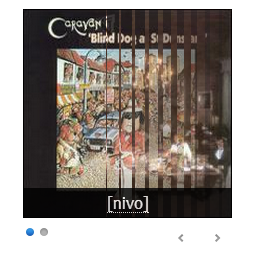
[nivo] shortcode for the jQuery Nivo slider; “The Most Awesome jQuery Image Slider”; reputed to be the world’s most popular jQuery image slider. New feature in nivo v1.17.0 Added the Nivo slider block ( oik-nivo-slider/nivo ). Features of jQuery Nivo 3.2 Flexible slider 16 transition effects 4 responsive slider themes Built in directional and control navigation Thumbnail image navigation See also Nivo Slider for more information about the jQuery Nivo code. Features of the oik nivo slider WordPress plugin [nivo] lazy smart shortcode Nivo slider block Displays attached images Displays images attached to related content Profile for nivo slider settings Display slideshows with/without links Display slideshows with/without captions Displays slideshows with HTML captions, using the format= parameter Transition effect can be defined in the shortcode Supports custom links to your content Supports jQuery Nivo 3.2 for responsive sliders nivo slider can be put into any part of your website: content, header, footer and sidebar text widgets 1 additional responsive slider theme Supports jQuery Nivo 2.7.1 for backward compatibility 4 additional themes for jQuery Nivo 2.7.1 Works with existing content, does not add its own custom post type Uses the oik plugin’s shortcode API for lazy smart shortcodes The [nivo] shortcode is interchangeable with other oik shortcodes such as [bw_images], [bw_thumbs] or [bw_pages] Supports display of images from a NextGEN gallery, using a “special post type” of nggallery. Supports display of a plugin’s screenshots Supports display of images with fancybox Note: oik-nivo-slider is dependent upon the oik plugin. You can activate it but it will not function correctly unless the pre-requisite version of oik is also activated. Download oik from oik download Find out more Further reading If you want to read more about the oik plugins then please visit the oik plugin “the oik plugin – for often included key-information”