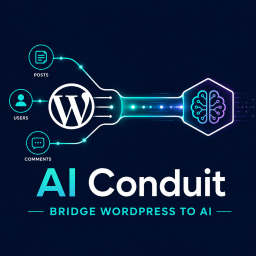
AI Conduit
Your AI assistant is smart — but it knows nothing about your specific WordPress site. AI Conduit fixes that. Once installed, your AI can look up your blog posts, check your WooCommerce orders, pull student progress from LearnDash, or summarise your site’s data — just by asking, in plain language. Think of it as giving your AI a secure window into your WordPress database. It can read and report. It can never edit, delete, or change anything. WordPress 7.0 has AI infrastructure — so why AI Conduit? WordPress 7.0 shipped the Abilities API, AI Client, Connectors screen, and MCP Adapter. For the first time, WordPress has a standardised way for plugins to talk to AI assistants. The architecture is sound. The vision is right. And for most WordPress sites today, none of it does anything useful yet. Here’s why. The Abilities API is a registry — it only matters if plugins populate it. WordPress 7.0 ships with two baseline abilities. WooCommerce is leading the way, but the vast majority of the plugin ecosystem hasn’t registered anything yet. Until they do, your AI can see the registry, but there’s nothing in it for your site. The bigger gap is your custom work. Most production sites have custom post types, meta fields, and bespoke integrations that no plugin author can register on your behalf. The only native path to exposing them is custom PHP — writing schemas and permission callbacks for every field you want your AI to read. That’s a developer project, not an afternoon’s work. AI Conduit closes both gaps. Point and click to give your AI read access to anything in your database — standard fields, custom post types, custom meta, even data added by plugins that haven’t registered abilities yet. No PHP. No waiting on someone else’s roadmap. Working in minutes, not months. What can you use it for? Customer Support — Ask your AI “what did customer John order last week?” and get the answer without opening WooCommerce. Save hours every week. E-commerce — “Show me all orders over $5,000 this month.” Your AI assistant pulls the data, you make the decision. No exports, no spreadsheets. Content Teams — “List all posts published in the last 30 days with fewer than 500 words.” Your AI does the audit in seconds — not hours. Course Creators — With LearnDash, ask “which students haven’t completed Module 3?” and follow up personally — without running a single report. Site Owners — “Give me a weekly digest of new signups, published posts, and comments.” Your AI becomes a personal briefing assistant for your site. Agencies — Build tools once. Use them across client sites. Pull the metrics your clients care about without touching phpMyAdmin or writing SQL. How it works — three simple steps Install and activate the plugin. Upload to WordPress the same way you install any other plugin. Takes about two minutes. Build your first tool with drag-and-drop. Choose what data your AI can see — posts, orders, users, comments. No code required. Point, click, configure. Connect your AI and start asking questions. Paste one connection URL into Claude Desktop or your preferred AI app. Your assistant now knows your site. Your data stays safe Read-only access — Your AI can never edit, delete, or publish anything on your site. Ever. Role-based controls — Decide exactly which WordPress roles can access which tools. Full request log — Every query your AI makes is logged so you always know what was asked. Everything included Visual tool builder — No code. Drag blocks to define what your AI can access. Rich data sources — Posts, pages, users, comments, and custom fields — all queryable. Smart filters — Narrow by date, category, author, custom field value, and more. Cross-data queries — Combine posts with their authors or comments with their posts in one query. Import & export tools — Save your tool configuration as JSON and reuse it across sites instantly. Rate limiting — Set caps on how often the AI can query your site to prevent overload. Who is this plugin for? WooCommerce store owners — Query orders, customers, and product data without leaving your AI chat. LearnDash course creators — Track enrolments, completions, and quiz scores through natural conversation. Content editors & bloggers — Audit your content library, find gaps, and surface your best posts with ease. WordPress developers — Build custom MCP tools for clients. Extensible with your own block types. Works with your favourite AI tools AI Conduit connects to any AI app that supports the Model Context Protocol (MCP). That includes: Claude Desktop Cursor Any MCP-compatible client New AI tools are adding MCP support every month — any compatible client will work automatically.
AI ChatBot with ChatGPT and Content Generator by AYS
AI Chatbot with ChatGPT by AYS ChatGPT plugin Homepage ChatGPT plugin Demo ChatGPT plugin Documentation ChatGPT Chatbot plugin can assist you to generate high-quality content for your blog, and finding the answer to any questions in seconds. ChatBot for WordPress can be your personal assistant in writing HTML, CSS, or any other programming codes for you right from your WordPress dashboard. Using the best AI chatbot you will be able to connect with the world and find the answers to any questions. With a simple shortcode you will be able to display the chatbot in the front end. Give your website visitors the ability to use the ChatGPT AI Assistant plugin as soon as they will enter your website. Chatbot based on your Website Content This virtual assistant is designed to learn and understand the content of your website and provide accurate and relevant answers to user questions, just like a support specialist would. AI chatbot represents the next generation of customer support – no human resources are needed. The chatbot learns your website content (the content you embed) and answers all the questions related to the embedded data. As a knowledgeable support specialist the chatbot is ready to assist website visitors with their questions and concerns such as help with product features, troubleshooting, or general inquiries. To activate the Embedding feature, you just need to connect to your Pinecone account and you’ll be ready to start using this advanced feature. What makes it different from a support specialist? 24/7 live chat support an unlimited number of customer conversations simultaneously quickly learn and adapt to new information instant responses cost-efficiency multilingual Support Revolutionizing Customer Support with AI Chatbot AI has significantly transformed the customer support, and our AI chat assistant is an example of this evolution. With features such as instant responses, 24/7 availability, and the ability to handle a wide range of inquiries, our AI customer support system ensures that your questions and concerns are addressed promptly and accurately. Our AI in customer support isn’t limited to predefined rules. It goes beyond, learning from interactions and continuously improving its responses. This ensures that you receive the highest level of AI customer care available. Imagine having a free chatbot for WordPress that can analyze your website’s content and provide assistance tailored to your specific needs. That’s exactly what our AI chatbot plugin offers. PRO | DEMO | DOCUMENTATION Use AI Chat to Create Content Easily Easily create articles, blogs, and marketing content in minutes with the ChatGPT chatbot plugin’s content generator feature. Instantly create high-quality text in your editor, customized to your style and audience. Skip the research and drafting level, focus on engaging your readers while the AI plugin does the writing for you. The plugin offers AI-powered content creation with user convenience. Covering top AI chatbot features it simplifies content creation for different areas. Admin Dashboard Assistance with AI Chatbot Admins can access a helpful chatbot right from their dashboard! It’s like having a super-smart assistant available whenever you need help while managing your website or platform. No more jumping between tabs or apps to get answers or fix things’ the AI chatbot right there on your dashboard, ready to assist. Having the chatbot on the dashboard is like having a user-friendly tool for quick solutions. It’s all about making admin tasks easier and more efficient. AI Image Generator Imagine if ChatGPT could also create pictures based on what you describe! With the Image Generator in the ChatGPT plugin, you can ask it to make images of things you talk about. Just describe what you want the picture to be about. It’s a fun way to visualize your ideas and make conversations more interesting. All Available Models Our WordPress ChatGPT Assistant plugin supports a full range of powerful AI models, giving you more flexibility than ever. You can work with GPT-4 and GPT-4 Turbo for smart and reliable responses. We’ve also added GPT-4.1, the most advanced model for deep understanding and better performance. The GPT-4o the new all-in-one model that combines text, image, and voice capabilities is also availabel. For everyday tasks, GPT-o3 delivers great results quickly, while GPT-o3-mini is perfect for fast tasks. o4-mini brings the power of GPT-4 into high-speed version. And for creative tasks, the new GPT-Image-1 model lets you generate detailed images from simple text prompts GPT-5-nano GPT-5-mini GPT-4.1-nano GPT-4.1-mini GPT-4o-mini GPT-4 GPT-4 Turbo GPT-4.1 GPT-4o GPT-o3 GPT-o3-mini GPT-Image-1 GPT-4/GPT-4 Turbo The WordPress AI Chatbot has the GPT-4 and GPT-4 Turbo AI language models available. GPT-4 is designed to adapt and specialize in specific domains, allowing for more accurate and expert-level responses in fields such as medicine, law, engineering, and more. GPT-4 Turbo is an enhanced version of GPT-4, engineered for even greater performance and efficiency. GPT-4 Turbo is quicker in giving answers. You won’t have to wait long to get a response. Just follow the simple steps and speak with an AI assistant for WordPress. You will no longer be alone as your assistant is there for you whenever you need. After activating the plugin, the AI Assistant with ChatGPT window will pop up at the bottom-right corner of your WordPress dashboard. This advanced chatbot can answer your follow-up questions like a human-like conversation.Our advanced chatbot with GPT-3 AI is designed to make your interactions feel more human-like. It can not only answer your initial questions but also engage in follow-up conversations, creating a more natural and dynamic exchange. It’s like having a human conversation not with the chatbot plugin, but with the efficiency and knowledge of artificial intelligence. With ChatGPT chatbot WordPress plugin, you’re at the highest level of AI customer support. This plugin brings the magic of GPT-3 AI directly to your website, enhancing your content and user experience. It’s time to explore the possibilities and unlock the full potential of GPT-3 AI with ChatGPT for WordPress. Integrate Google Gemini to your WordPress Google Gemini (Bard) is now available in WordPress AI plugin. Connect and get the opportunity to generate high-quality codes, make requests with texts, pictures and sounds all in your WordPress dashboard. Do you have complex requests on subjects like math and physics? Gemini is here to solve them all. The AI model is trained to understand complex request and provide up to date data. Gemini is the most capable Google AI model yet and you have the ability to test it on your own. Better WordPress experience with AI Chatbot Having the ChatGPT chatbot plugin on your WordPress website offers a multitple of advantages. This free AI chatbot serves as your AI assistant by providing your website visitors with the ability to engage in free AI chat and talk to AI bot directly from your website. This conversational AI, driven by artificial intelligence chat, is more than just a chatbot; it’s the best AI chatbot for customer service. With its advanced capabilities, it improves chatbot customer service. This AI customer service bot ensures that your users receive better AI customer care, available 24/7. Implementing the ChatGPT chatbot WordPress plugin on your website means delivering a dynamic and efficient user experience. MAIN FEATURES ChatGPT style chatbot Live writing Different Content style Reliable storage Customizable solution Automation Contextual understanding Suits specific needs Intent Recognition Answering All Inquiries Code Understanding PRO FEATURES User Role Permissions Dark Mode One Click Copy Text to Speech for Response Front end Chat (Demo) Save Chat Log Information Form Export chat Information form Suggest a title Content generator Image generator GPT-4 turbo GPT-4o GPT-4.1 GPT-o3 GPT-o3-mini GPT-Image-1 Google Gemini ChatGPT Chatbot Based on your WordPress Website Content (Pro feature) HOW TO USE Sign up here or log in if you already have an account in the OpenAI platform. You can use your Google or Microsoft account to sign up if you don`t want to create an account by entering an email/password combination. You may need a valid mobile number to verify your account. (If you have an another account with the mentioned number, then please take into consideration that OpenAI will not provide you Free Trial) Then, you need to visit your OpenAI key page. Create a new key by clicking the “+ Create new secret key” button. Copy the key, go back to your WordPress dashboard, and paste it into the provided box. Click on the “Connect” button. Don’t forget, in case of any problems, questions or suggestions feel free to contact us via FREE SUPPORT FORUM. Other plugins from Ays Pro Team Quiz Maker for creating advanced quizzes and exams easily and quickly. Survey Maker for collecting data and analyze it. Fox LMS for creating, managing, and delivering online courses directly from your WordPress site. Popup Box, an easy way to create eye-catching and engaging popups. Poll Maker for creating powerful and interactive polls. Secure Copy Content Protection to protect web content from being plagiarized. Chartify to build both static and dynamic charts, graphs and diagrams. Easy Form to create various forms for your website. Personal Dictionary to create and organize their vocabulary lists, study and memorize the words. Photo Gallery for displaying responsive image gallery with awesome layout options. FAQ Builder to display Frequently Asked Questions on your website with a beautiful accordion. Image Slider give the aility to grab your audience’s attention with amazing and entertaining slideshows. Random Posts and Pages Widget for creating internal links and encouraging visitor engagement on your website. Popup Like box to promote your Facebook page and add number of Likes. Advanced Related Posts allows you to show a related posts list on your website after a post or via a widget. Portfolio Responsive Gallery to showcase beautiful image galleries on your WordPress websites.