PiWeb Advanced Flat rate / Conditional shipping for WooCommerce
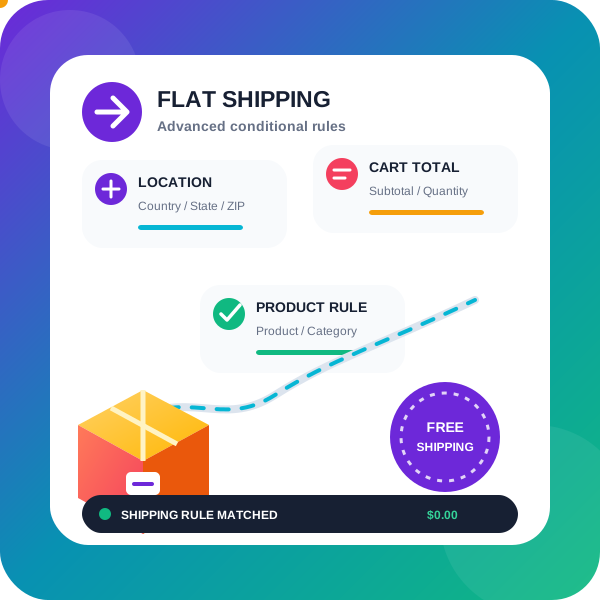
With this Advanced shipping plugin for WooCommerce, you can set up your own advanced rules to determine how much to charge the customer for shipping. This is a highly flexible WooCommerce shipping plugin; it even allows you to offer table rate shipping through additional charges, just like a WooCommerce table rate shipping plugin does. Using Advanced Shipping for WooCommerce With our Advanced Flat Rate Shipping Method for WooCommerce, you can create your own rules. When these rules are satisfied, the Advanced Flat rate shipping method will be available to the buyer This is a highly flexible WooCommerce shipping plugin; it even allows you to offer table rate shipping through additional charges, just like a WooCommerce table rate shipping plugin does You can apply specific custom shipping rates using this WooCommerce shipping plugin, based on the below condition or combination of conditions: Following rules are available in the free version of the WooCommerce shipping plugin: State-based shipping rates: Assign different flat rate shipping method as per the State/County of your customer Postcode/Zip code based shipping rates: If the user comes from a specific postcode, you can even assign a range of postcodes like 9011…9090; this will assign the shipping method to all the customers whose postcode falls between 9011 and 9090 City/town: offer a shipping method based on the city/town selected by the customer. This does a string comparison for matching, as city is a text field in the WooCommerce checkout process Country-based shipping rates: Assign a shipping rates for the customer of the specific country Product-based shipping rates: Assign different shipping rates if the customer is purchasing a specific product, say if he is purchasing some very large item that needs different shipping rates then you can do that using this rule, this will even work with the variable product Category based shipping method: Assign different shipping rates if the customer is purchasing a product from a specific category, say if he is purchasing furniture category product you will need a shipping rates that allows large-item shipping large items, whereas if he is buying from mobile category he can be shipped by normal shipping Cart Sub Total based shipping rates: If the Cart total reaches some specific value then you can offer him a different shipping rates, E.g: if the user is buying 1000$ worth of product then you want to offer him fast shipping for free Quantity based shipping rates: If you want to offer a different shipping method based on the number of units purchased by the customer then you can do that using this rule User-based shipping rates: As the name suggests, you can offer some shipping method to some specific user on your site Free shipping coupon support: You can make a shipping method free when user applies a free shipping coupon Show a different shipping method when there is a back order product present in the cart Give only single shipping method option to customer: If you have several shipping options available at a time based on their conditions but prefer not to display them all, you can utilize this feature to present only one shipping method. This single shipping method can be selected from the available options based on either the maximum or minimum shipping charge. If your site is a multi-currency website then you can apply a shipping method based on the currency selected by the customer You can make a shipping method that will be shown for more than one shipping zone Package Manager (Multiple Shipping Packages per Order) Easily split orders into multiple shipping packages! With our plugin, you can group products into packages based on category or shipping class or Virtual category. This allows separate shipping methods and costs for each package within the same order. In the pro version, you can also group by product, category, shipping class, attributes, price, or stock status. Example Scenario: Charge $20 per unit for fragile items and $10 per unit for non-fragile items. Create two packages: one for fragile items, one for non-fragile. Set shipping for fragile items to $20 × quantity, and for non-fragile items to $10 × quantity. If a customer buys 2 fragile and 3 non-fragile items, they’ll see: Package 1: Fragile items → $20 × 2 = $40 Package 2: Non-fragile items → $10 × 3 = $30 Check out this video to know how to automatically split order in multiple shipping packages using package manager Following rules are available in the PRO version of the WooCommerce shipping plugin: Zone-based shipping rates: Assign different shipping method as per the Shipping zone of your customer Cart Sub Total (after discount) based shipping rates: Some time the user add discount coupon so their subtotal reduces and if you want to consider those reduced total while deciding the flat rate shipping method you can do that using this rule (you have option to exclude virtual product from this total) Weight-based shipping rates: If your want to offer different shipping rate based on the total weight of the product in the order or cart then you can do this using this rule, it calculates the total weight of the product in the cart and then based on the set value in the rule it assigns a shipping rates Product Width based shipping rates: It finds the maximum width of the product in the cart and uses that as the width of the cart and compares with width value set by you in the rule and as per the logic set in the rule it assign a shipping method Product Height based shipping method Product Length based shipping method Coupon based shipping method: Using this you can show a shipping method if the customer has applied some specific coupon code Shipping class-based shipping method: Show a specific shipping method, if the user buys a product that belongs to some specific category of shipping class Payment method based shipping method: Show a specific shipping method, if the user buys select a specific payment gateway, E.g: If you have a shipping method that also collects a payment, then you can show that shipping method when user select cash on the delivery payment method Role based shipping method: Using this you can assign a different shipping method as per the user role. E.g: you can offer a different shipping method to a registered customer and different shipping method to those who are doing a Guest checkout User city based method: You can offer method based on user city, it is string comparison or city name Shipping class total this rule applies when customer has purchased an x amount of product from specific shipping class Shipping class total quantity of product in cart this rule applies when customer has added x unit of product from a specific shipping class in his cart Using Flexible shipping method plugin you can have different Shipping method on specific time of the day: Show a shipping method at a specific time of the day, E.g: Show a shipping method between 10am to 1pm only Shipping method based on Day of the week: Offer a shipping method based on the day of the week. E.g: show a shipping method on Saturday and Sunday only Shipping method based on Selected delivery day: show a different shipping method based on the delivery day selected by the customer in Delivery date selector added by the plugin Delivery date and time plugin E.g: Show a shipping method when the customer opts for Sunday as delivery date Shipping method based on Attribute: Offer a shipping method based on the variation Attribute selected, so you can offer a specific shipping method when user select Large size of the attribute Size in the variable product First order free shipping: Offer free shipping to customer when they are placing first order on your website Last order total: Offer free shipping to customer if they have purchased more than 100$ worth of product in their last order Number of orders total: Offer free shipping to customer if they have placed more than 10 orders on your site in last 1 month Total spend on your website: Offer free shipping to customer if they have spent more than 1000$ on your website in last 1 month of time Exact set of product or set of category of product Show a shipping method when exact set of product or product belonging to exact set of category are present in the cart. Exact set of product or set of category of product not present in the cart Show a shipping method when exact set of product or product belonging to exact set of category are NOT present in the cart. Charge $10 for every 100 units of product in the cart Stop user from purchasing physical product based on conditions, as using this plugin you can hide all shipping method conditionally as well, so if there will be no shipping available then user won’t be able to checkout WooCommerce Memberships integration: Show a shipping method based on the membership plan of the user WooCommerce Subscriptions integration: Show a shipping method when user is bying a subscription product WooCommerce Subscriptions integration: Show a shipping method when user has an acitive subscription of any product Remove all other shipping methods when a particular shipping method is activated (PRO) Remove all other shipping methods of this plugin, when a particular shipping method is activated (PRO) Remove all other shipping methods of low priority of this plugin, when a particular shipping method is activated (PRO) Try Pro version Backend | Frontend demo Custom charge in pro version of Flat rate WooCommerce shipping plugin The Cost field allows you to charge a flat rate shipping per item, a percentage based cost or a minimum fee. Available placeholders: [qty] – Number of products in the cart [fee] – An additional fee. This fee has two optional arguments. 10 + ( 2 * [qty] ) – A base shipping cost of $10 plus $2 for each item in the cart. 20 + [fee percent=”10″ min_fee=”4″] – A base shipping cost of $20 plus 10% of the order total, which is at least $4. Similar to WooCommerce original flat rate shipping method Virtual category for Flat rate WooCommerce shipping plugin Virtual category allows you to create a group of product as per your shipping needs, this virtual category does not affect your site URL structure this Virtual category is only used in our plugin shipping method. You can create a virtual category that is like a group of multiple categories, and you can use this virtual category inside the Conditions of shipping method. This gives you fine control over the shipping method. * You can even add some extra product or variation of product in this virtual group (PRO) * You can exclude some product or variation of product from this virtual group (PRO) E.g: You create a virtual category that combines the category T-shirt and Caps, but you want to exclude T-shirt A from this Virtual category so you will add T-shirt A as excluded product, and say you want to make Jeans A as part of this group (although Jeans A does not belong to category T-shirt and cap) so you will add Jeans A as included product to be part of this Virtual category. Additional charges in our WooCommerce shipping plugin Using additional charges you can add/subtract charge from the base shipping charge, based on different conditions These are the different conditions available in our WooCommerce shipping plugin: How to set up shipping based on cart quantity? How to configure shipping based on cart weight? Can I apply shipping based on cart subtotal in WooCommerce? How to create shipping rules based on product quantity? Is it possible to apply shipping based on category quantity? How to define shipping using shipping class quantity? Can shipping be calculated based on individual product weight? How to apply shipping using total category weight? How to set shipping based on shipping class weight? Is there a way to use shipping based on product subtotal? How to calculate shipping using category subtotal in WooCommerce? How can I use shipping based on shipping class subtotal? Combine multiple shipping method into single shipping method (PRO) Say your have shipping method A and B on the checkout page each shipping method costing 2 and 3 $ respectively and you want to combine them and show them as single shipping method then you can do that using our plugin so it will show combined shipping method as D whose shipping cost will be 5$ and if you want you can hide the method A and B when this combined method is being shown Compatible with Multi currency plugin CURCY – Multi Currency for WooCommerce WOOCS – Currency Switcher for WooCommerce WPML Multi-Currency Key features: improve shipping-related user experience, create custom shipping rules, offer free shipping based on the price or products’ quantity in the cart, cost based shipping cost weight based shipping cost total order based shipping cost item count based shipping cost shipping class based shipping cost Privacy If you choose to opt in from the plugin settings, or submit optional feedback during deactivation, this plugin may collect basic technical information, including: Plugin version WordPress version WooCommerce version Site URL Deactivation reason (if submitted) This data is used solely to improve plugin quality, compatibility, and features. No personal or user-specific data is collected without consent.
Starter Templates
Website Templates, Page Templates and Block Patterns for WordPress Starter Templates is a growing library of 300+ ready-to-use website templates for WordPress. Import a complete website design, a single page template, or an individual section, in one click. Every template works with any WordPress theme, and with the page builder you already use: Elementor, Beaver Builder, Spectra, or the WordPress block editor (Gutenberg). Starter Templates demo Highlights 300+ website templates and ready-made site designs Free Elementor templates and Gutenberg templates Gutenberg templates and block patterns, powered by Spectra Blocks and edited natively in the block editor 200+ page sections, block patterns and layouts Pre-built sections designed for specific use-cases Full site templates, page templates and section templates AI website builder with built-in AI assistant Adaptive design library with royalty-free images Works with any WordPress theme Supported page builders: Elementor, Spectra, Beaver Builder, and the Gutenberg block editor One-Click Website Templates and Template Kits Building a website design from a blank page takes weeks. With Starter Templates you pick a template, import it, and edit the content. Every design is a complete template kit, not just a demo page, but the pages, layouts and settings that make a finished website. You can import at three levels: Full website templates: Every page, menu, and setting for a complete site Page templates: A single page design dropped into your existing site Sections and block patterns: Individual layouts added to any page Preview any template as a live demo before you import it, so you always know what you are getting. Realistic Templates for Every Business Starter Templates goes beyond stunning design. It delivers readymade website templates specifically crafted with your business in mind. Launching an eCommerce store? We have a diverse selection of store templates to get you selling in no time. Creating a business website? We have dozens of professional-quality designs ready for you to make your mark. No matter your industry or niche, we have a template that perfectly aligns with your vision. Free Elementor Templates A fan of Elementor? Look no further. Starter Templates offers a vast collection of professionally designed Elementor templates, with more than 300 Elementor templates available. Import entire websites built with Elementor, individual page templates, or specific blocks to enhance your site’s layout and design. Then just drag, drop, customize, and launch your website. Gutenberg Templates for the WordPress Block Editor Starter Templates offers a large library of readymade Gutenberg templates, Gutenberg block patterns and page layouts, all edited natively in the Gutenberg editor rather than in a separate builder interface. Gutenberg templates are built with Spectra Blocks. Starter Templates installs Spectra for you during import, so there is nothing to set up beforehand, and the design stays editable with the Gutenberg controls you already use. If you build with Gutenberg, you can import a complete Gutenberg website template, a single Gutenberg page template, or one block pattern at a time, without switching to Elementor. Hundreds of Sections and Block Patterns Every section is built for a specific use-case. A hero to open a landing page, a pricing table for a service business, a testimonial layout for social proof, a team grid for an about page. Drop one into any page and the layout, spacing and styling are already handled. Swap the text and images, and the section is done. Want to customize your website design to make it truly unique? Use sections, block patterns and layouts to add your personal style. Available sections include: Hero, Page Header, About, Services, Features, Contact, Why Choose Us, Call To Action, Portfolio, Gallery, Testimonials, Pricing, FAQ, Team, Statistics. Templates That Install the Plugins They Need Depending on the type of template you import, Starter Templates also installs the plugins that template needs to work. Import a booking template and the plugins that provide booking are set up for you. Import an online store template and the eCommerce plugins come with it. You do not need to go hunting for another plugin after importing a template, because the design arrives ready to run. eCommerce, Portfolio and Business Templates You can filter the library by what you are building, so you can start from a template made for your use case instead of reshaping a generic one. eCommerce templates for online stores, designed to work alongside WooCommerce Portfolio templates for designers, photographers, studios and creative freelancers Business templates for agencies, consultants, clinics and local service providers Landing page templates for campaigns, lead generation and product launches Blog and magazine templates for publishers and content sites Restaurant, event and nonprofit templates for everything else Whichever vertical you pick, the template arrives with matching pages, sections and styling rather than a single page you have to build out. AI-Integrated Adaptive Design Library Personalize blocks and patterns to match your website style with the power of AI. The design library within the Starter Templates plugin is integrated with AI and royalty-free image repositories. All elements come pre-populated with relevant text and images that you can easily customize to match your brand. Lightning Fast Websites Starter Templates prioritizes speed and efficiency without compromising quality. Pages created with Starter Templates have efficient, clean code and are free from unnecessary elements. This means faster load times and a smoother experience for visitors on any browser or device. AI Website Builder Alongside the template library, Starter Templates includes an AI website builder. Describe your business and the AI selects a design, generates professional copy, and curates visuals to match your brand, producing a complete website in under two minutes, which you then edit like any other template. Follow the steps below: Enter the name of your website and select the type of website you’re creating (portfolio, business site, landing page, or something else). Describe your business. Use AI to refine your description prompt if you need to. Add your contact details and social media handles so people can interact. The AI will suggest images based on your input. Select the images you want to use. Choose the website structure from the options. Select any site features you need. The AI will generate a website in under 2 minutes. Customize your site as you see fit! AI Assistant for WordPress Our AI Assistant works in a similar way to ChatGPT but is specifically tailored for WordPress. With just a click of a button, you can use AI to help write copy for landing pages, proofread blog posts, translate content into different languages, generate custom HTML and CSS codes, and much more. Royalty-Free Images The Starter Templates plugin offers seamless integration with leading royalty-free image repositories such as Pexels and Unsplash. You have access to millions of top-tier images within your WordPress dashboard. Simply search for the image you need and select it. Training Videos We offer a range of comprehensive training videos designed to complement our templates. They provide the knowledge and skills necessary to build, launch, and maintain your website. Types of Websites You Can Create Starter Templates is perfect for building websites for: personal branding, restaurants, service providers, nonprofits and charities, events, startups, local businesses, wellness businesses, landing pages, lead generation websites, eCommerce stores, blogs, manufacturing businesses, and any other type of WordPress website. There’s no limit to what you can create. Please note: To access AI-generated templates and websites, you’ll need a ZipWP account. Signing up is quick, easy, and 100% free. Fun Facts About Starter Templates ✓ Over 5,000 websites are built with Starter Templates every day. ✓ The plugin has been installed on more than 2 million websites. ✓ Starter Templates has more than 4,500 five-star reviews. ✓ Our team of dedicated full-time WordPress experts help and support hundreds of users daily. ✓ A devoted team of full-time designers keeps the design library up to date. ✓ Our plugin offers more than 150 free Elementor templates. ✓ You can import a complete website, individual page, or section of a page in seconds.