Addonify – Quick View For WooCommerce
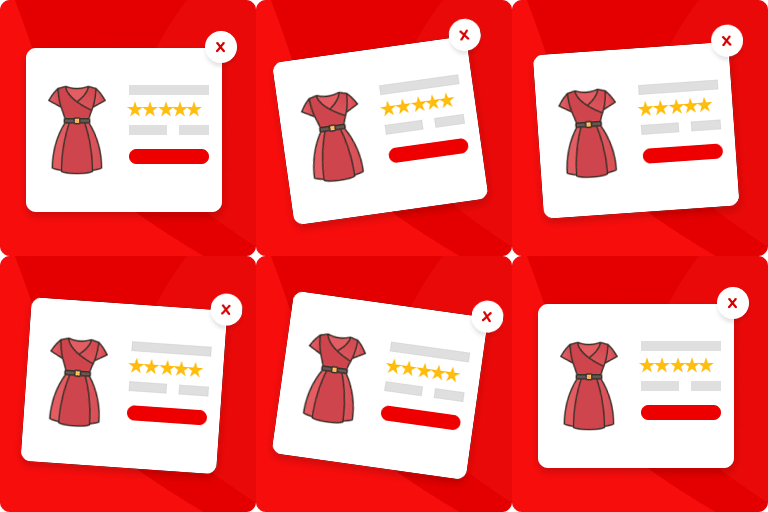
Addonify WooCommerce Quick View plugin adds functionality to have a quick preview of WooCommerce product on a popup modal. 🌍 Official Demo: Link 1 🌍 Official Demo: Link 2 📜 Documentation: Doc Link If you run an online e-commerce shop, then you must be familiar with the number of products that your users will see in your store page. This plugin allows your website visitors to quickly view the product summary instead of going through each product’s detail page. This could save the time of your visitors & increase your revenue. 🦄 MAIN FEATURES: ✅ Easy to use. ✅ Super light-weight & optimized for performance. ✅ Add a quick view button in product loop to open a modal window with the product summary using AJAX. ✅ Display product image or gallery on quick view modal. ✅ Display product title, price, add to cart button, excerpt and view detail button on quick view modal. ✅ Disable quick view on mobile device. ✅ Modal box opening & closing animations. ✅ Modal content row direction layout. ✅ Change a label for the “Quick view” button. ✅ Display icon on “Quick view” button. ✅ Choose spinner icon. ✅ Customize what you would like to display inside the modal box. ✅ Display product detail page link in modal. ✅ Close modal on ESC key pressed. ✅ Close modal when clicked outside. ✅ Display/Hide modal close button. ✅ JavaScript API for developers. ✅ Developer friendly & easy to implement according to your need. ✅ Add custom CSS if required from admin setting page. ✅ Clean setting page design. ✅ Friendly support. 🌈 DESIGN OPTIONS: ✅ Customize quick view button text color. ✅ Customize quick view button background color. ✅ Customize quick view border color. ✅ Customize quick view button border radius. ✅ Customize modal box background color. ✅ Customize modal overlay mask background color. ✅ Customize modal box border color. ✅ Customize modal text colors. ✅ Customize modal box border radius. ✅ Customize modal CSS z-index. ✅ Customize spinner icon color. ✅ Customize spinner icon size. ✅ Customize WC Gallery border color. ✅ Customize WC Gallery icon color. ✅ Customize WC Gallery icon background color. ✅ Customize WC Gallery icon size. ✅ Customize WC product image border. ✅ Customize WC Gallery thumbnails gap. ✅ Customize WC Gallery thumbnails number in row. ✅ Customize product title color. ✅ Customize product title font size. ✅ Customize product title font weight. ✅ Customize price color. ✅ Customize price font size. ✅ Customize rating stars color. ✅ Customize misc buttons inside modal box color. ✅ More customization options, give it a try. 💎 PRO Addonify Quick View Pro version comes with more advanced features and customization options. Some of the features are: ✅ Track the viewed products with analytics. ✅ Add the related products in quick view modal. ✅ Add product navigation. ✅ Enable social sharing from quick view modal. ✅ Enable AJAX add to cart in quick view modal. ✅ Unlock additional color options. ✅ Unlock additional options to customize the modal. 📄 SHORTCODE The shortcode below can used to display quick view button. [addonify_quick_view_button id=”1″ label=”Quick View” classes=”btn” icon=”icon_one” icon_position=”left”] The shortcode attributes used are as follows: id: Product id. label: Button label. classes: CSS classes. icon: Button icon. Use any one attribute value from icon_one, icon_two, icon_three, …, icon_six. icon_position: Button icon position if icon attribute is set. Use either left or right. 👨💻 DEVELOPER: Developers, we got you. Follow the links below to easily customize Addonify Quick View as you like. ✅ Custom quick view button Check Doc ✅ Using Hooks & Filters Check Doc ✅ Overwrite plugin template file Check Doc ✅ JavaScript API Check Doc Still not sure how to start? Create a new discussion and we will help you out. 🤎 FEEDBACK & SUPPORT: Let’s make Addonify Quick View better together. We are open to discuss how we can improve our plugin. You’re always welcome to join the discussion and share your ideas with us. 🌍 Feedback – Have feedback or I would love to rate. 🪲 Report BUG – Option – 1 or Option – 2. 📦 UPCOMING FEATURES: Modal width with responsive control. Modal padding with responsive control. Modal content gap with responsive control. Quick view for Gutenberg WooCommerce products blocks. More customization options. Do you have any requests to make? Let’s discuss on what you would like to see in the next version.
Top keywords
- customize29×4.32%
- modal25×3.73%
- view24×3.58%
- quick23×3.43%
- quick view22×3.28%
- icon19×2.83%
- button15×2.24%
- color15×2.24%
- product14×2.09%
- color customize13×1.94%
- quick view button9×1.34%
- view button9×1.34%
YITH WooCommerce Quick View
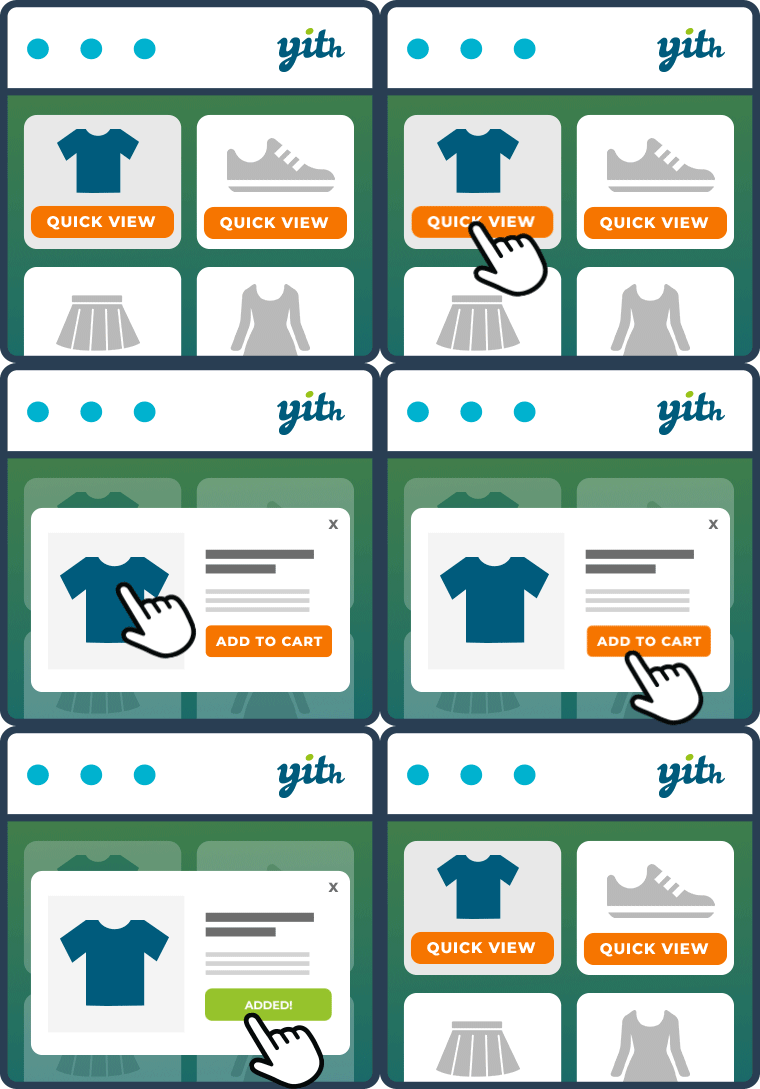
Show a product preview in a modal window to improve your customers’ shopping experience YITH WooCommerce Quick View is the free solution to simplify the product viewing and buying process for your customers. In fact, the plugin allows you to show a preview of your products in a modal window, directly on the shop page. This way, with just one click, your customers can view available sizes and colors, read product descriptions, and add items to their shopping carts without leaving the catalog. This makes comparing products and purchasing multiple items a quick and easy process. And thanks to the new 100% mobile friendly design, YITH WooCommerce Quick View also improves the shopping experience for customers who purchase using smartphones and tablets. Free version features Use a text button to preview the product and customize the text Display the button on the page, below the “Add to cart” button Enable the Quick View on mobile devices (100% mobile friendly design) Display the product Quick View in a modal window Choose if and what description to show (short or long) Choose the size of the product image Set the background color of the Quick View Set the background overlay color Set the color of the close icon Set the colors of the “Quick View” button Want to see the plugin in action? Take a look at the live demo of the free version >. Need extra features? Upgrade to premium! With the free version of YITH WooCommerce Quick View you have everything you need to show a quick overview of your products and improve the user experience of your shop. But if you’re looking for advanced options and more versatility, we recommend upgrading to the premium version of the plugin. Premium version features: Use a button with an icon Upload a custom icon for the “Quick View” button Display the button when hovering over the product image Use a shortcode or Gutenberg block to allow users to preview a specific product anywhere in your store Show the product Quick View in a cascading section or in a sidebar Select an opening animation Configure modal window height and width Enable product navigation Choose which product information to show or hide (image, name, rating, price, “Add to cart” button, etc.) Choose whether to hide the product image gallery, show it in a classic style, or enable a slider Display a link to redirect the user to the product detail page Choose whether to close the Quick View or redirect the user to the Checkout page after adding the product to the cart Enable social icons to share the product Quick View Customize the “Add to cart” button Check out the live demo of the premium version >
Top keywords