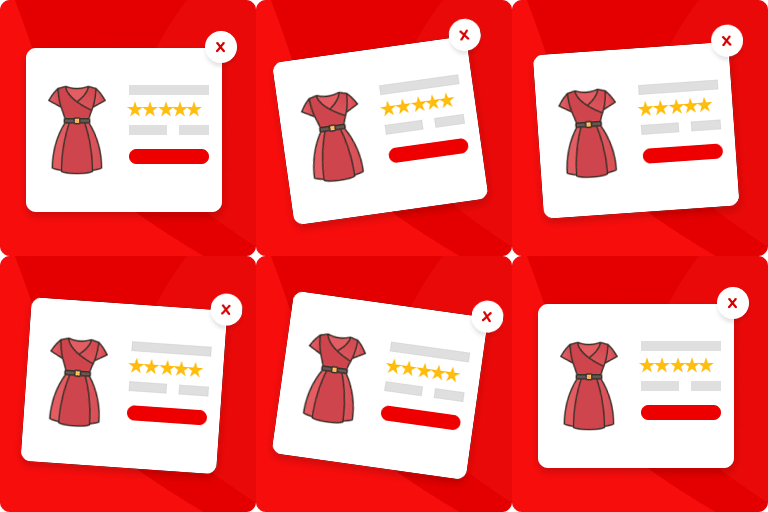
Addonify – Quick View For WooCommerce
Addonify WooCommerce Quick View plugin adds functionality to have a quick preview of WooCommerce product on a popup modal. 🌍 Official Demo: Link 1 🌍 Official Demo: Link 2 📜 Documentation: Doc Link If you run an online e-commerce shop, then you must be familiar with the number of products that your users will see in your store page. This plugin allows your website visitors to quickly view the product summary instead of going through each product’s detail page. This could save the time of your visitors & increase your revenue. 🦄 MAIN FEATURES: ✅ Easy to use. ✅ Super light-weight & optimized for performance. ✅ Add a quick view button in product loop to open a modal window with the product summary using AJAX. ✅ Display product image or gallery on quick view modal. ✅ Display product title, price, add to cart button, excerpt and view detail button on quick view modal. ✅ Disable quick view on mobile device. ✅ Modal box opening & closing animations. ✅ Modal content row direction layout. ✅ Change a label for the “Quick view” button. ✅ Display icon on “Quick view” button. ✅ Choose spinner icon. ✅ Customize what you would like to display inside the modal box. ✅ Display product detail page link in modal. ✅ Close modal on ESC key pressed. ✅ Close modal when clicked outside. ✅ Display/Hide modal close button. ✅ JavaScript API for developers. ✅ Developer friendly & easy to implement according to your need. ✅ Add custom CSS if required from admin setting page. ✅ Clean setting page design. ✅ Friendly support. 🌈 DESIGN OPTIONS: ✅ Customize quick view button text color. ✅ Customize quick view button background color. ✅ Customize quick view border color. ✅ Customize quick view button border radius. ✅ Customize modal box background color. ✅ Customize modal overlay mask background color. ✅ Customize modal box border color. ✅ Customize modal text colors. ✅ Customize modal box border radius. ✅ Customize modal CSS z-index. ✅ Customize spinner icon color. ✅ Customize spinner icon size. ✅ Customize WC Gallery border color. ✅ Customize WC Gallery icon color. ✅ Customize WC Gallery icon background color. ✅ Customize WC Gallery icon size. ✅ Customize WC product image border. ✅ Customize WC Gallery thumbnails gap. ✅ Customize WC Gallery thumbnails number in row. ✅ Customize product title color. ✅ Customize product title font size. ✅ Customize product title font weight. ✅ Customize price color. ✅ Customize price font size. ✅ Customize rating stars color. ✅ Customize misc buttons inside modal box color. ✅ More customization options, give it a try. 💎 PRO Addonify Quick View Pro version comes with more advanced features and customization options. Some of the features are: ✅ Track the viewed products with analytics. ✅ Add the related products in quick view modal. ✅ Add product navigation. ✅ Enable social sharing from quick view modal. ✅ Enable AJAX add to cart in quick view modal. ✅ Unlock additional color options. ✅ Unlock additional options to customize the modal. 📄 SHORTCODE The shortcode below can used to display quick view button. [addonify_quick_view_button id=”1″ label=”Quick View” classes=”btn” icon=”icon_one” icon_position=”left”] The shortcode attributes used are as follows: id: Product id. label: Button label. classes: CSS classes. icon: Button icon. Use any one attribute value from icon_one, icon_two, icon_three, …, icon_six. icon_position: Button icon position if icon attribute is set. Use either left or right. 👨💻 DEVELOPER: Developers, we got you. Follow the links below to easily customize Addonify Quick View as you like. ✅ Custom quick view button Check Doc ✅ Using Hooks & Filters Check Doc ✅ Overwrite plugin template file Check Doc ✅ JavaScript API Check Doc Still not sure how to start? Create a new discussion and we will help you out. 🤎 FEEDBACK & SUPPORT: Let’s make Addonify Quick View better together. We are open to discuss how we can improve our plugin. You’re always welcome to join the discussion and share your ideas with us. 🌍 Feedback – Have feedback or I would love to rate. 🪲 Report BUG – Option – 1 or Option – 2. 📦 UPCOMING FEATURES: Modal width with responsive control. Modal padding with responsive control. Modal content gap with responsive control. Quick view for Gutenberg WooCommerce products blocks. More customization options. Do you have any requests to make? Let’s discuss on what you would like to see in the next version.
Top keywords
- customize29×4.32%
- modal25×3.73%
- view24×3.58%
- quick23×3.43%
- quick view22×3.28%
- icon19×2.83%
- button15×2.24%
- color15×2.24%
- product14×2.09%
- color customize13×1.94%
- quick view button9×1.34%
- view button9×1.34%
StoreGrowth
Sell more with BOGO, upsells, order bumps, FOMO alerts and countdown timers for Woo. Built by weDevs, a trusted name in WordPress for over 13 years. Your WooCommerce Store Is Leaking Sales. StoreGrowth Fixes It. Running a WooCommerce store is tough. You work hard to get visitors, but lose them to abandoned carts, checkout friction, or single-item orders. Juggling multiple plugins only slows your site and creates conflicts. StoreGrowth fixes this with one lightweight toolkit. Packed with BOGO deals, Upsells, Direct Checkout, Quick View, and Side Cart, plus countdowns, stock bars, live sales notifications, and free shipping motivators – it’s the fastest way to boost sales, increase AOV, and cut cart abandonment. Who Is StoreGrowth For? StoreGrowth is designed for anyone who wants to sell more with WooCommerce: E-commerce entrepreneurs: Boost AOV and margins without hiring developers. Marketing teams: Add urgency, social proof, and conversion boosters with zero hassle. Store managers: Simplify checkout with a modern Side Cart and friction-free Direct Checkout. Agencies: Deploy one reliable sales toolkit across all client sites. If your default WooCommerce setup isn’t enough, StoreGrowth is built for you. The StoreGrowth Advantage StoreGrowth isn’t just another plugin; it’s a complete conversion system. With one install, you can: 🚀 Increase AOV with Upsells & BOGO – turn single-item sales into multi-product orders. 🛒 Reduce Cart Abandonment – a sleek Side Cart and Direct Checkout keep buyers moving. ⏳ Create Urgency & Scarcity – countdowns and stock bars trigger action now, not later. 🔥 Build Trust with Social Proof – real-time notifications show your store is active. ✅ Replace 10+ Plugins – enjoy faster sites and simpler management with one toolkit. The StoreGrowth Playbook: A Module-by-Module Guide You’ve seen the powerful results you can achieve. Now, let’s explore the tools. Use Case 1: Fix Cart Abandonment & Checkout Friction Before you can increase your AOV, you have to stop losing the sales you already have. We make the path from Browse to buying ridiculously fast and frictionless. ✅ Fly Cart (AJAX Cart) Module Keep the shopping flow uninterrupted with a sleek WooCommerce Side Cart that updates instantly. Sleek Side Cart with real-time AJAX updates Apply coupons directly inside the cart Alternative centered popup layout for higher visibility Customize cart icon, position, colors, and design Auto-open Side Cart whenever an item is added ✅ WooCommerce Direct Checkout (Skip Cart) Module Let decisive buyers skip extra clicks and head straight to purchase with Direct Checkout. Add a “Buy Now” button that sends shoppers directly to checkout Replace the default Add to Cart with Direct Checkout for fewer steps Redirect cart activity directly to checkout Display Direct Checkout buttons on product pages or the shop grid Full control over design – button text, style, colors, and placement ✅ Quick View Module Keep customers engaged with product previews that boost conversions. The Quick View module gives instant access without leaving the shop page. Quick View popups with smooth animations and full mobile support AJAX Add to Cart from Quick View (no page reload) Zoom, image gallery, and product details in a single modal Flexible button placement – over images, text button, or icon-only Full customization of modal design, fonts, and colors Use Case 2: Maximize Average Order Value (AOV) This is where you stop settling for single-item orders and start turning every transaction into a more profitable win. ✅ Upsell Order Bump Module Increase checkout AOV instantly by offering irresistible Upsells right on the checkout page. Unlimited Upsells and order bump campaigns Target Upsells by product, category, or cart contents Flexible pricing – free, flat rate, or % discount Full design customization of Upsell boxes at checkout One-click Upsell add-ons for seamless conversions ✅ BOGO (Buy One, Get One) Deals Module Drive volume and clear stock with compelling BOGO offers customers love. Flexible BOGO creation: Buy X Get X, Buy X Get Y Apply BOGO rules to products or categories Minimum quantity requirements for unlocking BOGO deals Custom BOGO badges and in-cart messaging Schedule BOGO promotions with start/end dates ✅ Free Shipping Bar Module Turn shipping fees into a motivator with a dynamic Free Shipping Bar that encourages customers to add more. Sticky or static Free Shipping Bar across your store Custom cart goals for free shipping or discounts Personalize bar content, CTA text, and styles Position bar top or bottom with advanced display rules Add branded icons or graphics to your Free Shipping Bar Use Case 3: Create Powerful Urgency & Scarcity (FOMO) The ultimate cure for “I’ll think about it.” Give customers a compelling reason to buy NOW. ✅ Sales Countdown Timer Module Encourage fast action with a ticking Countdown Timer that builds urgency. Unlimited timers for promotions or flash sales Display timers on product pages or shop page Customizable fonts, styles, and colors Full design control for a branded countdown experience ✅ Stock Countdown Bar Module Show customers when inventory is running low with a visual Stock Countdown Bar. Real-time inventory progress bars on product pages Support for variable products (size, color, etc.) Custom scarcity messages like “Only 3 left in stock!” Trigger bar only when stock is below your set limit Flexible design to match store branding Use Case 4: Build Trust & Drive Action Reinforce the buying decision and keep your offers top-of-mind with these powerful tools. ✅ Sales Notifications (Social Proof) Module Build instant credibility with live Sales Popups that show recent activity. Show real or virtual purchase notifications Link notifications directly to product pages Advanced targeting – by device, page, or product Custom timing: loop, delay, and display duration Full control over popup design, placement, and style ✅ Floating Notification Bar Module Highlight your biggest offers with a sticky, always-visible Floating Bar. Sticky Floating Bar visible as shoppers scroll Add coupons, messages, or CTAs in the bar Insert live countdown timers inside your Floating Bar Advanced targeting by page, device, or time delay Fully customizable design and placement Documentation and Support Explore our comprehensive documentation and tutorials on our Documentation page to make the most out of StoreGrowth features. If you have additional questions or need assistance, please visit our Support For detailed information about features, frequently asked questions (FAQs), and comprehensive documentation, visit our official website at StoreGrowth.