Addonify – Quick View For WooCommerce
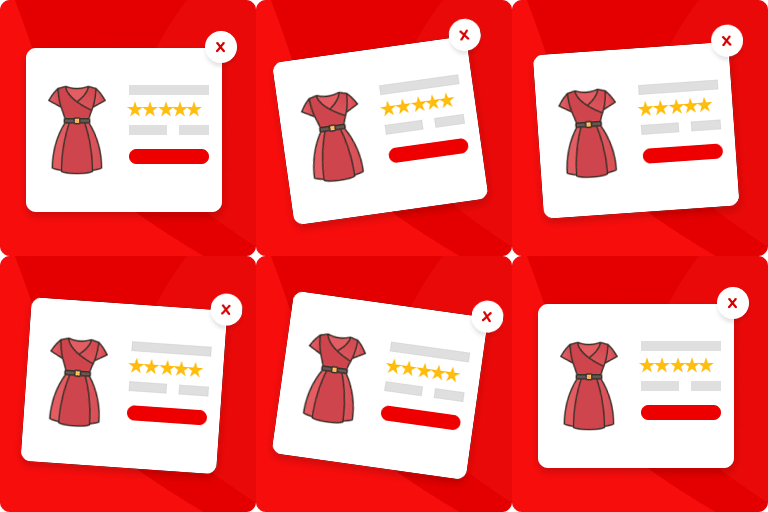
Addonify WooCommerce Quick View plugin adds functionality to have a quick preview of WooCommerce product on a popup modal. 🌍 Official Demo: Link 1 🌍 Official Demo: Link 2 📜 Documentation: Doc Link If you run an online e-commerce shop, then you must be familiar with the number of products that your users will see in your store page. This plugin allows your website visitors to quickly view the product summary instead of going through each product’s detail page. This could save the time of your visitors & increase your revenue. 🦄 MAIN FEATURES: ✅ Easy to use. ✅ Super light-weight & optimized for performance. ✅ Add a quick view button in product loop to open a modal window with the product summary using AJAX. ✅ Display product image or gallery on quick view modal. ✅ Display product title, price, add to cart button, excerpt and view detail button on quick view modal. ✅ Disable quick view on mobile device. ✅ Modal box opening & closing animations. ✅ Modal content row direction layout. ✅ Change a label for the “Quick view” button. ✅ Display icon on “Quick view” button. ✅ Choose spinner icon. ✅ Customize what you would like to display inside the modal box. ✅ Display product detail page link in modal. ✅ Close modal on ESC key pressed. ✅ Close modal when clicked outside. ✅ Display/Hide modal close button. ✅ JavaScript API for developers. ✅ Developer friendly & easy to implement according to your need. ✅ Add custom CSS if required from admin setting page. ✅ Clean setting page design. ✅ Friendly support. 🌈 DESIGN OPTIONS: ✅ Customize quick view button text color. ✅ Customize quick view button background color. ✅ Customize quick view border color. ✅ Customize quick view button border radius. ✅ Customize modal box background color. ✅ Customize modal overlay mask background color. ✅ Customize modal box border color. ✅ Customize modal text colors. ✅ Customize modal box border radius. ✅ Customize modal CSS z-index. ✅ Customize spinner icon color. ✅ Customize spinner icon size. ✅ Customize WC Gallery border color. ✅ Customize WC Gallery icon color. ✅ Customize WC Gallery icon background color. ✅ Customize WC Gallery icon size. ✅ Customize WC product image border. ✅ Customize WC Gallery thumbnails gap. ✅ Customize WC Gallery thumbnails number in row. ✅ Customize product title color. ✅ Customize product title font size. ✅ Customize product title font weight. ✅ Customize price color. ✅ Customize price font size. ✅ Customize rating stars color. ✅ Customize misc buttons inside modal box color. ✅ More customization options, give it a try. 💎 PRO Addonify Quick View Pro version comes with more advanced features and customization options. Some of the features are: ✅ Track the viewed products with analytics. ✅ Add the related products in quick view modal. ✅ Add product navigation. ✅ Enable social sharing from quick view modal. ✅ Enable AJAX add to cart in quick view modal. ✅ Unlock additional color options. ✅ Unlock additional options to customize the modal. 📄 SHORTCODE The shortcode below can used to display quick view button. [addonify_quick_view_button id=”1″ label=”Quick View” classes=”btn” icon=”icon_one” icon_position=”left”] The shortcode attributes used are as follows: id: Product id. label: Button label. classes: CSS classes. icon: Button icon. Use any one attribute value from icon_one, icon_two, icon_three, …, icon_six. icon_position: Button icon position if icon attribute is set. Use either left or right. 👨💻 DEVELOPER: Developers, we got you. Follow the links below to easily customize Addonify Quick View as you like. ✅ Custom quick view button Check Doc ✅ Using Hooks & Filters Check Doc ✅ Overwrite plugin template file Check Doc ✅ JavaScript API Check Doc Still not sure how to start? Create a new discussion and we will help you out. 🤎 FEEDBACK & SUPPORT: Let’s make Addonify Quick View better together. We are open to discuss how we can improve our plugin. You’re always welcome to join the discussion and share your ideas with us. 🌍 Feedback – Have feedback or I would love to rate. 🪲 Report BUG – Option – 1 or Option – 2. 📦 UPCOMING FEATURES: Modal width with responsive control. Modal padding with responsive control. Modal content gap with responsive control. Quick view for Gutenberg WooCommerce products blocks. More customization options. Do you have any requests to make? Let’s discuss on what you would like to see in the next version.
Top keywords
- customize29×4.32%
- modal25×3.73%
- view24×3.58%
- quick23×3.43%
- quick view22×3.28%
- icon19×2.83%
- button15×2.24%
- color15×2.24%
- product14×2.09%
- color customize13×1.94%
- quick view button9×1.34%
- view button9×1.34%
QODE Quick View for WooCommerce
Boost Your Conversion Rates with QODE Quick View Turn your product listing pages into eye-catching, full-blown single product presentations. QODE Quick View for WooCommerce provides you with a simple, user-friendly way to display compact forms dedicated to showcasing your single products in great detail. Quick View forms are triggered with a single click right from the product list, without ever leaving the page. Check out QODE Quick View Demo Fully Optimized for Viewing on Mobile Devices Too Thanks to its full mobile optimization, the QODE Quick View can be accessed via any mobile device without any compromise in terms of the visuals and features, expanding the reach of this supremely practical eCommerce element once reserved only for desktop users. Key features: Display the Quick View button in loops, which can be optionally disabled for mobile devices Open-ended Quick View button stylization, custom button labels and adjustable close icons Get Even More With Premium! The Premium version of the QODE Quick View for WooCommerce plugin provides you with three attention-grabbing Quick View form appearance styles to choose from – standard Pop-up, Sidebar Quick View, and cascading Drop Quick View form. The size and appearance of the form can be easily adjusted thanks to the extensive set of customization options, and it can feature image galleries with thumbnails or sliders and optional image zoom on hover. On top of that, the customization of the Quick View button appearance in lists is completely open-ended, allowing you to compose button & icon styles of your own. The QODE Quick View for WooCommerce Premium lets you include a number of additional features inside your Quick Forms, providing you with a neat way to present your shoppers with all the relevant info relating to a product in a straightforward manner. You can choose additional product information & features you wish to display, including the product category, rating, price, meta info, description, product tabs, a fixed ‘View Details’ button, instantly loading AJAX-powered adding to cart, additional information items, adjustable social share icons, as well as suggested products. Documentation & Support Check out our step-by-step user guide on how to install and use QODE Quick View for WooCommerce. You can also submit a topic to the support forum at and our support team will be glad to help you out. Privacy Policy We use our services Qode’s CDN – The domain https://export.qodethemes.com is a service from which we retrieve the list of all Qode plugins displayed in the admin dashboard. Qode’s API – The domain https://api.qodeinteractive.com is an API that’s called when a user deactivates the plugin, to retrieve the reason for deactivation. Upon deactivating the plugin, the users are prompted for a reason for doing so. They also have the option to deactivate without providing a reply. The data obtained from the users who respond to the question is collected to improve the plugin. After the analysis of said data, the plugin is upgraded and enhanced in such a way as to fulfill the users’ expectations. We use third party services for the purposes of sharing posts on their respective platforms. We do not store any of the data sent to those services. Here’s a list of the services used and their corresponding privacy policies: Facebook – https://www.facebook.com/privacy/policy/ X – https://twitter.com/en/privacy#update LinkedIn – https://www.linkedin.com/legal/privacy-policy Pinterest – https://policy.pinterest.com/en/privacy-policy Tumblr – https://www.tumblr.com/privacy/en VK – https://m.vk.com/privacy?api_view=1&lang=en WhatsApp – https://www.whatsapp.com/legal/privacy-policy Looking for more? Feel free to try out some of our other products: Qi Theme Qi Addons for Elementor Qi Blocks for Gutenberg QODE Wishlist for WooCommerce QODE Variation Swatches for WooCommerce QODE Compare for WooCommerce QODE Product Extra Options for WooCommerce QODE Optimizer