3DPrint Lite
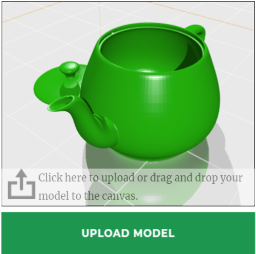
If you have a 3D printer and wish to charge for model printing this plugin is for you. How it works: Site administrator configures printers, materials and pricing in the admin. Customers upload their models, choose printer and material, see the estimated price, input their email address and comments and press the “Request a Quote” button. The admin receives the request notification by email and sends the quotes through the Price Request Manager or discards the quote requests. Features: Supported file types: STL (bin, ascii), OBJ (+.mtl), ZIP. Configurable printers, filaments and coatings. Build tray shape (rectangle, circle). Material/coating shininess (plastic, wood, metal). Transparent and glowing materials. Customizable pricing: can be configured to charge per model weight, filament volume or bounding box volume. Large file upload support (upload chunking). Model scaling. Drag and drop. Filament price calculator. Email notification. Email templates. Price request manager. Translation ready. Responsive layout. Demo: http://www.wp3dprinting.com/3d-print-lite-demo/ Premium version of the plugin has all features of the lite version plus: WooCommerce integration. Laser cutting support. Bulk Upload Mode. Form Builder (NinjaForms integration) File Manager Extra file type supported: STP, IGS, DXF Image printing: JPG, PNG, GIF, BMP files get converted to STL. Can arrange multiple STL models from a ZIP file. Model scaling (can scale axis independently). Extra layout options. Model repair & optimization (auto rotation for optimized 3D printing process) Manual model rotation. Infill calculation. Per hour pricing. Support material calculation. Ability to add predefined models to products. Email template manager. Discount system. Fullscreen mode. Custom attributes with configurable price. Ability to assign different printers and materials to different products. Free support. New cool features to come.
Material3d
Material3d is a platform for users to easily create and run 3d scenes with VR (Virtual Reality) device support on web browsers. Powered by three.js and react.js, the editor provides a visualized and WYSIWYG way to construct 3d scenes with objects, lights, cameras, textures, materials, animations, force fields and user interactions (mouse click, screen touch, and so on). The scenes could be inserted and run on pages or posts as shortcode or javascript. With Material3d editor, users could build complicated 3d scenes, animations and interactions very fast. It’s very powerful and friendly for most common users even without any programming knowledge. It’s also very flexible for developers to customize and extend just by modifying a few javascript libraries. The common application occasions of Material3d include product demonstration, scientific simulation, virtual reality, 3d user interaction for companies, researchers, students or educational institutes, and so on. A lot of basic 3d objects, such as spheres, tubes, torus, lathes, extudes, texts, lines and particles, are provided. Construction of a scene and manipulation of 3d objects is easy, just by drag and drop with transform controls. By modifying parameters, 3d objects could be modified, moved, rotated or scaled precisely. Materials, with various settings including colors, textures, environment maps, reflection and so on, make the appearance of 3d objects more realistic. Animations, such as transformations, change of colors, could be applied to 3d objects. Force fields, such as Newton Force, Collision, provide another convient way to produce animations with physical simulation. Interactions, such as mouse move, click, VR handle button press, could be directly added to the scene to control animations, force fields and running of custom scripts. Base on its good extendibility, more and more objects, materials, animations and forcefields will be added into Material3d libraies to make it more and more powerful. External links and 3rd party services The plugin contains a few external links to https://material3d.net on “M3d scenes” and “Help/Support” pages. on the “M3d scenes” page, examples are listed linking to the gallery of https://material3d.net. on the “Help/Support” page, there are a few links of tutorials and documentation and a question form redirecting to https://material3d.net. The scenes created with the settings using Material3d.net libraries will import these libraries from https://material3d.net. All libraries on Material3d.net are free to use except for some customized libraries required by users. If you have any concern about personal data safety, please visit our Pravacy Policy: https://material3d.net/privacypolicy.html, or send email to support@material3d.net.