
WCAPF – Ajax Product Filter for WooCommerce for WordPress Plugin Directory
WCAPF – Ajax Product Filter for WooCommerce is a WordPress app, with a 4.3 average rating from 44 reviews, as of Jul 17, 2026.
WCAPF – Ajax Product Filter for WooCommerce is a WordPress Plugin Directory app by Mainul Hassan. With a rating of 4.3★ from 44 reviews.
AppRanks verdict
Generated from live marketplace data — refreshed daily
WCAPF – Ajax Product Filter for WooCommerce is a well-rated WordPress app with a limited review volume. It is listed in the Product filter category on WordPress Plugin Directory, which AppRanks treats as the canonical taxonomy node for ranking and competitor comparison. 44 reviews put it in the early-traction tier — useful for early-stage stores willing to be on the leading edge. Early-traction review counts are sensitive to single launch periods or feature events, so a 30-day re-check before bigger commitments often resolves whether the trend is sustained. Paid-only pricing means evaluating fit on the marketplace listing or via the developer's documentation before installing. AppRanks tracks rating, review count, pricing tier, and category position daily — the figures on this page reflect the most recent scrape from the canonical WordPress Plugin Directory listing.
Pros
- +Published by Mainul Hassan — established developer track record
Cons
- −Limited review base (44) — ratings can shift significantly with new feedback
Looking to switch from WCAPF – Ajax Product Filter for WooCommerce?
See WCAPF – Ajax Product Filter for WooCommerce's alternatives ranked by audit score, rating, and review velocity.
How WCAPF – Ajax Product Filter for WooCommerce works
Show full descriptionShow less
WCAPF – Ajax Product Filter for WooCommerce helps customers filter WooCommerce products by category, tag, attribute, price, rating, author, meta fields, and keyword using AJAX. The plugin updates results instantly without reloading the page, helping customers find products faster on WooCommerce shop and archive pages.
View Demo | Documentation | 💎 Upgrade to Pro
WooCommerce Product Filtering Options
Taxonomy: Let customers browse products by category, tag, or any custom taxonomy.
Attribute: Narrow down results using product attributes such as size, color, material, and more.
Price: Help customers find items within their budget using a flexible price range filter.
Rating: Show products based on customer ratings.
Product Status: Allow customers to filter products by status such as Featured or In Stock.
Post Author: Filter products by their author.
Post Meta: Filter products using custom post meta values.
Keyword: Search for products using keywords.
Flexible Filter Display Options
Multiple Display Formats: Present filter options using checkboxes, radio buttons, dropdowns, multiselect, or labels.
Styling and Layout: Choose from list, inline, grid, or hierarchical display for taxonomies, with accordion support for hierarchies.
Price Filter Options: Use a price slider with minimum and maximum inputs (custom price ranges are available in the Pro version).
Product Count & Tooltips: Show the number of products available for each filter and display informative tooltips on hover.
Automatic Filter Generation: Automatically generate filter options from taxonomy terms, attributes, or other supported data sources.
Include/Exclude Options: Control visibility by including or excluding specific terms, users, or meta values.
Search Field & Toggles: Include a search field within filters for quick navigation and use show more/less toggles to keep the interface clean.
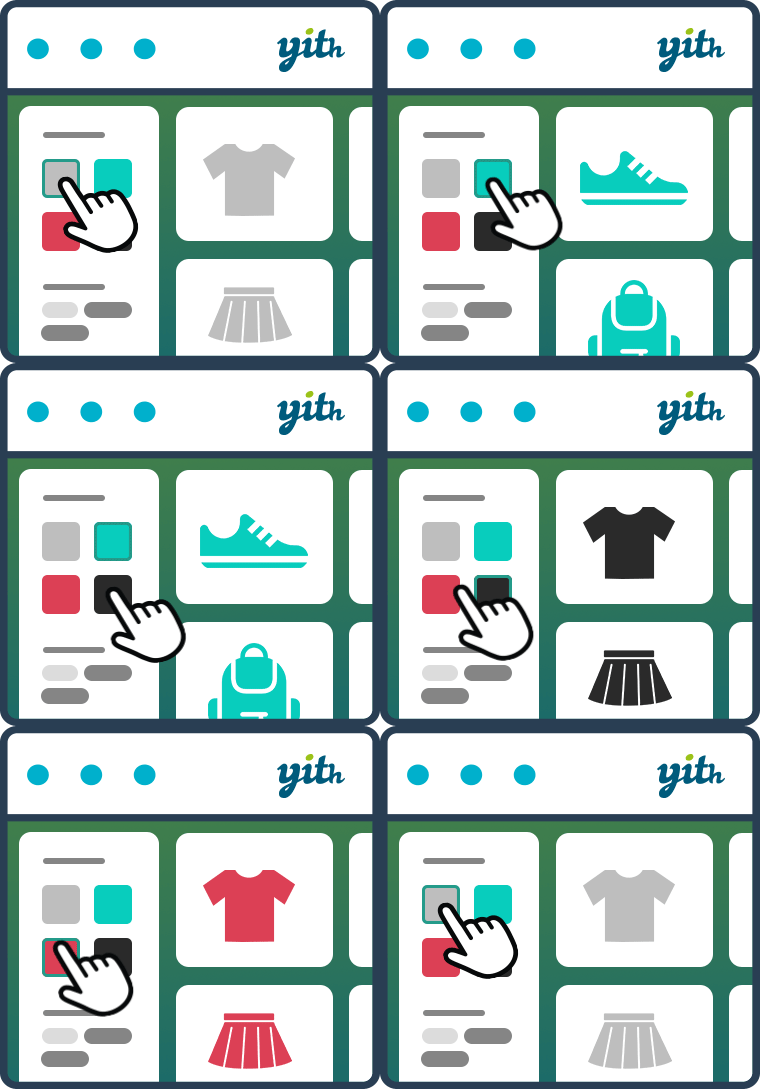
Color/Image Swatches: Display filter options using visual color or image swatches for a better shopping experience.
Advanced Filtering Functionality
Variable Product Support: Works seamlessly with variable products and WooCommerce attribute lookup tables.
Ajax Pagination & Sorting: Navigate filtered results and apply product sorting without page reloads.
Active Filters Display: Show selected filters above the product loop for quick adjustments by the user.
Dynamic Product Count: Update product counts in real time based on applied filters to avoid “no results found” messages.
Smart Visibility: Automatically hide or disable empty filters and irrelevant options that return zero products.
Easy Integration Create your filters and display them on WooCommerce shop and archive pages. Add the filters using the WCAPF – Product Filter Form widget or place the [wcapf_form] shortcode in a page, post, or theme template.
Premium Features (Pro) The Pro version adds more advanced filtering capabilities and extra configuration options for more complex stores. Some of the enhanced features include:
Different Filters for Different Archives: Show more relevant filters depending on the current product category or archive. Documentation
Filters on Custom Pages: Build custom product layouts outside default WooCommerce templates using the [wcapf_products] shortcode. Documentation
Multi-Vendor Support: Compatible with popular multi-vendor plugins, allowing customers to filter by store name or vendor. Documentation
Advanced Controls: Includes manual filter options, sort by filter, per page filter, custom price ranges, and additional configuration settings.
Drag and Drop Filter Creation Create filters quickly using the intuitive admin interface. Add filters, configure settings, reorder them, and remove them easily.
Custom Filter Keys in URL Define the filter key used in the URL to identify the type of filter applied.
For example, in the URL ../?category=shirts&color=white, category, and color are the filter keys.
Option to Disable Ajax Filtering Allow users to disable AJAX filtering if needed. While AJAX filtering is generally recommended for seamless browsing, users can choose to disable it to troubleshoot any potential JavaScript conflicts that may arise after updating the product loop.
Customization Easily customize the appearance of the filters to match the design and style of your theme. The plugin provides a variety of settings on the plugin settings page, including CSS variables for styling, allowing developers to quickly customize the global filter appearance.
Theme Compatibility The plugin is designed to be highly compatible with a wide range of themes that follow the standard guidelines set by WooCommerce. This means it is likely to work effectively with almost any theme you choose.
Developer Friendly The plugin includes essential hooks, filters, and template overrides so developers can adjust filter data, customize output, and extend the plugin functionality.
Category rankings
As of Jul 17, 2026- Ajax product filter#0of 3Top 1%
- Price filter#0of 1Top 1%
- Product filter#0of 13Top 1%
- Woocommerce filter#0of 5Top 1%
- Woocommerce product filter#0of 5Top 1%
See 90-day rank history for each category
Track daily rank changes, category shifts, and position volatility.
Keyword rankings
WCAPF – Ajax Product Filter for WooCommerce ranks for 1 keywords across WordPress Plugin Directory. Here are the top 1:
- Rank #511
Competitors & alternatives
WCAPF – Ajax Product Filter for WooCommerce doesn't have curated competitor matchups yet. Other tracked product filter apps on WordPress:





Frequently asked questions
What is WCAPF – Ajax Product Filter for WooCommerce?
WCAPF – Ajax Product Filter for WooCommerce is an app for WordPress. It currently holds a 4.3-star rating from 44 merchant reviews, and AppRanks has been tracking its public marketplace data on the refresh cadence published in our methodology. It is listed under the Product filter category on AppRanks, where you can see its current category position, review-velocity trend, and how it compares against the top alternatives in the same space. Developed by Mainul Hassan.
Who uses WCAPF – Ajax Product Filter for WooCommerce?
Currently around 8,000 active stores have installed WCAPF – Ajax Product Filter for WooCommerce. Its review base is still building, which usually maps to early-stage merchants and stores piloting a new workflow. It is part of the Product filter category on WordPress.