Visibility Controls for Editor Blocks for WordPress Plugin Directory
Visibility Controls for Editor Blocks is a WordPress app, with a 5.0 average rating from 3 reviews, as of Aug 31, 2026.
Visibility Controls for Editor Blocks is a WordPress Plugin Directory app by denisdoroshchuk. With a rating of 5.0★ from 3 reviews.
AppRanks verdict
Generated from live marketplace data — refreshed daily
Visibility Controls for Editor Blocks is a category-leading WordPress app with a limited review volume. Category data on the canonical marketplace listing is currently incomplete, so AppRanks falls back to platform-wide rather than category-relative comparison for this listing. 3 reviews put it in the early-traction tier — useful for early-stage stores willing to be on the leading edge. Early-traction review counts are sensitive to single launch periods or feature events, so a 30-day re-check before bigger commitments often resolves whether the trend is sustained. Paid-only pricing means evaluating fit on the marketplace listing or via the developer's documentation before installing. AppRanks tracks rating, review count, pricing tier, and category position daily — the figures on this page reflect the most recent scrape from the canonical WordPress Plugin Directory listing.
Pros
- +High average rating (5.0★) signals consistent merchant satisfaction
- +Published by denisdoroshchuk — established developer track record
Cons
- −Limited review base (3) — ratings can shift significantly with new feedback
Looking to switch from Visibility Controls for Editor Blocks?
See Visibility Controls for Editor Blocks's alternatives ranked by audit score, rating, and review velocity.
How Visibility Controls for Editor Blocks works
Show full descriptionShow less
Visibility Controls for Editor Blocks adds native visibility settings to the WordPress block editor, so you can hide or show Gutenberg blocks based on screen size and user login status without writing custom CSS.
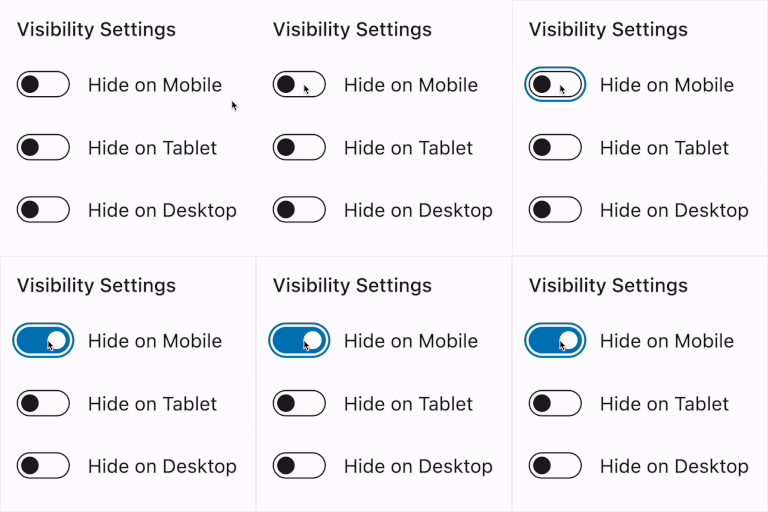
Use it to hide blocks on mobile, tablet, or desktop, show different content to logged-in users and guests, and fine-tune responsive layouts with your own breakpoints. The controls appear directly in the block editor sidebar, so you can manage visibility while editing your content.
On WordPress 7.0 and newer, the device controls stay in sync with the editor’s built-in Hide block modal, so changing Hide on Mobile, Tablet, or Desktop in either place updates the same block visibility setting.
The plugin works with regular Gutenberg blocks and modern dynamic blocks, including block theme and site editor contexts.
Need more advanced conditional visibility? Visibility Controls for Editor Blocks Pro adds user role visibility, date and time scheduling, URL/query parameter rules, and an optional cache-friendly frontend mode for scheduled and URL-based rules.
Key Features:
Device visibility controls: Hide blocks on mobile, tablet, or desktop.
Login status visibility: Show or hide blocks for logged-in users or non-logged-in visitors.
Custom breakpoints: Define what counts as mobile and tablet for your own theme.
WordPress Hide block sync: Keep device visibility controls aligned with the built-in Hide block modal in WordPress 7.0 and newer.
No custom CSS needed: Manage block visibility directly from the editor sidebar.
Gutenberg integration: Visibility options appear where you already edit block settings.
Dynamic block support: Works with server-rendered blocks, block themes, and modern WordPress layouts.
Pro Features:
User role visibility: Show or hide blocks for selected WordPress user roles.
Date and time scheduling: Display blocks only during a selected time window.
URL and query rules: Show blocks only when a URL parameter is present or matches a specific value.
Cache-friendly frontend mode: Optionally evaluate scheduled and URL rules in the visitor browser for cached pages.
Role list control: Choose which WordPress roles appear in the block editor controls.
Ideal For:
Content creators who want to hide large or secondary blocks on smaller screens.
Site owners who want to show different calls to action to guests and logged-in users.
Designers who need responsive Gutenberg layouts without writing one-off CSS.
Developers and agencies who want simple block visibility controls for client sites.
With Visibility Controls for Editor Blocks, you can keep one clean editor workflow while tailoring the frontend experience for different devices and visitors.
Video tips for using the Visibility Controls for Editor Blocks plugin:
License This plugin is licensed under the GPLv2 or later. You can find more information at https://www.gnu.org/licenses/gpl-3.0.html.
Competitors & alternatives
AppRanks tracks competitor sets per category. For Visibility Controls for Editor Blocks, the independent listing audit includes a competitive context section, and the full WordPress app index shows the broader marketplace landscape this app competes in. Sign up free to surface a side-by-side competitor matrix customized to your tracked apps.
Frequently asked questions
What is Visibility Controls for Editor Blocks?
Visibility Controls for Editor Blocks is an app for WordPress. It currently holds a 5.0-star rating from 3 merchant reviews, and AppRanks has been tracking its public marketplace data on the refresh cadence published in our methodology. AppRanks tracks its category position, review-velocity trend, and the top alternatives in the same space. Developed by denisdoroshchuk.