Show Environment in Admin Bar is a WordPress app, with a 5.0 average rating from 3 reviews, as of Aug 31, 2026.
Show Environment in Admin Bar is a WordPress Plugin Directory app by Paul Biron. With a rating of 5.0★ from 3 reviews.
AppRanks verdict
Generated from live marketplace data — refreshed daily
Show Environment in Admin Bar is a category-leading WordPress app with a limited review volume. Category data on the canonical marketplace listing is currently incomplete, so AppRanks falls back to platform-wide rather than category-relative comparison for this listing. 3 reviews put it in the early-traction tier — useful for early-stage stores willing to be on the leading edge. Early-traction review counts are sensitive to single launch periods or feature events, so a 30-day re-check before bigger commitments often resolves whether the trend is sustained. Paid-only pricing means evaluating fit on the marketplace listing or via the developer's documentation before installing. AppRanks tracks rating, review count, pricing tier, and category position daily — the figures on this page reflect the most recent scrape from the canonical WordPress Plugin Directory listing.
Pros
- +High average rating (5.0★) signals consistent merchant satisfaction
- +Published by Paul Biron — established developer track record
Cons
- −Limited review base (3) — ratings can shift significantly with new feedback
Looking to switch from Show Environment in Admin Bar?
See Show Environment in Admin Bar's alternatives ranked by audit score, rating, and review velocity.
How Show Environment in Admin Bar works
Show full descriptionShow less
If you’re like me, you often have multiple versions of the same WordPress site open in different browser windows, e.g., production in one window and development in another window.
And if you’re like me, you have also unwittingly edited content in the production environment thinking you were doing so in the development environment or vice versa.
If so, then this plugin is for you!
It adds an indication of the current environment to the Admin Bar that is easier to see than examining the URL in your browser’s address bar.
Out-of-the-box behavior Out-of-the-box, 2 different environments are recognized:
Production
The node added to the Admin Bar has a red background (i.e., Stop/be careful with any changes you make).
If neither a staging, QA, nor development environment is detected, then Prod is displayed in the Admin Bar.
Development
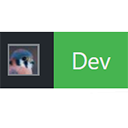
The node added to the Admin Bar has a green background (i.e., Go ahead, it is safe to make changes).
If WP is running on localhost (either a loopback IP address or LAN IP address), then Local displays in the Admin Bar.
If WP_DEBUG is defined & true, then Dev displays in the Admin Bar.
Customizing the out-of-the-box behavior Two additional environments are supported, but cannot be automatically detected:
Staging
The node added to the Admin Bar has a yellow-ish background (i.e., Slow down, changes might make it into the production site).
For information on how to enable this environment, see the documentation.
QA
The node added to the Admin Bar has a blue background (i.e., “It’s cool”, changes you make won’t affect the production site).
For information on how to enable this environment, see the documentation.
Competitors & alternatives
AppRanks tracks competitor sets per category. For Show Environment in Admin Bar, the independent listing audit includes a competitive context section, and the full WordPress app index shows the broader marketplace landscape this app competes in. Sign up free to surface a side-by-side competitor matrix customized to your tracked apps.
Frequently asked questions
What is Show Environment in Admin Bar?
Show Environment in Admin Bar is an app for WordPress. It currently holds a 5.0-star rating from 3 merchant reviews, and AppRanks has been tracking its public marketplace data on the refresh cadence published in our methodology. AppRanks tracks its category position, review-velocity trend, and the top alternatives in the same space. Developed by Paul Biron.