- Listing audit
- 49/100
Social Share for WooCommerce is a WordPress Plugin Directory app by WPXtension. With a rating of 5.0★ from 11 reviews.
Social Share for WooCommerce is a WordPress app, with a 5.0 average rating from 11 reviews, as of Sep 11, 2026.
AppRanks verdict
Generated from marketplace data as of Sep 11, 2026
Social Share for WooCommerce is a WordPress app. It holds a 5.0★ average from 11 reviews on WordPress.
Pros
- No standout positives in the measured data.
Cons
- −Only 11 reviews — the average can still move with a few new ratings
How Social Share for WooCommerce works
Show full descriptionShow less
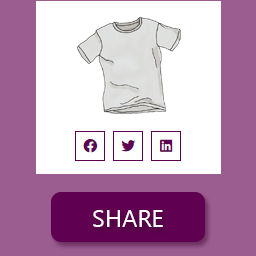
Social Share for WooCommerce allows you to add actionable social icons on WooCommerce single product pages. This WooCommerce extension gives you a quick single-click solution to share your products on various social media platforms.
Social media has a great influence on our everyday life. They have become an inseparable part of our modern life. As a result, social media gained the ability to influence sectors like eCommerce. Top and successful marketers understand the importance of social presence and social media marketing to boost a business, especially in the eCommerce sector. Why should you miss out!
WooCommerce comes with tons of features, but it does not offer a default option to add actionable social media icons. With Social Share for WooCommerce, you can add social media icons to the product page. Additionally, you can add a copy to the clipboard button along with the social media platforms. This will allow everyone to copy the product link into the clipboard.
View Demo | Documentation | Support | Pro Version
Features of this plugin 🥳 One-click social share for WooCommerce products
Give your customers the ability to share your products on various social media sites with just a single click.
🥳 Select your desired social media icons
You can select your desired social media icons from a given list. So, you can precisely choose your desired social media platforms.
🥳 Customize the order of the social media icons
Additionally, you can drag and drop the icons to customize their order on the product page. Thus, you can effortlessly put your most desired social channel in the first position and so on.
🥳 Control the social media icon’s display position