SEPA QR-Code for Woocommerce (GDPR-compliant) for WordPress Plugin Directory
SEPA QR-Code for Woocommerce (GDPR-compliant) is a WordPress app, with a 5.0 average rating from 1 review, as of Aug 31, 2026.
SEPA QR-Code for Woocommerce (GDPR-compliant) is a WordPress Plugin Directory app by thedoctorcoernel. With a rating of 5.0★ from 1 reviews.
AppRanks verdict
Generated from live marketplace data — refreshed daily
SEPA QR-Code for Woocommerce (GDPR-compliant) is a category-leading WordPress app with a limited review volume. Category data on the canonical marketplace listing is currently incomplete, so AppRanks falls back to platform-wide rather than category-relative comparison for this listing. 1 reviews put it in the early-traction tier — useful for early-stage stores willing to be on the leading edge. Early-traction review counts are sensitive to single launch periods or feature events, so a 30-day re-check before bigger commitments often resolves whether the trend is sustained. Paid-only pricing means evaluating fit on the marketplace listing or via the developer's documentation before installing. AppRanks tracks rating, review count, pricing tier, and category position daily — the figures on this page reflect the most recent scrape from the canonical WordPress Plugin Directory listing.
Pros
- +High average rating (5.0★) signals consistent merchant satisfaction
- +Published by thedoctorcoernel — established developer track record
Cons
- −Limited review base (1) — ratings can shift significantly with new feedback
Looking to switch from SEPA QR-Code for Woocommerce (GDPR-compliant)?
See SEPA QR-Code for Woocommerce (GDPR-compliant)'s alternatives ranked by audit score, rating, and review velocity.
How SEPA QR-Code for Woocommerce (GDPR-compliant) works
Show full descriptionShow less
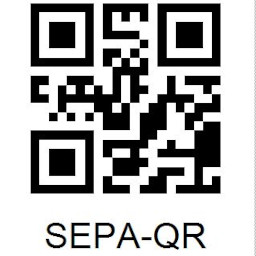
Adds a SEPA-QR Code for bank transfer payments (bacs) in the WooCommerce Thankyou page and Woocommerce emails. The QR-Code can be hooked into other plugins.
Before you start The plugin comes as is and free. However a real person has put real work into it. So if you use it please do s.th. good. Use your efforts, your time for beneficial projects or whatever!
Prerequisite php GD2 extension must be installed as the QR-Code generator by fellwell15 requires this.
Hooking into other plugins I use a plugin for PDF-invoices and packaging slips. Refer to this sample to hook the QR-Code into whatever you like:
/wp-content/themes/Your(Child)Theme/functions.php
/* QR-Code in invoices */ add_action( 'wpo_wcpdf_after_order_details', 'wpo_wcpdf_qr_code', 10, 2 ); function wpo_wcpdf_qr_code ($document_type, $order) { require_once WP_PLUGIN_DIR . '/mxp-sepa-qr-code-addon-for-woocommerce/muxp-sepaqr.php'; $muxp_order = wc_get_order( $order); $order_id = $order->get_id(); if ( !empty($muxp_order->get_total()) && (float)$order->get_total() > 0 ) { echo '<h1>QR-Code for your online banking app<h1>'; echo '<img class="muxp-bacs-qrcode" src="' . esc_attr(muxp_get_qrcode($order->get_total(), $order_id)) . '" alt="qr-code"></p>'; } }
What happens in the backend:
the QR code generator creates the QR-code locally. There is no Google-API nor external server in use!
the QR code generator is from fellwell15
plugin registers a get-parameter (configurable, default mxp_qr) for testing purposes and, if desired, to create links to the cached QR codes.
the prefix mxp is used throghout the plugin to avoid collisions with other plugins and functions. mxp stands for www.musicalexperten.de (musical experts). Remember where you’ve seen it first! 😉
Testing and troubleshooting Simple way Install the plugin and order s.th. in your shop using BACS (direct bank transfer).
To test if the QR-Code generator is working www.yourwebpage.de/?mxp_qr=something = creates a real QR with dummyvalues 11-11
Working example
To find an existing cached QR-Code, query for a valid md5 string == If it does not exist in cache or transients, a sad smiley will appear. www.yourwebpage.de/?mxp_qr=351436ef4b279e1811a6c68a2dd58b1b
results in a sad smiley. Working example
Remarks Storing the QR code in cache or transients is only needed if you want to use a link instead of a picture inside the email. Details in the program code.
Support The program has been written by a professional programmer – however fully free of charge and without detailed knowledge about WooCommerce. I try to assist you in the support forum or on GitHub the best I can but my knowledge is limited.
Full integration in Woocommerce I am more then happy if someone integrates the code into the Woocommerce core! The topic is discussed here: https://github.com/woocommerce/woocommerce/issues/27661
Competitors & alternatives
AppRanks tracks competitor sets per category. For SEPA QR-Code for Woocommerce (GDPR-compliant), the independent listing audit includes a competitive context section, and the full WordPress app index shows the broader marketplace landscape this app competes in. Sign up free to surface a side-by-side competitor matrix customized to your tracked apps.
Frequently asked questions
What is SEPA QR-Code for Woocommerce (GDPR-compliant)?
SEPA QR-Code for Woocommerce (GDPR-compliant) is an app for WordPress. It currently holds a 5.0-star rating from 1 merchant review, and AppRanks has been tracking its public marketplace data on the refresh cadence published in our methodology. AppRanks tracks its category position, review-velocity trend, and the top alternatives in the same space. Developed by thedoctorcoernel.