Light Code Block is a WordPress Plugin Directory app by Pavel.
AppRanks verdict
Generated from live marketplace data — refreshed daily
Light Code Block is a newly-listed WordPress app with a limited review volume. Category data on the canonical marketplace listing is currently incomplete, so AppRanks falls back to platform-wide rather than category-relative comparison for this listing. no published reviews yet means feature claims are unverified by the wider merchant base. Without a published review base, the only fit-signal available is the developer's own documentation plus the marketplace's listing-quality audit (linked below). Paid-only pricing means evaluating fit on the marketplace listing or via the developer's documentation before installing. AppRanks tracks rating, review count, pricing tier, and category position daily — the figures on this page reflect the most recent scrape from the canonical WordPress Plugin Directory listing.
Pros
- +Published by Pavel — established developer track record
Cons
- −No public reviews yet — fit and reliability are unverified
Looking to switch from Light Code Block?
See Light Code Block's alternatives ranked by audit score, rating, and review velocity.
How Light Code Block works
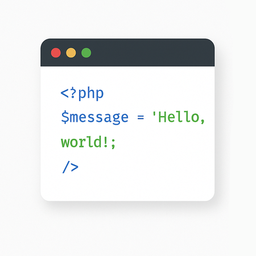
The “Light Code Block” plugin is a simple and lightweight solution for inserting and displaying code snippets in posts and pages.
It works by adding a custom “LC” button to the TinyMCE (Classic) editor or a code block in the Gutenberg editor.
The inserted code will be shown on the front end in a clean, readable format.
Usage
Install and activate the plugin.
Go to the post or page edit screen.
In the TinyMCE (Classic) editor, click the “LC” button in the toolbar.
In the popup window that opens, paste or write your code, and click OK.
Save or update your post.
The code will be saved inside a special block and displayed on the front end within a <pre> tag with the class mce-simple-code-block (i.e., <pre class="mce-simple-code-block">...</pre>).
To insert code using the Gutenberg editor, you first need to add a Classic (TinyMCE) block, and then use it to insert your code.
Competitors & alternatives
AppRanks tracks competitor sets per category. For Light Code Block, the independent listing audit includes a competitive context section, and the full WordPress app index shows the broader marketplace landscape this app competes in. Sign up free to surface a side-by-side competitor matrix customized to your tracked apps.
Frequently asked questions
What is Light Code Block?
Light Code Block is an app for WordPress. It is published on WordPress Plugin Directory and tracked by AppRanks, and AppRanks has been tracking its public marketplace data on the refresh cadence published in our methodology. AppRanks tracks its category position, review-velocity trend, and the top alternatives in the same space. Developed by Pavel.