Circle Progress Bar Block for WordPress Plugin Directory
Circle Progress Bar Block is a WordPress Plugin Directory app by Shafayat Hossain.
AppRanks verdict
Generated from live marketplace data — refreshed daily
Circle Progress Bar Block is a newly-listed WordPress app with a limited review volume. Category data on the canonical marketplace listing is currently incomplete, so AppRanks falls back to platform-wide rather than category-relative comparison for this listing. no published reviews yet means feature claims are unverified by the wider merchant base. Without a published review base, the only fit-signal available is the developer's own documentation plus the marketplace's listing-quality audit (linked below). Paid-only pricing means evaluating fit on the marketplace listing or via the developer's documentation before installing. AppRanks tracks rating, review count, pricing tier, and category position daily — the figures on this page reflect the most recent scrape from the canonical WordPress Plugin Directory listing.
Pros
- +Published by Shafayat Hossain — established developer track record
Cons
- −No public reviews yet — fit and reliability are unverified
Looking to switch from Circle Progress Bar Block?
See Circle Progress Bar Block's alternatives ranked by audit score, rating, and review velocity.
How Circle Progress Bar Block works
Show full descriptionShow less
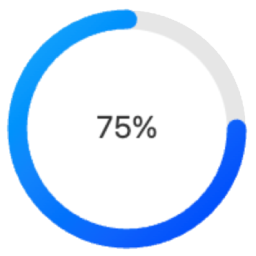
Circle Progress Bar Block is a modern Gutenberg block plugin that adds beautiful circular progress indicators to your WordPress site. Perfect for displaying progress, statistics, or metrics in a visually appealing way.
Source Code All uncompiled source code is included in this plugin. The production code in build/index.js is compiled from:
Main Source File Located at src/index.js, this is the complete React source code for the block:
`javascript
import { registerBlockType } from ‘@wordpress/blocks’;
import { InspectorControls } from ‘@wordpress/block-editor’;
import {
PanelBody,
RangeControl,
ColorPicker,
TextControl,
SelectControl,
} from ‘@wordpress/components’;
registerBlockType(‘circle-progress-bar/progress’, {
title: ‘Circle Progress Bar’,
icon: ‘chart-pie’,
category: ‘widgets’,
description: ‘A customizable circle progress bar.’,
keywords: [‘progress’, ‘circle’, ‘chart’],
supports: { html: false },
attributes: {
percentage: { type: ‘number’, default: 75 },
size: { type: ‘number’, default: 100 },
strokeColor: { type: ‘string’, default: ‘#00aaff’ },
bgColor: { type: ‘string’, default: ‘#e6e6e6’ },
text: { type: ‘string’, default: ‘Progress’ },
useShadow: { type: ‘boolean’, default: false },
useGradient: { type: ‘boolean’, default: false },
strokeWidth: { type: ‘number’, default: 10 },
fontSize: { type: ‘number’, default: 20 },
fontColor: { type: ‘string’, default: ‘#333’ }
},
// Full source code available in src/index.js // See GitHub repository for complete implementation
});
Build Tools The production code is generated using standard WordPress tools:
* @wordpress/scripts – For development and build
* Webpack – For module bundling
* Babel – For modern JavaScript compatibility
Building from Source
The source is in src/index.js
Build tools are configured in package.json
To compile:
bash
npm install
npm run build
Output goes to build/index.js
Directory Structure To work with the source code:
1. Clone the GitHub repository: https://github.com/jqsafi/circle-progress-bar
2. Install dependencies: npm install
3. Start development server: npm start
4. Build production version: npm run build
Features
Fully Customizable Design
Adjustable circle size and stroke width
Custom colors for progress bar, background, and text
Optional gradient effects
Configurable font size and text
Shadow effects available
Block Editor Integration
Easy to use block controls
Live preview in editor
Works with Full Site Editing (FSE)
Multiple instances support
Performance Optimized
Lightweight SVG-based rendering
No external dependencies
Optimized for modern browsers
Usage Basic Configuration
After adding the block, set your desired percentage (0-100) in the block settings panel
Customize the appearance:
Change circle size using the “Size” slider
Adjust stroke width using the “Thickness” slider
Set colors for the progress bar, background, and text
Enable/disable gradient effect
Add custom text above or below the percentage
Advanced Features
Shadow Effects: Enable and customize shadow effects in the “Effects” panel
Text Options: Configure font size, weight, and position
Development The Circle Progress Bar Block is developed using modern JavaScript and follows WordPress coding standards. The source code is available on GitHub:
GitHub Repository: https://github.com/jqsafi/circle-progress-bar
Building from Source
Clone the repository
Install dependencies:
npm install
For development with live reload:
npm start
For production build:
npm run build
The plugin uses the following build tools:
* @wordpress/scripts for development and build processes
* webpack for bundling
* Babel for JavaScript transpilation
* ESLint and Prettier for code formatting
Source files are located in:
* src/ – Uncompiled JavaScript source code
* build/ – Compiled and minified production code
Competitors & alternatives
AppRanks tracks competitor sets per category. For Circle Progress Bar Block, the independent listing audit includes a competitive context section, and the full WordPress app index shows the broader marketplace landscape this app competes in. Sign up free to surface a side-by-side competitor matrix customized to your tracked apps.
Frequently asked questions
What is Circle Progress Bar Block?
Circle Progress Bar Block is an app for WordPress. It is published on WordPress Plugin Directory and tracked by AppRanks, and AppRanks has been tracking its public marketplace data on the refresh cadence published in our methodology. AppRanks tracks its category position, review-velocity trend, and the top alternatives in the same space. Developed by Shafayat Hossain.