- Category rank
- #200 in SEO
- Price
- Free plan
- Listing audit
- 71/100
AI Crawler Rules: robots.txt Check and Build is a Wix App Market app by TalkyTools.
AI Crawler Rules: robots.txt Check and Build is the #200 ranked SEO app on Wix, free to use, as of Nov 7, 2026.
AppRanks verdict
Generated from marketplace data as of Nov 7, 2026
AI Crawler Rules: robots.txt Check and Build ranks #200 of 147 in SEO on Wix. It has no reviews on Wix yet. It is free to use.
Pros
- +Free plan available — no paid subscription needed to start
Cons
- −No reviews yet — fit and reliability are unverified by other merchants
About AI Crawler Rules: robots.txt Check and Build
How AI Crawler Rules: robots.txt Check and Build works
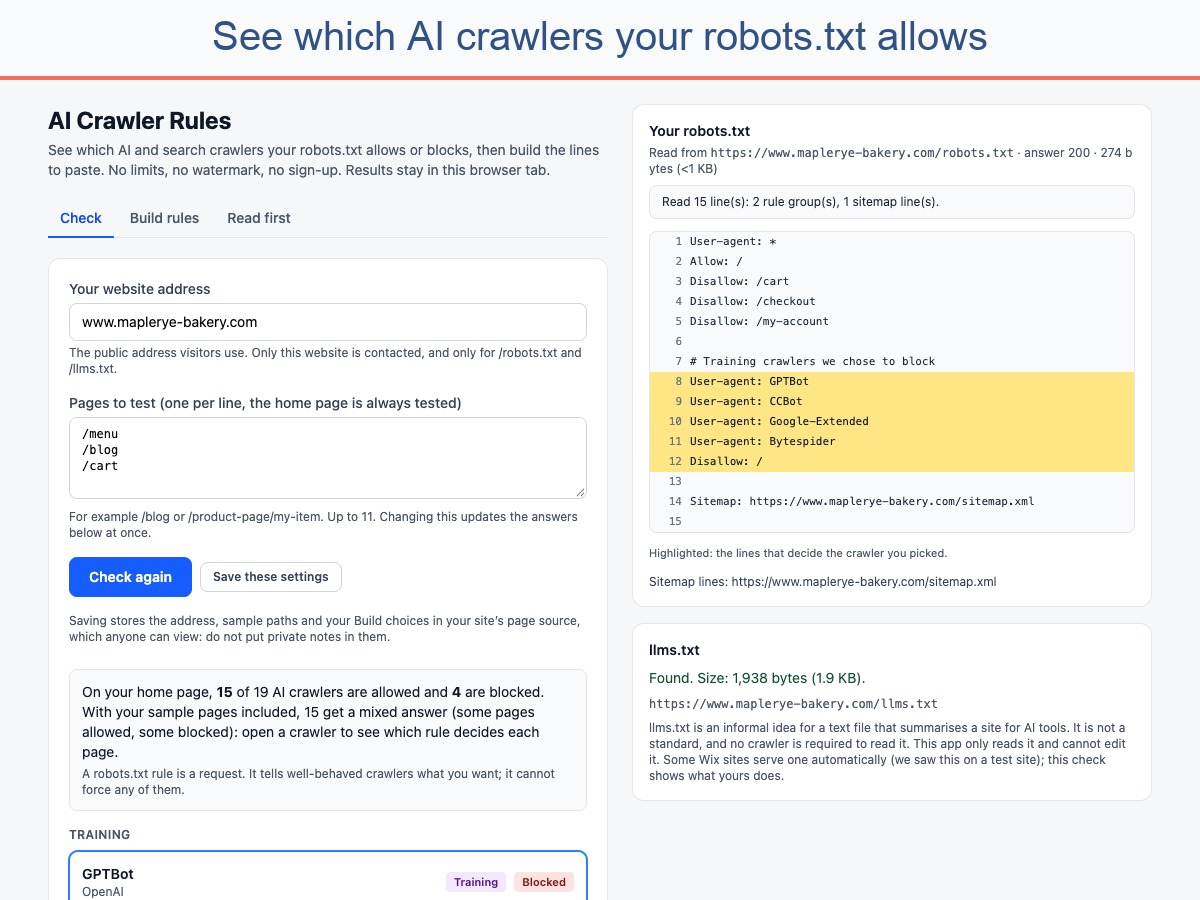
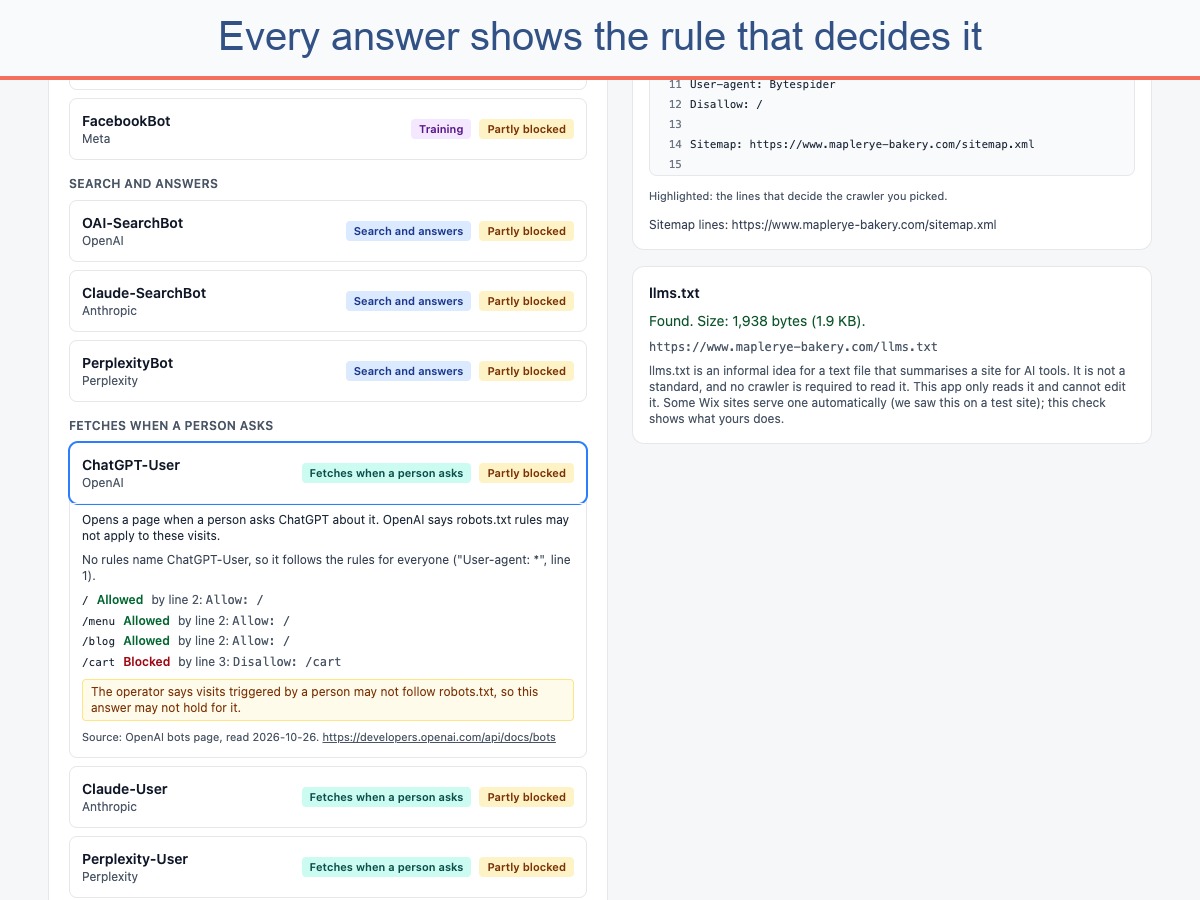
AI Crawler Rules reads your site's robots.txt and tells you, in plain words, which AI and search crawlers it allows or blocks: GPTBot, ChatGPT-User, OAI-SearchBot, ClaudeBot, PerplexityBot, Google-Extended, CCBot, Googlebot, Bingbot and more (21 in all). For your home page and sample pages you type, it shows the answer and the exact line of your file that decides it (standard: RFC 9309).
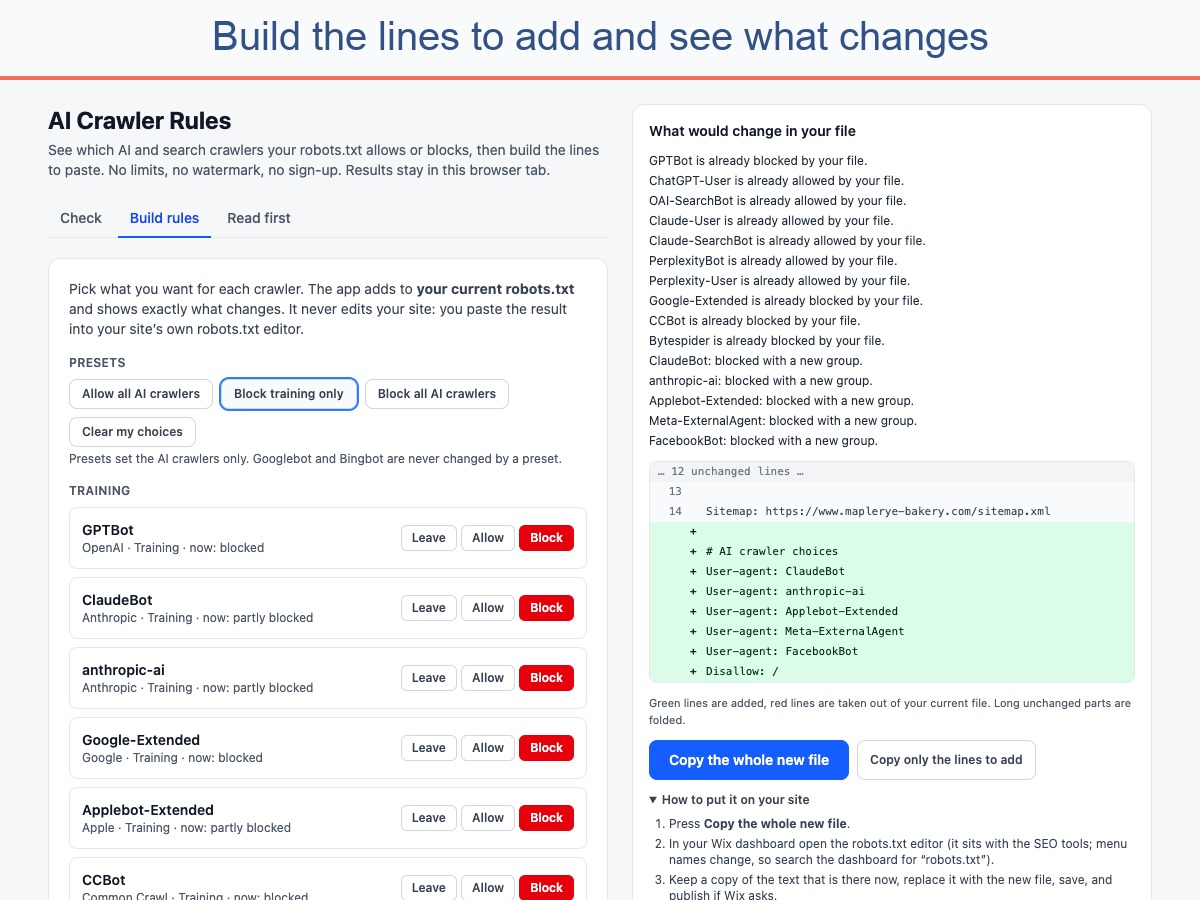
Then build your rules: set Allow or Block per crawler, or use a preset (allow all, block training only, block all AI). You get the exact lines to paste, added to your current file without duplicate groups, with a diff and a copy button. It also reports whether /llms.txt exists and its size.
Each crawler shows its operator and purpose. The list is dated: check each operator's documentation.
No page limits, no watermark, no sign-up. Results stay in your browser tab.
Honest limits: a robots.txt rule is a request, not enforcement; some crawlers ignore it. Blocking search crawlers can remove your site from AI answers; the choice is yours, and nothing here promises traffic or AI visibility. The app cannot change your file: you paste the result in yourself.
Screenshots