
Box is the #4 ranked mcp registry app on Slack, as a paid app, as of Sep 11, 2026.
AppRanks data: Box ranks #4 in MCP registry on Slack Marketplace, placing it in the top 13% of that category.
AppRanks verdict
Generated from live marketplace data — refreshed daily
Box is a newly-listed Slack app with a limited review volume. It is listed in the MCP registry category on Slack Marketplace, which AppRanks treats as the canonical taxonomy node for ranking and competitor comparison. no published reviews yet means feature claims are unverified by the wider merchant base. Without a published review base, the only fit-signal available is the developer's own documentation plus the marketplace's listing-quality audit (linked below). Paid-only pricing means evaluating fit on the marketplace listing or via the developer's documentation before installing. AppRanks tracks rating, review count, pricing tier, and category position daily — the figures on this page reflect the most recent scrape from the canonical Slack Marketplace listing.
Pros
- No standout positives based on current data signals.
Cons
- −No public reviews yet — fit and reliability are unverified
- −Paid-only pricing (Paid) — evaluation requires committing payment details
Looking to switch from Box?
See Box's alternatives ranked by audit score, rating, and review velocity.
About Box
How Box works
Show full descriptionShow less
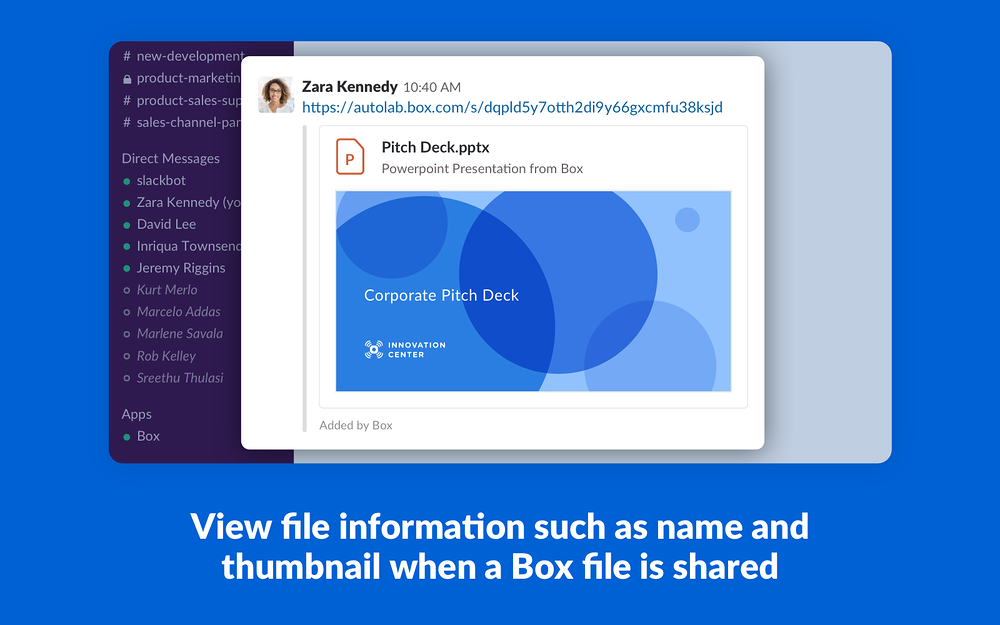
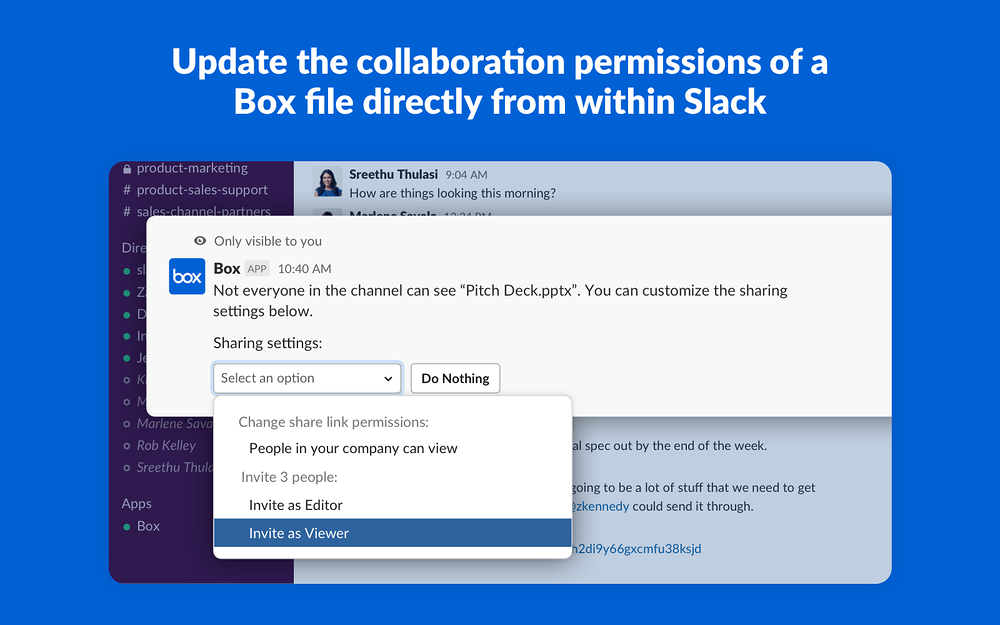
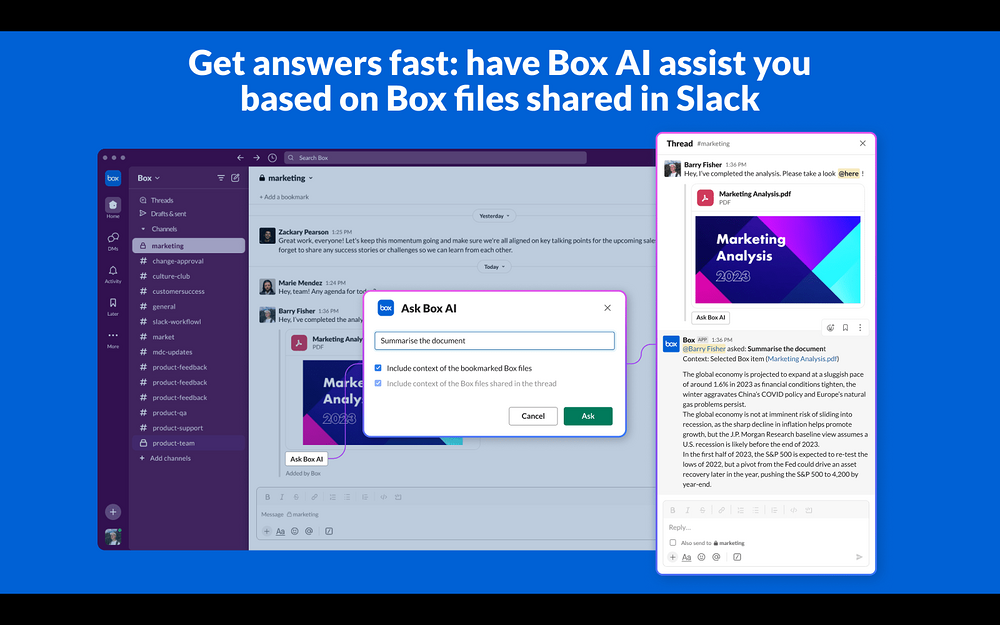
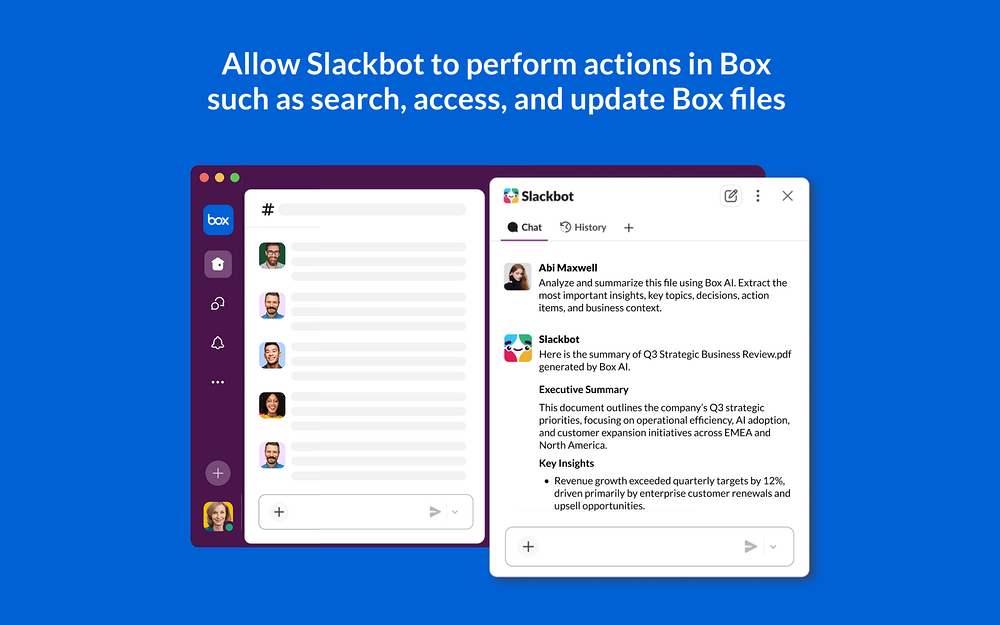
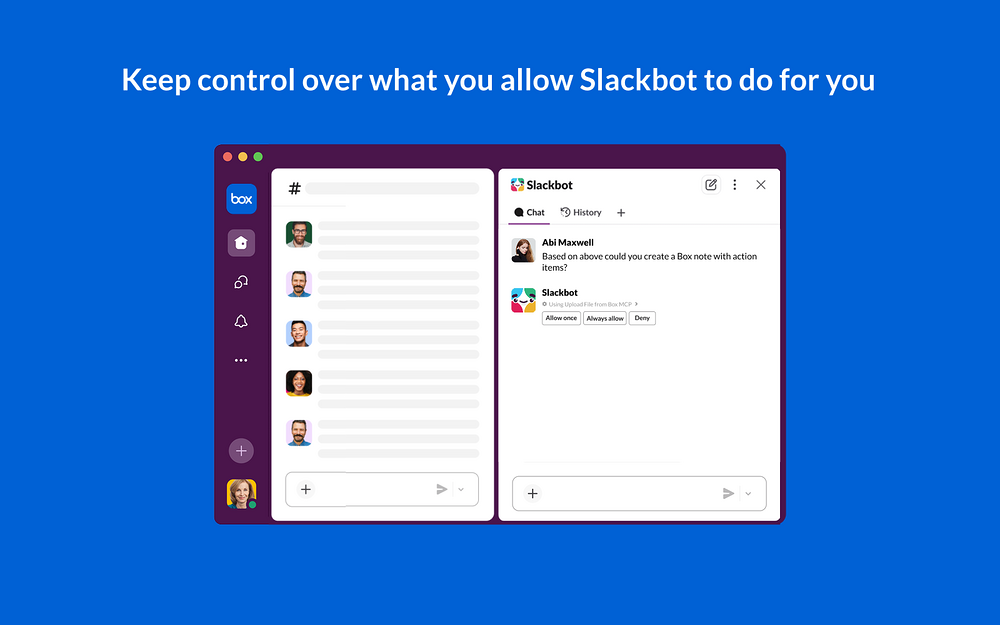
Box for Slack helps businesses of all sizes securely manage and collaborate on content to drive more productive teamwork. Easily access your Box content from within Slack to share or import files and eliminate time-consuming context switching between applications. Your content remains centralized in Box, but quickly available where collaboration happens in Slack. Learn more with this quick video: https://players.brightcove.net/6291496955001/experience_64dd284838db922b5372284c/share.html End-user features: ● Content cards: View file information such as name, author, thumbnail and more when a Box file is shared to Slack ● Instant permissions: Update the collaboration permissions of a Box file directly from within Slack ● Box slash commands: Quickly perform common actions such as searching for files and viewing recent files within Slack ● Automatic uploads to Box: Store all content uploaded via Slack UI in Box ● Box file picker: Securely share content from Box in channels and direct messages without leaving conversations ● Share files from the Box Web app preview: click the Slack icon in the sidebar of the app preview to take its link into Slack and send it to channels and conversations of your choice (learn more: https://support.box.com/hc/en-us/articles/360044193853) ● Box event notifications: stay up to date with collaboration invites and exchanging comments on files in Box ● Dynamic previews: Get rich, dynamic previews of entire Box files like PDFs, spreadsheets, slide decks, without leaving Slack, with access always governed by your secure Box permissions. ● Slackbot integration (optional): Connect to the Box MCP server, allowing Slackbot to perform user-requested actions in Box such as search, access, and update Box files and folders, manage collaborators or Hubs, and more. Admin features ● Enable/disable file thumbnails: Choose whether file thumbnails are displayed for shared Box files ● Enable/disable permission checks before file display: Choose whether content cards are shown based on Box file permissions ● Enable/disable content indexing for Search in Slack: Choose whether the contents of shared Box files are indexed and surfaced in Slack’s native search ● Slack allowlisting: Restrict the app to specific Slack workspaces or Enterprise Grid orgs that can be connected to your Box enterprise instance ● Enable/disable Box as content layer: Choose whether to store all content uploaded via Slack UI in Box for specific Slack workspaces or Enterprise Grid orgs (learn more: https://support.box.com/hc/en-us/articles/4415585987859-Box-as-the-Content-Layer-for-Slack) Note: Admin settings can be customized from within the Admin Console in Box - please visit the Box Community site (https://support.box.com/hc/en-us/p/Integration_Page_2023?section-id=21356608707859) for more information. Box AI features ● Let Box AI assist you with its insights on Box files shared in Slack (learn more: https://support.box.com/hc/en-us/articles/30754152990099-Box-AI-for-Slack) ● As an admin, choose if, where and how Box AI assistance is offered for Box files surfaced in Slack ● Limitations/disclaimer: questions on, or including these topics or commands, return mixed and sometimes inaccurate information, such as calculations, table structures, and numbers, counting words or phrases, document metadata such as page number, authors, file size, word count, and collaborators, images, videos, charts, graphs, etc. Box for Slack is available for Box customers on eligible paid plans. See https://box.com/pricing for detailsMore ways to use Box in SlackAutomate with Workflow BuilderWorkflow Builder* lets you transform everyday processes into automations, without writing a single line of code. Add third-party tools like Box to workflows to manage work and processes from Slack, and use templates to get started quickly. Learn more about automations Templates available for Box: Box Sign signature requestUse Slack to send a person documents to sign from a Box Sign template New Box folderFill out a form and create a new folder in Box *Workflow Builder is only available on paid subscriptions
Screenshots
Category rankings
As of Sep 18, 2026- MCP registry#4of 33Top 13%
- Daily Tools#4of 11Top 37%
- AI Apps & Assistants#7of 67Top 11%
- Enterprise-ready apps#8of 35Top 23%
- Essential Apps#17of 50Top 34%
- Productivity#18of 600Top 3%
See 90-day rank history for each category
Track daily rank changes, category shifts, and position volatility.
Competitors & alternatives
Box doesn't have curated competitor matchups yet. Other tracked mcp registry apps on Slack:





Where Box stands in the MCP registry category
Box ranks #4 of 33 apps in the MCP registry category, placing it in the top 13% of the listing.
Frequently asked questions
What is Box?
Box is an app for Slack. It is published on Slack Marketplace and tracked by AppRanks, and AppRanks has been tracking its public marketplace data on the refresh cadence published in our methodology. It is listed under the MCP registry category on AppRanks, where you can see its current category position, review-velocity trend, and how it compares against the top alternatives in the same space.
Is Box free?
Box does not offer a permanent free plan on Slack. Pricing starts at Paid. Trial availability and exact billing terms are mirrored from the live Slack listing and may change between refresh cycles, so always confirm the headline price on the source marketplace before installing.
Who uses Box?
Box is actively installed across Slack stores tracked by AppRanks. Its review base is still building, which usually maps to early-stage merchants and stores piloting a new workflow. It is part of the MCP registry category on Slack.
Where does Box rank on Slack?
Box currently sits at position #4 in the MCP registry category on Slack. That places it in the top 12% of 33 apps tracked in the same category. Category positions are read from the live marketplace ranking and refresh on each scrape, so the number you see here reflects the most recent crawl rather than a long-running average.