
Outlook Calendar is the #2 ranked office management app on Slack, with a free plan available, as of Sep 11, 2026.
AppRanks data: Outlook Calendar ranks #2 in Office Management on Slack Marketplace, placing it in the top 1% of that category.
AppRanks verdict
Generated from live marketplace data — refreshed daily
Outlook Calendar is a newly-listed Slack app with a limited review volume. It is listed in the Office Management category on Slack Marketplace, which AppRanks treats as the canonical taxonomy node for ranking and competitor comparison. no published reviews yet means feature claims are unverified by the wider merchant base. Without a published review base, the only fit-signal available is the developer's own documentation plus the marketplace's listing-quality audit (linked below). The free tier lets you trial the entry feature set without committing a payment method. AppRanks tracks rating, review count, pricing tier, and category position daily — the figures on this page reflect the most recent scrape from the canonical Slack Marketplace listing.
Pros
- +Free tier available — no card required to evaluate
Cons
- −No public reviews yet — fit and reliability are unverified
Looking to switch from Outlook Calendar?
See Outlook Calendar's alternatives ranked by audit score, rating, and review velocity.
About Outlook Calendar
How Outlook Calendar works
Show full descriptionShow less
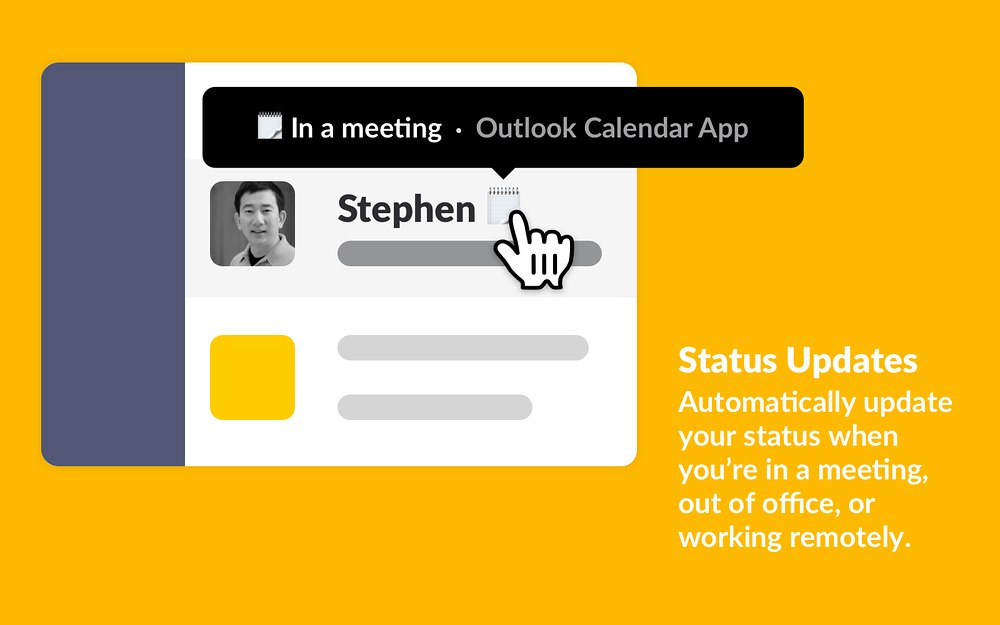
- Automatically sync your calendar to your Slack status to let your team know when you are in a meeting, out of the office, or working from home.
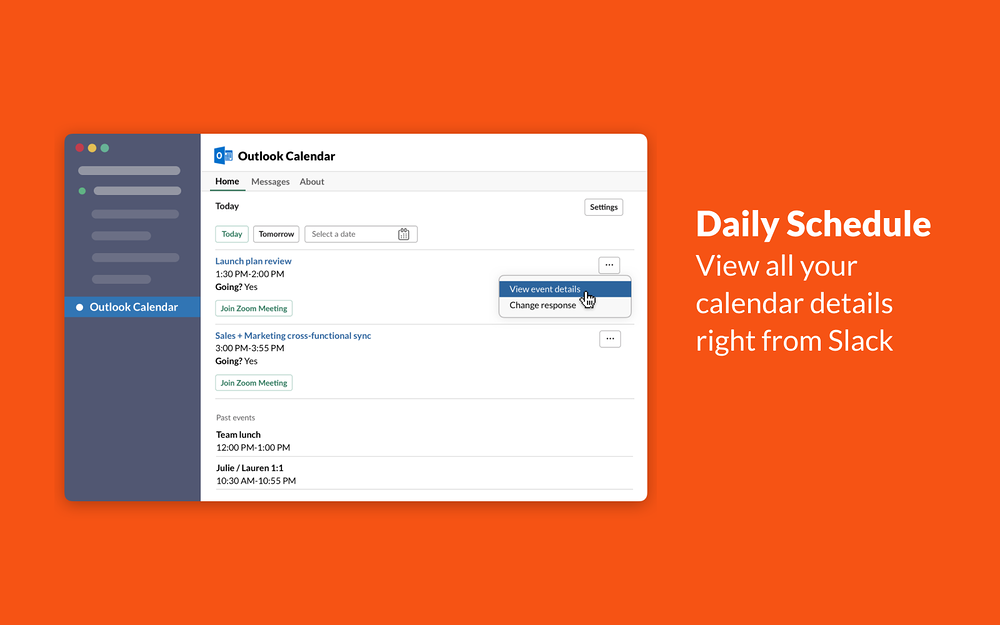
- See a holistic view of your daily schedule from Slack.
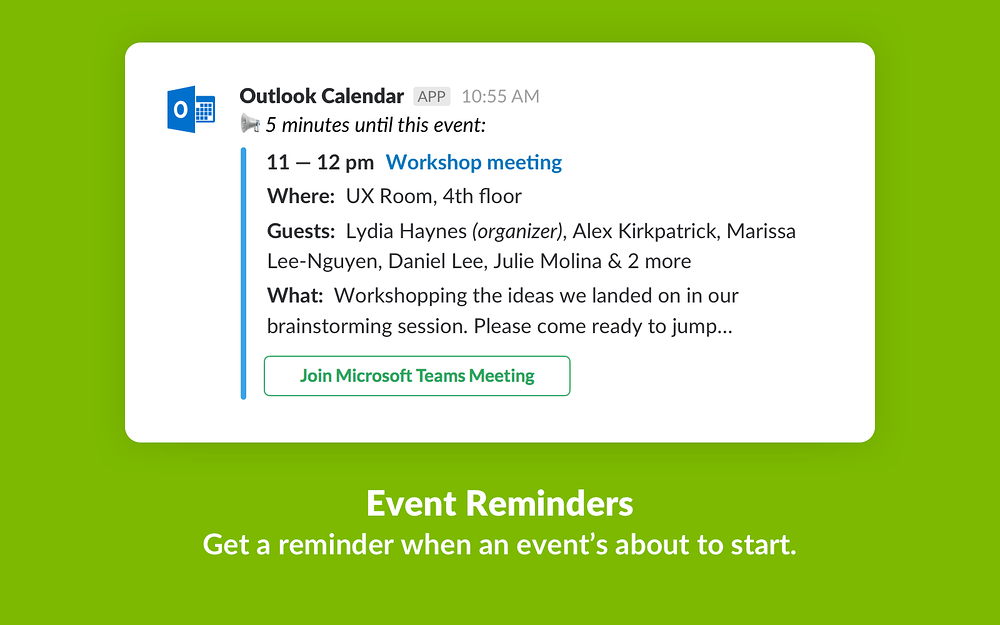
- Get notified when an event is starting soon, and join a Hangout, Zoom, Webex, or Microsoft Teams meeting directly from the calendar reminder in Slack.
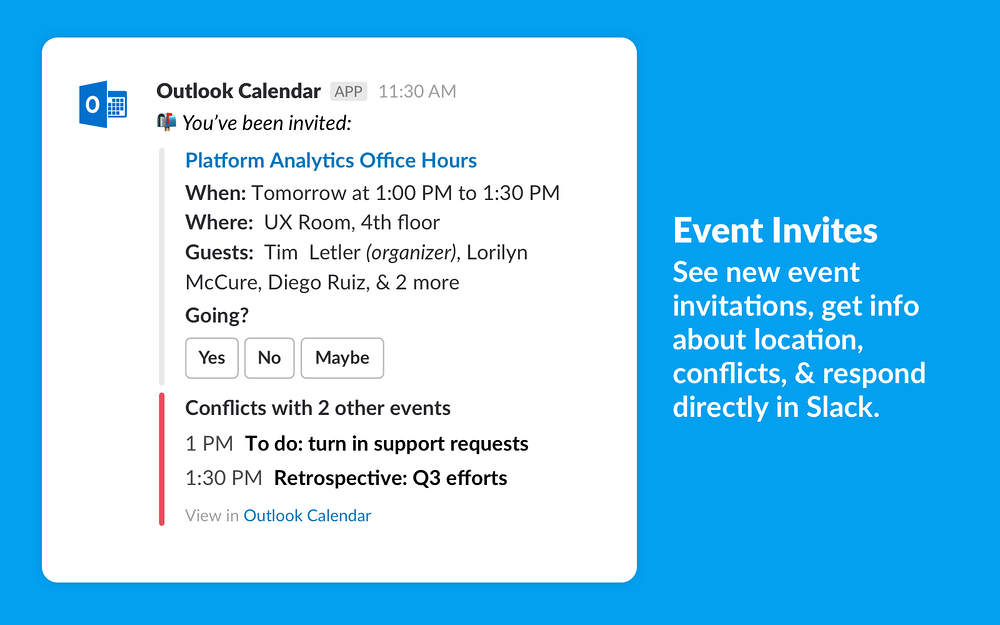
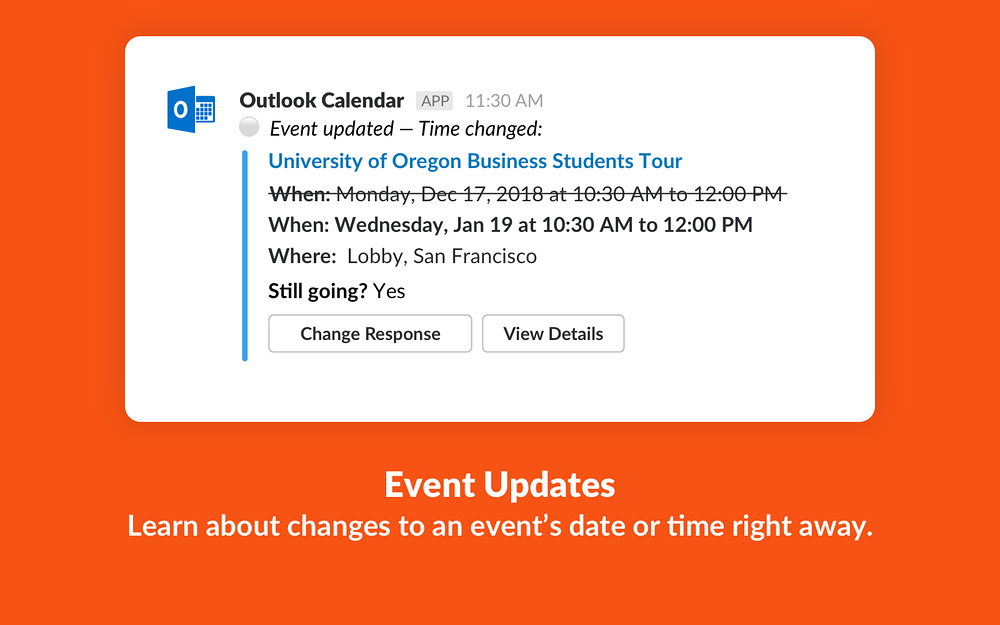
- RSVP directly to event invitations, get updated when an event’s details change, and change your response as needed.
- Configure channel notifications for shared calendar events.
- Your status will not include the name of the meeting that you’re attending.
- You can remove or update your Slack status at any time – the Outlook Calendar app won’t override any status that you’ve set yourself.
- Only events that you accept will trigger a status update in Slack.
- Slack will only sync with the primary calendar for the Outlook account that you’ve connected.
- If there are overlapping events on your calendar, Slack will set your status to match the event that’s longer or that starts earlier.
- Outlook Calendar for Slack is only available for Office 365. The app is not supported for on-premise Microsoft Exchange customers.
- On-premise SharePoint installations or Office 365 plans hosted on a Microsoft national cloud deployment (including Office 365 U.S. Government, Office 365 Germany, and Office 365 operated by 21Vianet in China) are not supported.
Screenshots
Category rankings
As of Sep 17, 2026- Office Management#2of 284Top 1%
- Enterprise-ready apps#3of 35Top 9%
- Communication#3of 601Top 1%
- Productivity#4of 600Top 1%
- Essential Apps#5of 50Top 10%
- Working from home#5of 81Top 7%
See 90-day rank history for each category
Track daily rank changes, category shifts, and position volatility.
Competitors & alternatives
Outlook Calendar doesn't have curated competitor matchups yet. Other tracked office management apps on Slack:


Where Outlook Calendar stands in the Office Management category
Outlook Calendar ranks #2 of 284 apps in the Office Management category, placing it in the top 1% of the listing.
Frequently asked questions
What is Outlook Calendar?
Outlook Calendar is an app for Slack. It is published on Slack Marketplace and tracked by AppRanks, and AppRanks has been tracking its public marketplace data on the refresh cadence published in our methodology. It is listed under the Office Management category on AppRanks, where you can see its current category position, review-velocity trend, and how it compares against the top alternatives in the same space.
Who uses Outlook Calendar?
Outlook Calendar is actively installed across Slack stores tracked by AppRanks. Its review base is still building, which usually maps to early-stage merchants and stores piloting a new workflow. It is part of the Office Management category on Slack.
Where does Outlook Calendar rank on Slack?
Outlook Calendar currently sits at position #2 in the Office Management category on Slack. That places it in the top 1% of 284 apps tracked in the same category. Category positions are read from the live marketplace ranking and refresh on each scrape, so the number you see here reflects the most recent crawl rather than a long-running average.