
Slack for Outlook is the #9 ranked daily tools app on Slack, with a free plan available, as of Sep 11, 2026.
AppRanks data: Slack for Outlook ranks #9 in Daily Tools on Slack Marketplace, placing it in the top 82% of that category.
AppRanks verdict
Generated from live marketplace data — refreshed daily
Slack for Outlook is a newly-listed Slack app with a limited review volume. It is listed in the Daily Tools category on Slack Marketplace, which AppRanks treats as the canonical taxonomy node for ranking and competitor comparison. no published reviews yet means feature claims are unverified by the wider merchant base. Without a published review base, the only fit-signal available is the developer's own documentation plus the marketplace's listing-quality audit (linked below). The free tier lets you trial the entry feature set without committing a payment method. AppRanks tracks rating, review count, pricing tier, and category position daily — the figures on this page reflect the most recent scrape from the canonical Slack Marketplace listing.
Pros
- +Free tier available — no card required to evaluate
Cons
- −No public reviews yet — fit and reliability are unverified
Looking to switch from Slack for Outlook?
See Slack for Outlook's alternatives ranked by audit score, rating, and review velocity.
About Slack for Outlook
How Slack for Outlook works
Show full descriptionShow less
- Email chain getting too noisy? Send it into Slack where you can discuss quickly and move forward.
- Have an idea you want to share with your team? Send it along to a relevant channel with a note about your insights.
- Need to coordinate a response to a customer question? Flag your teammates in Slack and use the email content to set context.
- Start by installing the Slack for Outlook Add-In from the Microsoft AppSource.
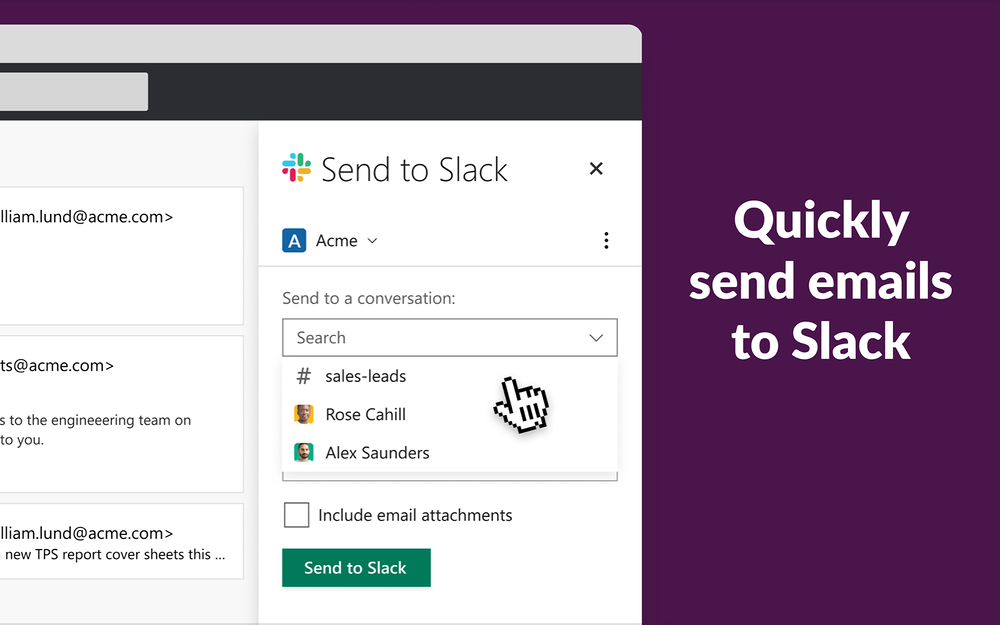
- Open any email and click on the slack icon in the right-hand side of your inbox.
- Choose the channel or person you’d like to forward the email to inside of Slack.
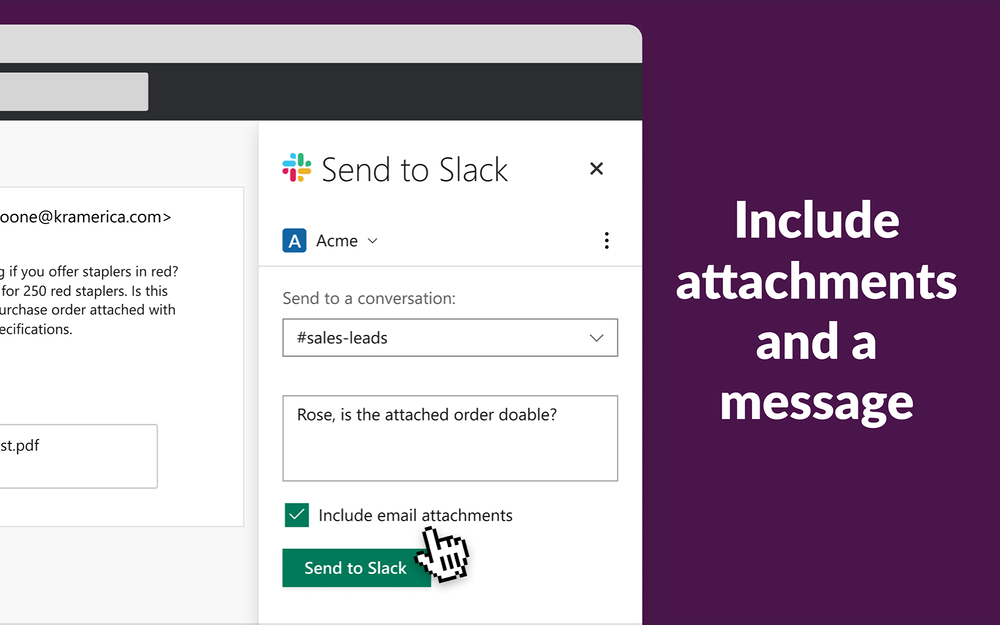
- Add a message and include attachments if you’d like.
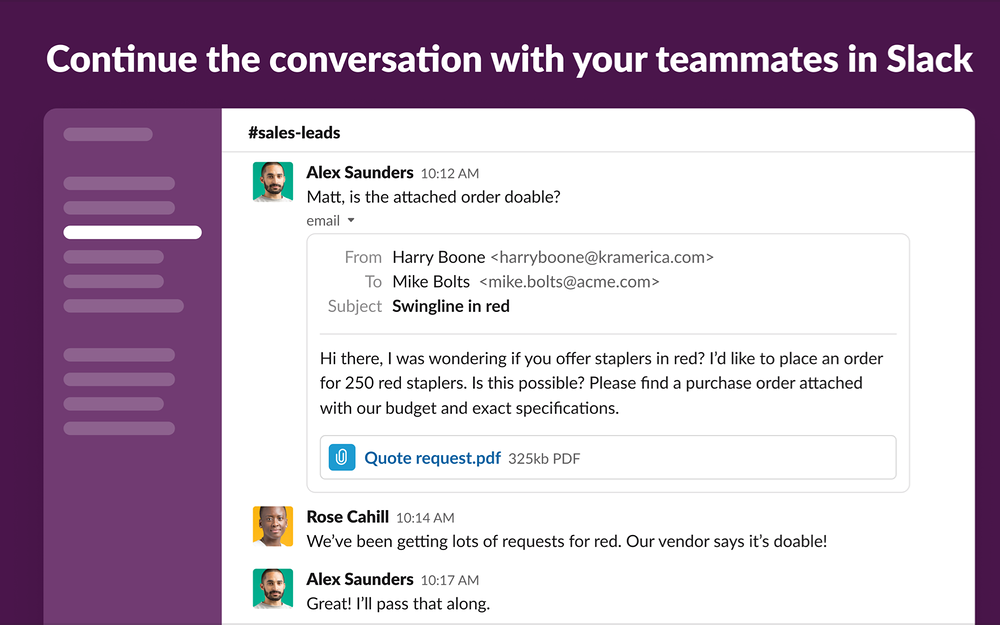
- Voilà! The email is forwarded into Slack where anyone in the channel or direct message. you shared it to can see the email content and open attachments.
- Slack for Outlook works with any version of the Outlook client which is tied to O365 cloud, and which supports addins.
- You must have a Slack account and an Office 365 Commercial subscription to use this add-in. On-premises Exchange Server is not supported.
- The combined headers and body of an email cannot be larger than 1MB.
- When combined with attachments, an email cannot be larger than 30 MB.
- There is a maximum of 20 attachments per email.More ways to use Microsoft Outlook Email in SlackAutomate with Workflow BuilderWorkflow Builder* lets you transform everyday processes into automations, without writing a single line of code. Add third-party tools like Microsoft Outlook Email to workflows to manage work and processes from Slack, and use templates to get started quickly. Learn more about automations
Screenshots
Category rankings
As of Sep 18, 2026- Daily Tools#9of 11Top 82%
- Working from home#19of 81Top 24%
- Communication#21of 601Top 4%
- Productivity#45of 600Top 8%
See 90-day rank history for each category
Track daily rank changes, category shifts, and position volatility.
Competitors & alternatives
Slack for Outlook doesn't have curated competitor matchups yet. Other tracked daily tools apps on Slack:






Where Slack for Outlook stands in the Daily Tools category
Slack for Outlook ranks #9 of 11 apps in the Daily Tools category, placing it in the top 82% of the listing.
Frequently asked questions
What is Slack for Outlook?
Slack for Outlook is an app for Slack. It is published on Slack Marketplace and tracked by AppRanks, and AppRanks has been tracking its public marketplace data on the refresh cadence published in our methodology. It is listed under the Daily Tools category on AppRanks, where you can see its current category position, review-velocity trend, and how it compares against the top alternatives in the same space.
Is Slack for Outlook free?
Slack for Outlook offers a free plan that merchants can install on Slack without entering payment details. Pricing details on this page are mirrored from the live Slack listing and refresh on each scrape cycle.
Who uses Slack for Outlook?
Slack for Outlook is actively installed across Slack stores tracked by AppRanks. Its review base is still building, which usually maps to early-stage merchants and stores piloting a new workflow. It is part of the Daily Tools category on Slack.
Where does Slack for Outlook rank on Slack?
Slack for Outlook currently sits at position #9 in the Daily Tools category on Slack. That places it in the top 82% of 11 apps tracked in the same category. Category positions are read from the live marketplace ranking and refresh on each scrape, so the number you see here reflects the most recent crawl rather than a long-running average.