
- Category rank
- #75 in Voice & Video
- Listing audit
- 60/100
Vidmonials is the #75 ranked Voice & Video app on Slack, as of Oct 27, 2026.
AppRanks verdict
Generated from marketplace data as of Oct 27, 2026
Vidmonials ranks #75 of 82 in Voice & Video on Slack.
Pros
- No standout positives in the measured data.
Cons
- −Sparse visual evidence (2 screenshots) — harder to evaluate the UX before installing
About Vidmonials
How Vidmonials works
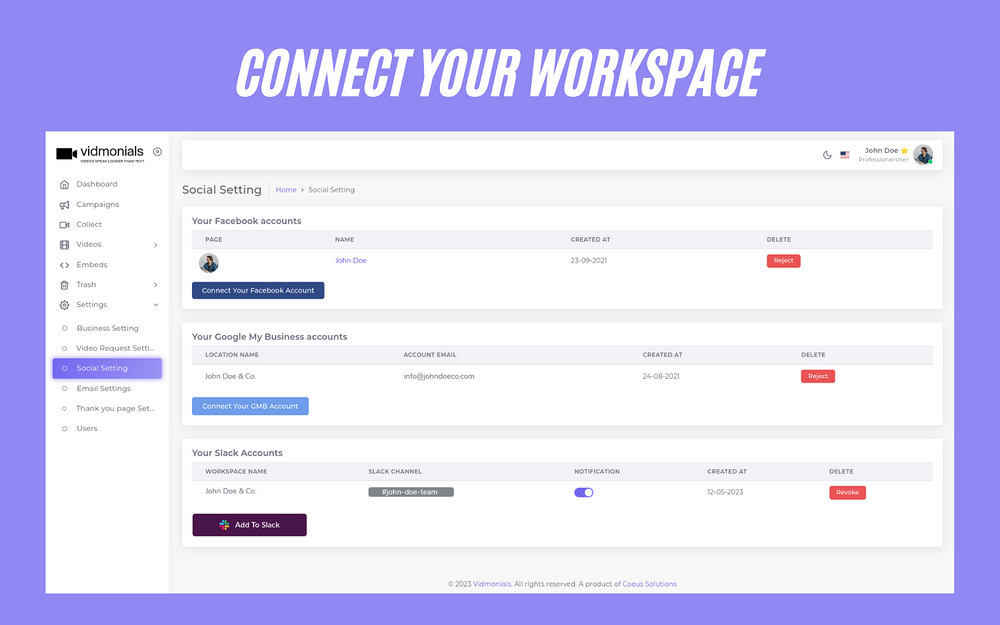
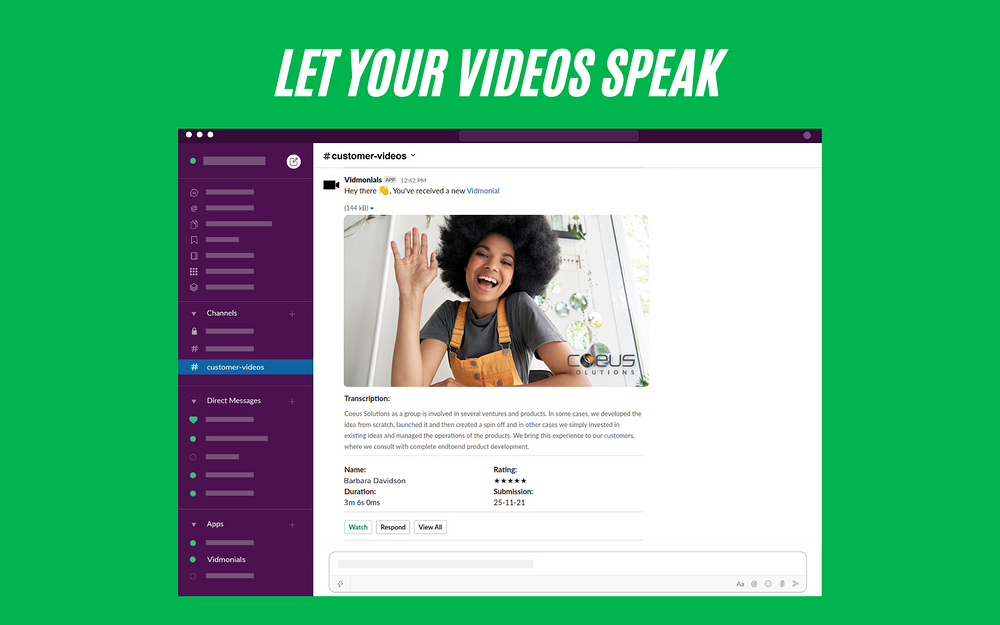
Introducing the Vidmonials integration for Slack! Get real-time alerts in Slack for new Vidmonial responses and easily share them with your team. Get started with Vidmonials integration for Slack today! Here's how to get start with it: 1. Navigate to Vidmonials and Login with your account. 2. Install the Vidmonials App for Slack by clicking "Add To Slack" button from Settings > Social Settings. 3. Allow Vidmonials to access your Slack workspace channel. 4. Set up custom notifications by using notification toggle. 3. Request a Vidmonial to your team. 4. Now receive real-time alert for Vidmonial response within Slack channel. Here's how it works: - Vidmonials get access to your Slack channel's webhook-url. - Whenever you get a Vidmonial response at Vidmonials, it sends an alert message to your Slack channel. - You will be able to see the thumbnail within alert message, if the Vidmonial response is a video. - You can "Watch" and "Mark as Watched" to the Vidmonial response without login (You will need to Login to "View All" Vidmonial responses). (You can enable/disable notification temporarily at Vidmonials from Settings > Social Settings > Your Slack Accounts) For more details: https://www.vidmonials.com/integration-for-slack-setup/
Screenshots
Standardized capabilities
AppRanks hasn't mapped this app to standardized capabilities yet. The developer's own feature list is shown above.


