
MeisterTask is the #130 ranked project management app on Slack, with a free plan available, as of Jul 28, 2026.
AppRanks data: MeisterTask ranks #130 in Project Management on Slack Marketplace, placing it in the top 28% of that category.
AppRanks verdict
Generated from live marketplace data — refreshed daily
MeisterTask is a newly-listed Slack app with a limited review volume. It is listed in the Project Management category on Slack Marketplace, which AppRanks treats as the canonical taxonomy node for ranking and competitor comparison. no published reviews yet means feature claims are unverified by the wider merchant base. Without a published review base, the only fit-signal available is the developer's own documentation plus the marketplace's listing-quality audit (linked below). The free tier lets you trial the entry feature set without committing a payment method. AppRanks tracks rating, review count, pricing tier, and category position daily — the figures on this page reflect the most recent scrape from the canonical Slack Marketplace listing.
Pros
- +Free tier available — no card required to evaluate
Cons
- −No public reviews yet — fit and reliability are unverified
Looking to switch from MeisterTask?
See MeisterTask's alternatives ranked by audit score, rating, and review velocity.
About MeisterTask
How MeisterTask works
Show full descriptionShow less
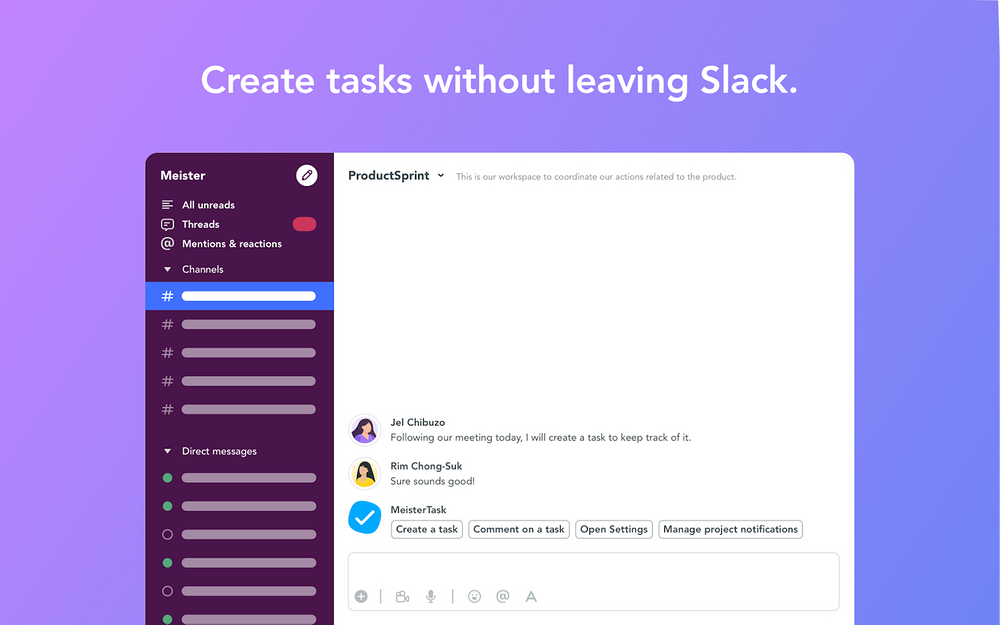
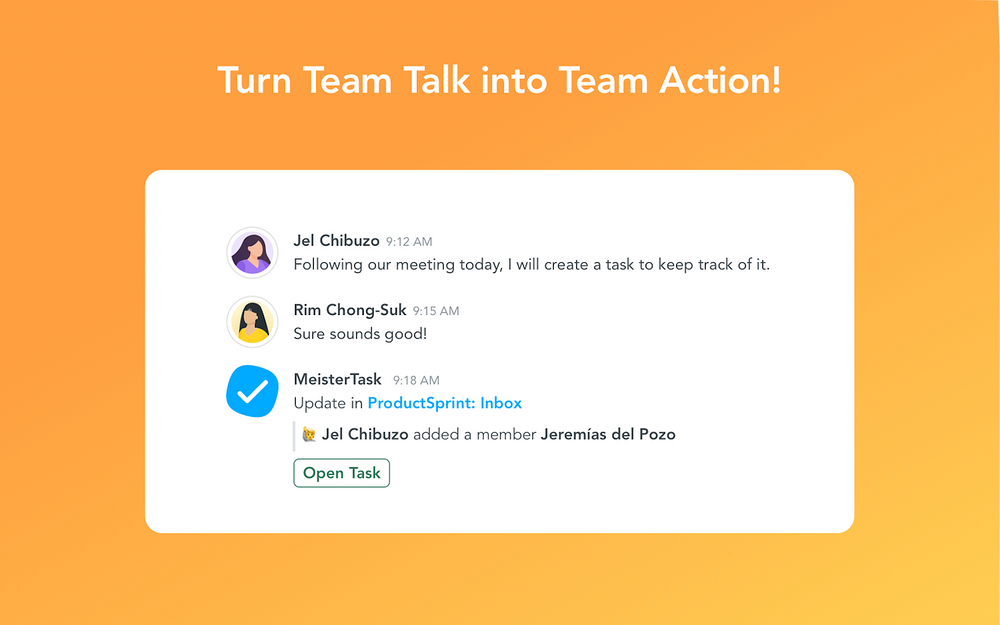
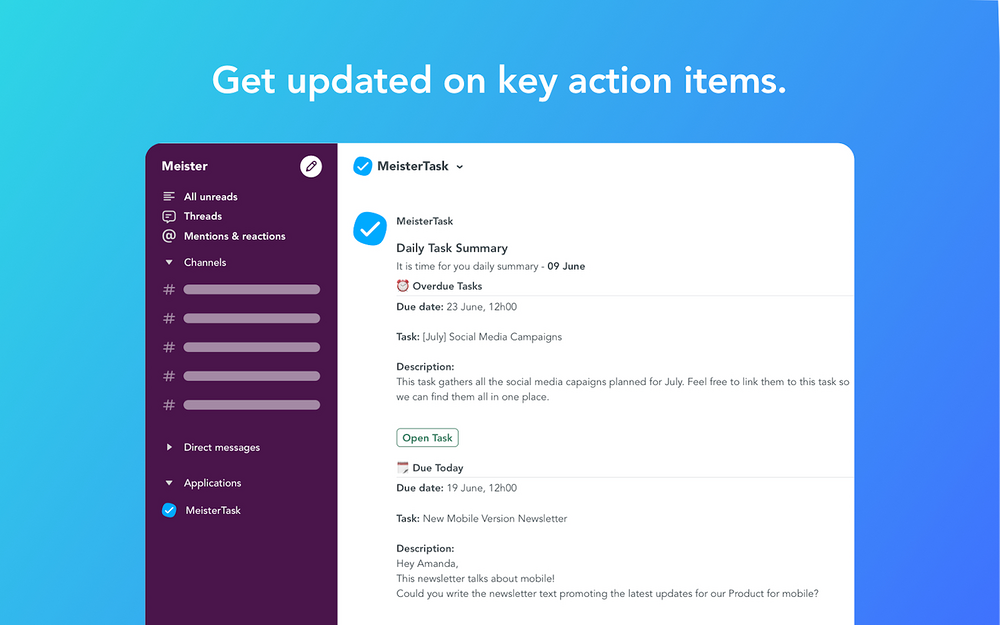
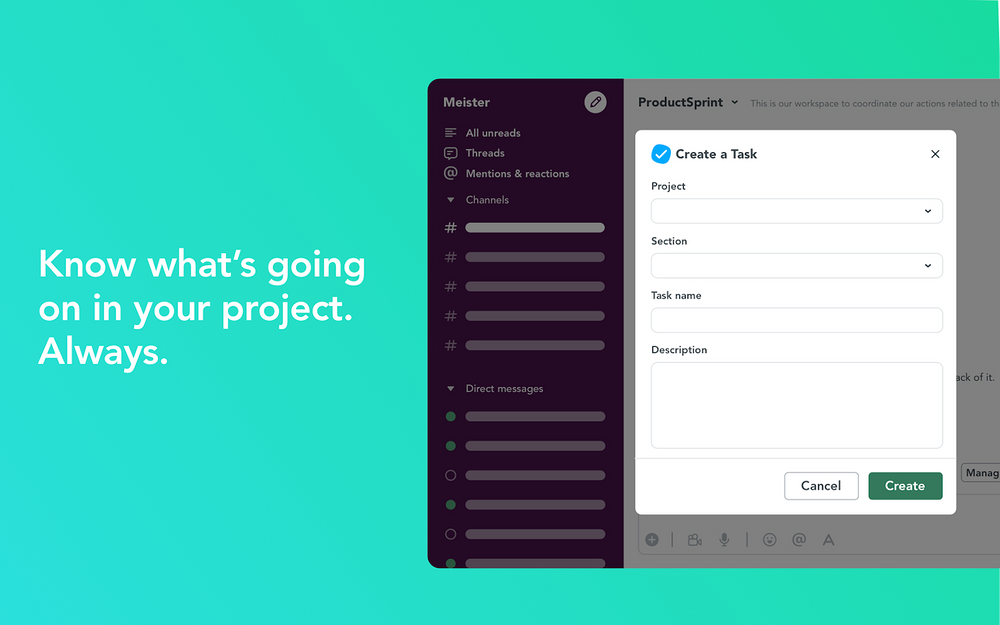
MeisterTask is an award-winning task management tool for teams and home to the most feature-rich integration for Slack in task management. With powerful features and a beautiful user interface, the tool is intended to help teams work beautifully together. In fact, thousands of teams use MeisterTask every day to gain a clear overview of projects, streamline communication and get more done. The updated MeisterTask integration for Slack enables teams to manage tasks and communication in one place. By eliminating the need to switch between multiple tools, teams can remain in Slack with access to task management functionality in MeisterTask. The result: fewer distractions, less time wasted, and increased productivity for teams. With the MeisterTask integration for Slack, you can: - Configure personal notifications – unique to MeisterTask! - Receive a daily task summary – unique to MeisterTask! - Create a task in Slack. - Comment on a task in Slack. - Set up project and section automations / notifications in Slack. Personal Notifications The personal notifications feature is completely unique to MeisterTask. You can sync MeisterTask notifications to the app channel and perform key actions directly from Slack. Personal notifications appear whenever an action is taken on a task you are assigned to or watching. Daily Task Summary Another unique feature is the daily task summary which is a once-per-day digest of important tasks assigned to you. Rather than wading through every notification, you’ll see a selected rundown of the vital tasks you need to be focusing on. Create Tasks in Slack The new integration provides a clear path from discussions about work to getting work done. The key: creating tasks directly in Slack. Either convert an existing Slack message to a task (using the message actions menu), or use the command: /mt create to open the “Create a Task” dialog in Slack. Comment on a Task Got something important to say? Use the command /mt comment to add a comment on any task you have access to – no need to switch from Slack! Project and Section Automations/Notifications Can’t connect the right people to the right information at the right time? With MeisterTask's integration for Slack, you can configure project and project section notifications on a granular level: - Via Automations in Project Settings (from MeisterTask). - Via Automations in Section Menu (from MeisterTask). - With the command /mt projects (from Slack). After that, simply pick the channel, define the type of activity, and the automation is complete. Note: Project automations sync all updates from a project to Slack. Section automations sync activity from a specific section only. For example, if you set up an action for the ‘Done’ section, your team will be notified whenever a task is moved there, or if it is completed. Learn more about the MeisterTask integration for Slack here: https://bit.ly/3G0NtWF
Screenshots
Category rankings
As of Aug 3, 2026- Project Management#130of 466Top 28%
- Communication#206of 601Top 35%
- Productivity#371of 600Top 62%
See 90-day rank history for each category
Track daily rank changes, category shifts, and position volatility.
Competitors & alternatives
MeisterTask doesn't have curated competitor matchups yet. Other tracked project management apps on Slack:


Where MeisterTask stands in the Project Management category
MeisterTask ranks #130 of 466 apps in the Project Management category, placing it in the top 28% of the listing.
Frequently asked questions
What is MeisterTask?
MeisterTask is an app for Slack. It is published on Slack Marketplace and tracked by AppRanks, and AppRanks has been tracking its public marketplace data on the refresh cadence published in our methodology. It is listed under the Project Management category on AppRanks, where you can see its current category position, review-velocity trend, and how it compares against the top alternatives in the same space.
Is MeisterTask free?
MeisterTask does not offer a permanent free plan on Slack. Pricing starts at Free and paid plans available. Trial availability and exact billing terms are mirrored from the live Slack listing and may change between refresh cycles, so always confirm the headline price on the source marketplace before installing.
Who uses MeisterTask?
MeisterTask is actively installed across Slack stores tracked by AppRanks. Its review base is still building, which usually maps to early-stage merchants and stores piloting a new workflow. It is part of the Project Management category on Slack.
Where does MeisterTask rank on Slack?
MeisterTask currently sits at position #130 in the Project Management category on Slack. That places it in the top 28% of 466 apps tracked in the same category. Category positions are read from the live marketplace ranking and refresh on each scrape, so the number you see here reflects the most recent crawl rather than a long-running average.