- Category rank
- #34 in Office Management
- Listing audit
- 65/100
Productive is the #34 ranked Office Management app on Slack, with a free trial, as of Oct 27, 2026.
AppRanks verdict
Generated from marketplace data as of Oct 27, 2026
Productive ranks #34 of 284 in Office Management on Slack. Paid plans come with a free trial; there is no permanent free plan.
Pros
- No standout positives in the measured data.
Cons
- −No free plan (Paid with free trial) — evaluation needs a paid plan or a trial
About Productive
Productive is an end-to-end tool for professional service businesses. Run your sales, budgeting, resource planning, project management, reporting, and billing in one place.
How Productive works
Show full descriptionShow less
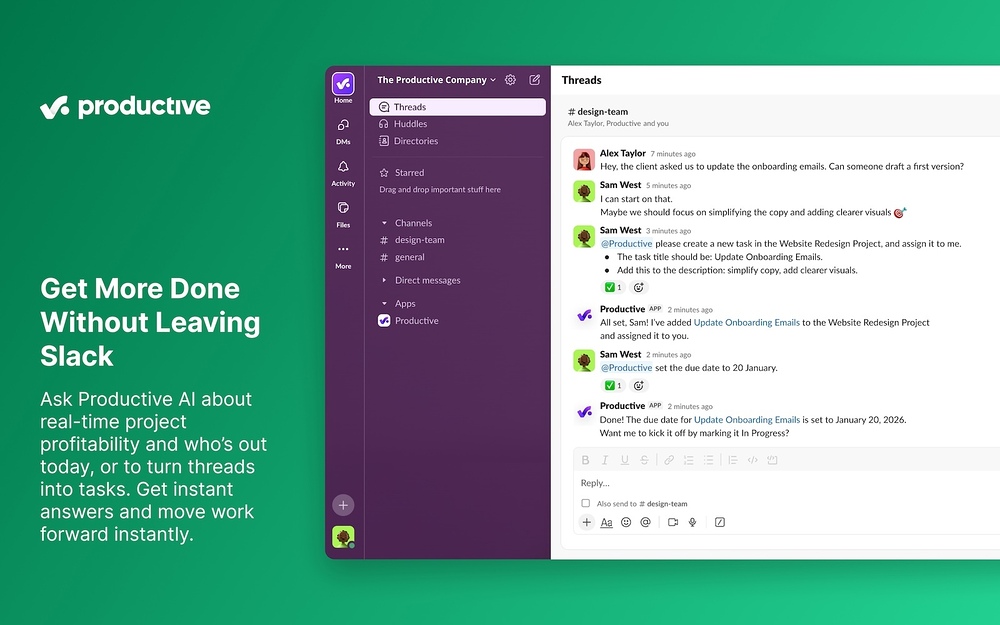
- Talk to Productive AI directly in Slack. Mention @Productive in any Slack thread or chat, or use Apps > Productive in Slack, to have the AI assistant summarize conversations, create tasks, assign team members, or fetch relevant information from Productive.
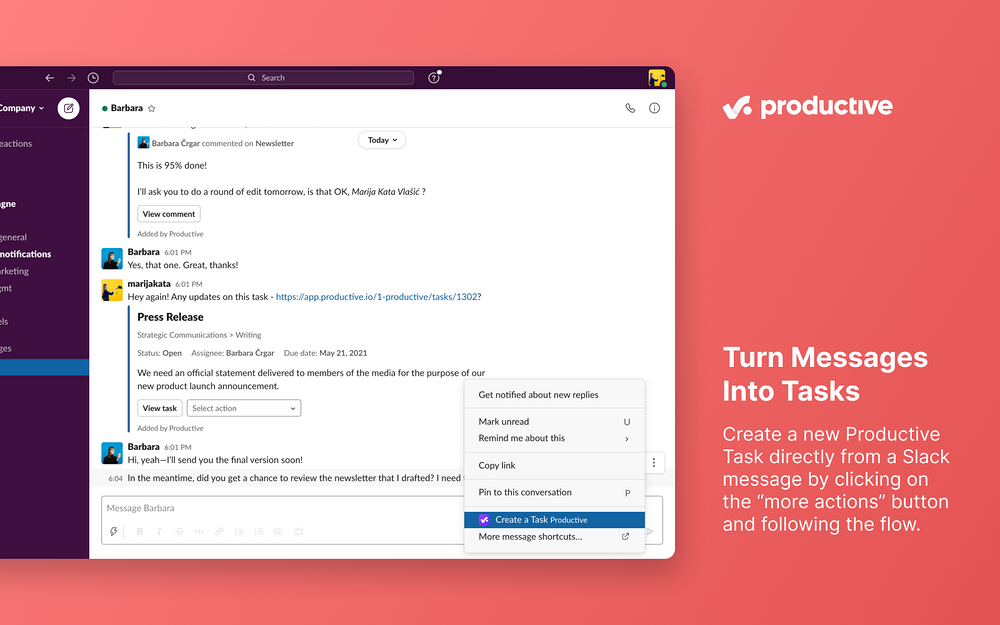
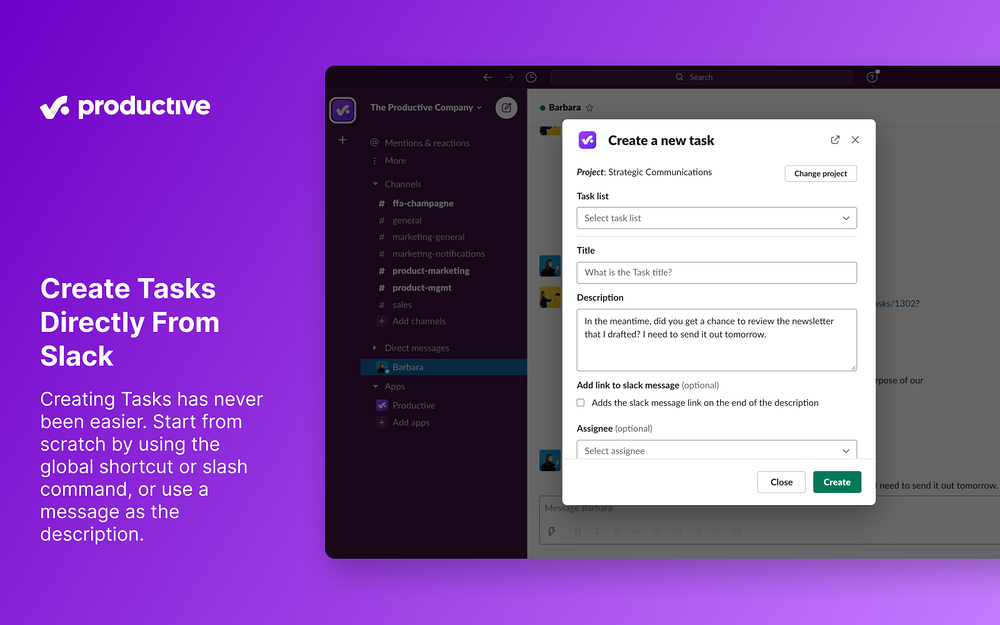
- Create Tasks directly from Slack. Create a new Productive Task directly from a Slack message by clicking on the more actions button, or start from scratch by using the global shortcut or the /productive task command.
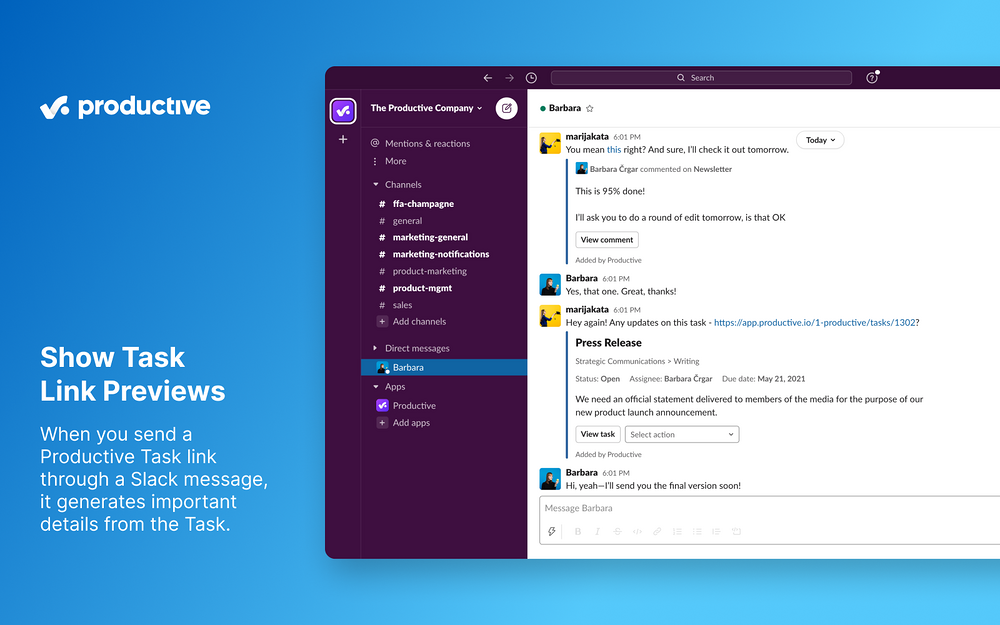
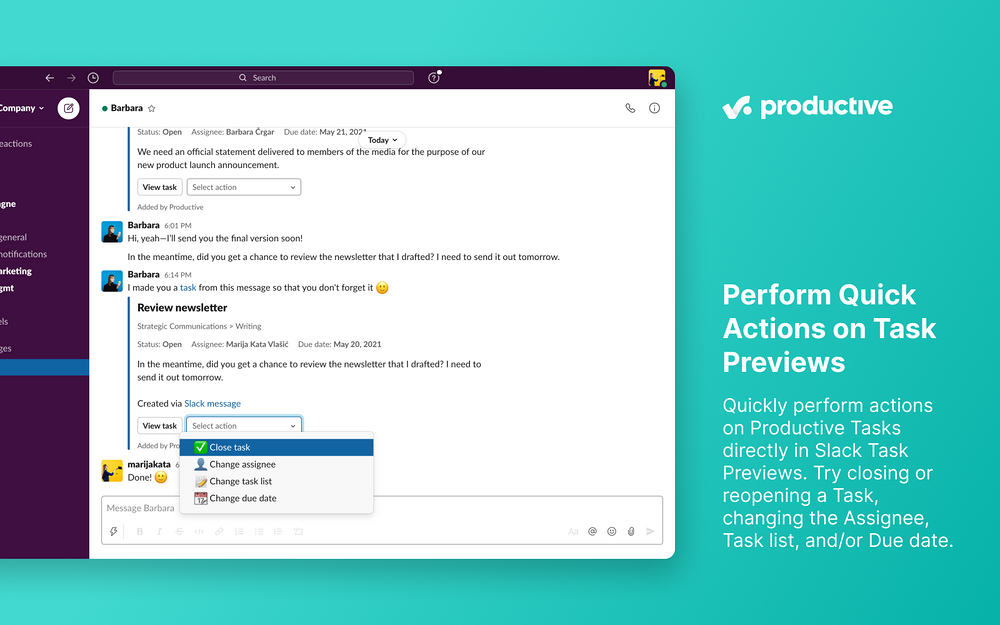
- Show Task link previews. When you send a Productive Task link in your Slack messages, they will be enriched with details and context. You will also be able to perform quick actions such as closing/reopening Tasks or changing the Assignee, Task list, and/or Due date.
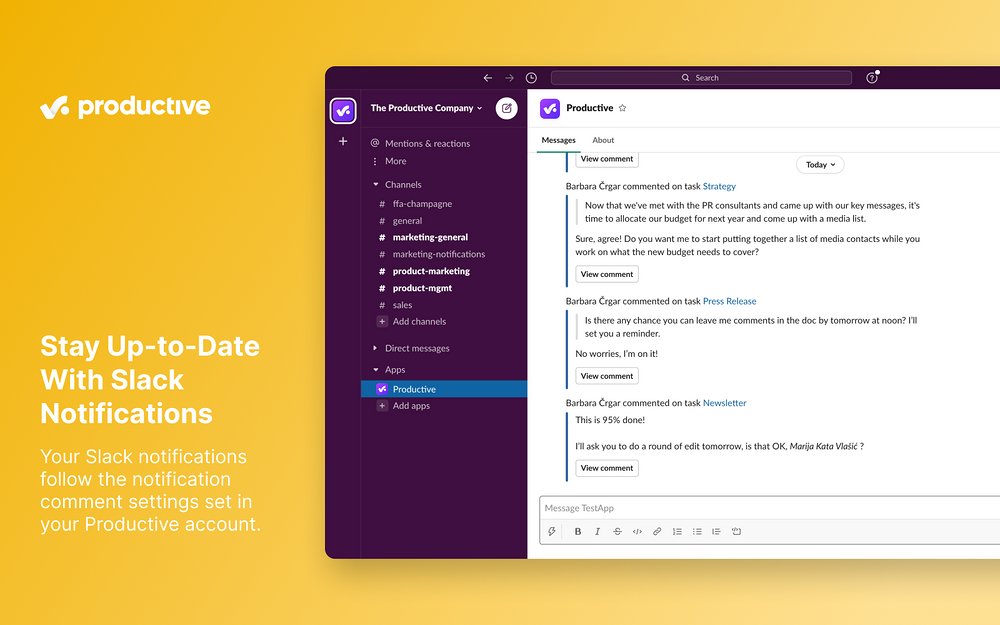
- Slack Notifications. Get your Productive Notifications directly in Slack. Your Slack notifications are following your Notification comment settings from your Productive account.
- Slack Status Sync. Get your Slack status automatically synced with your Productive Time-off events.
- Slack Commands. You can use our /productive [ help | settings | task ] command to reach out for help, change your personal settings, or create a new Task.
Screenshots
1 / 6