
Channel Tools is the #15 ranked office management app on Slack, with a free plan available, as of Sep 11, 2026.
AppRanks data: Channel Tools ranks #15 in Brilliant Bots on Slack Marketplace, placing it in the top 23% of that category.
AppRanks verdict
Generated from live marketplace data — refreshed daily
Channel Tools is a newly-listed Slack app with a limited review volume. It is listed in the Office Management category on Slack Marketplace, which AppRanks treats as the canonical taxonomy node for ranking and competitor comparison. no published reviews yet means feature claims are unverified by the wider merchant base. Without a published review base, the only fit-signal available is the developer's own documentation plus the marketplace's listing-quality audit (linked below). The free tier lets you trial the entry feature set without committing a payment method. AppRanks tracks rating, review count, pricing tier, and category position daily — the figures on this page reflect the most recent scrape from the canonical Slack Marketplace listing.
Pros
- +Free tier available — no card required to evaluate
Cons
- −No public reviews yet — fit and reliability are unverified
Looking to switch from Channel Tools?
See Channel Tools's alternatives ranked by audit score, rating, and review velocity.
About Channel Tools
How Channel Tools works
Show full descriptionShow less
Bulk invite and export all members of a channel or a team on Slack Channel Tools makes it super easy to add hundreds or thousands of users to a Slack channel in bulk. Not just that, but you can also export all members of a channel in a CSV file. If you are managing a large team or a community, you have faced this problem one way or the other. There is no easy way to invite users in bulk. If you have tried doing it manually, we know your pain. But no more.
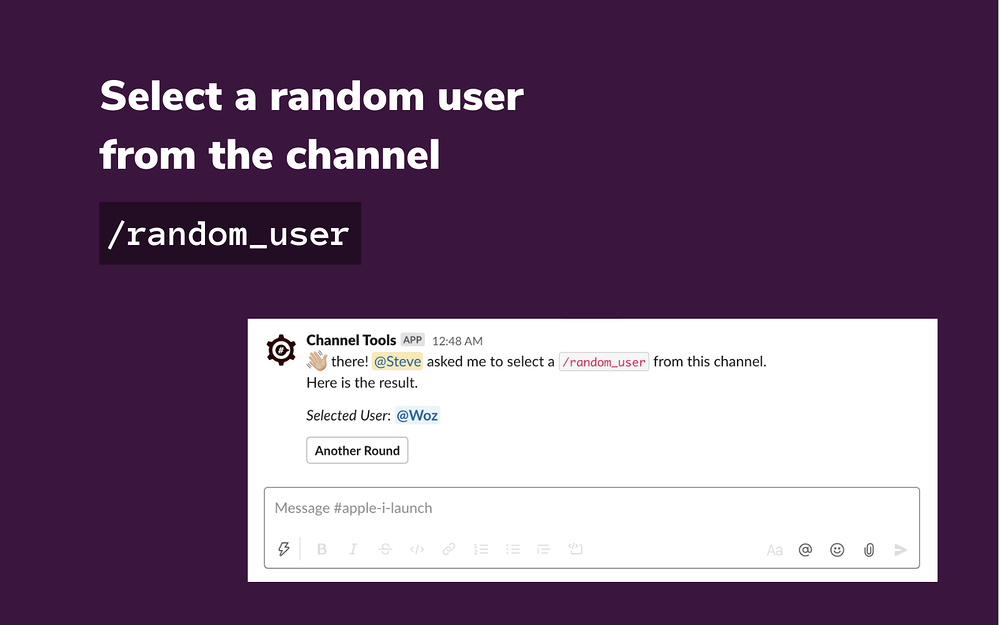
No number is big enough Have 1000 users to bring from a different channel? Well, no problem. Our app is used in a variety of domains, with thousands of users. Select a random member Easily pick and show a random user from your channel.
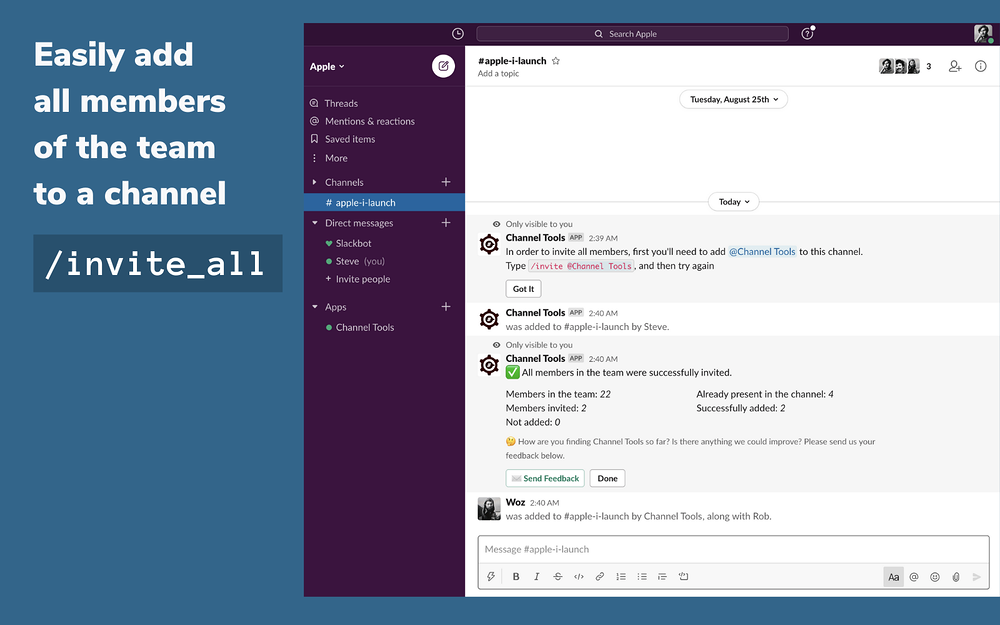
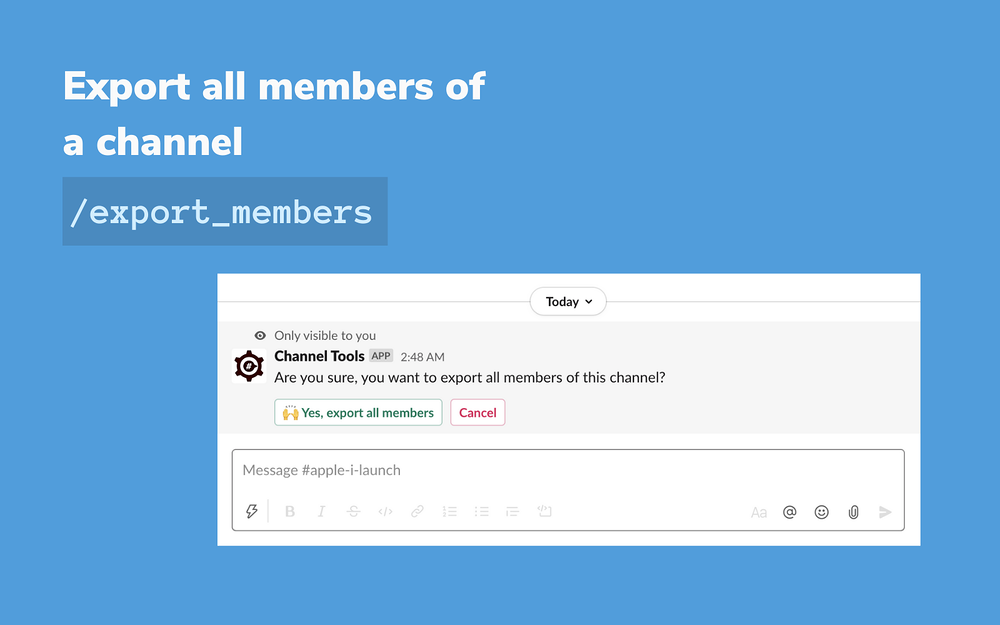
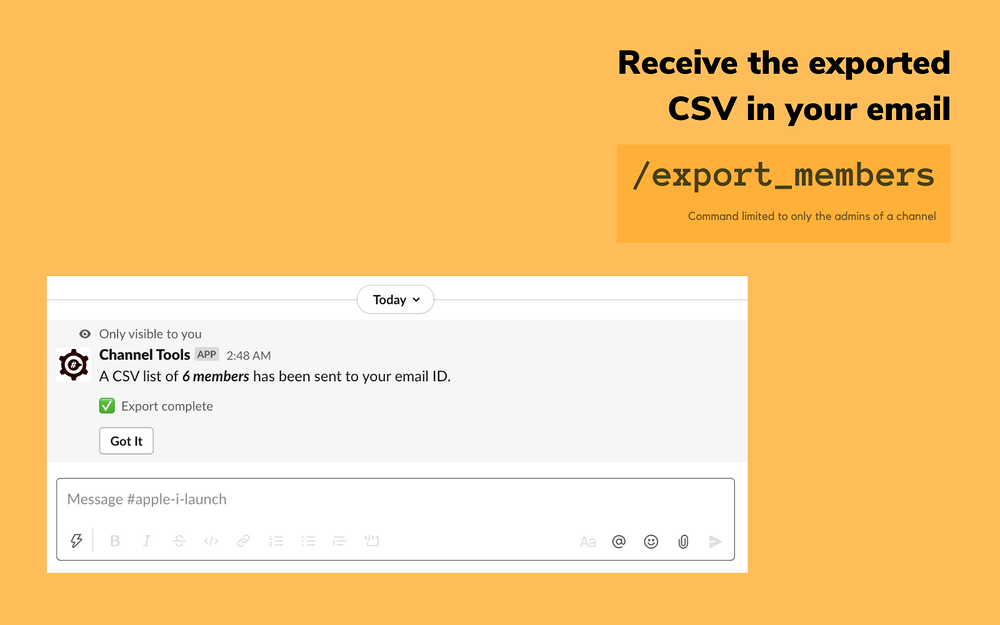
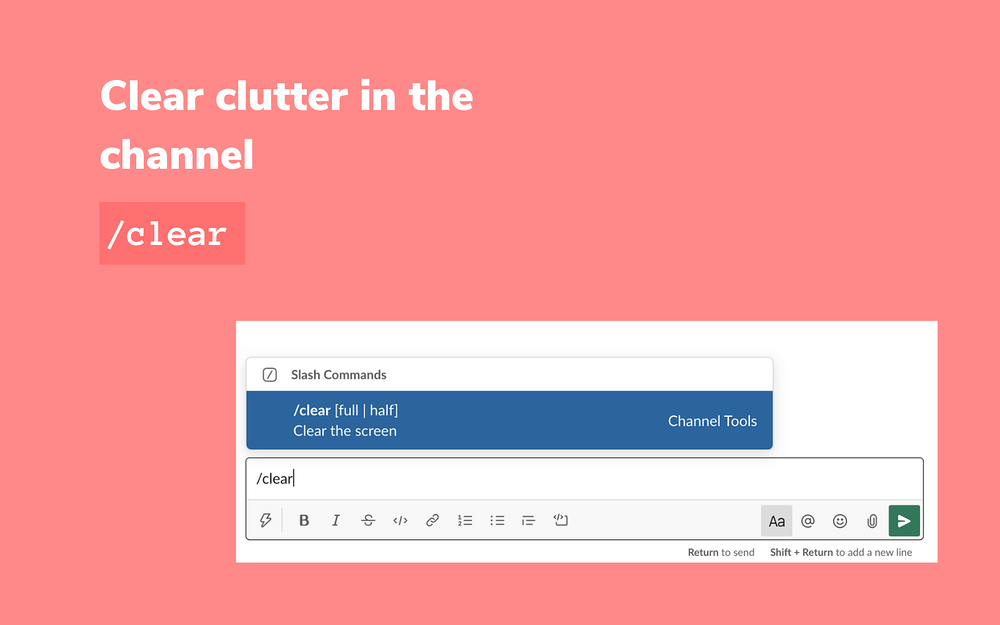
How to use? How to invite all team members to a Slack channel? You can use /invite_all command to invite all users in the workspace to the current Slack channel. How to invite all members from one channel to another? You can use /invite_channel command to invite all members from a Slack channel to another. How to export all members of a channel in Slack? You can use /export_members command in a channel to export all of its members in a CSV file. How to select a random user from a the channel? You can use /random_user command that comes with Channel Tools. Clear all clutter in a Slack channel Channel Tools comes with the Slack equivalent of clear screen command. Enter /clear in any Slack channel to get rid of all messages and clutter. Channel Tools actually doesn't delete these messages. It creates a new message with enough empty lines that all the content gets pushed upwards, giving you a lot of breathing space. Think of it as ⌘ + K of the Slack world.
Workflow Step This app supplies a workflow step that picks a user at random from a specified channel, and makes it available for the next step. Example use case could be to assign a support ticket randomly to one of the staff members in the support channel. FAQ Q: Is Channel Tools free? A: Yes, all the features offered with Channel Tools are free for a limited time. Q: Is my data secure? A: We take data security very seriously. We store only the required data for the functioning of the app and store it using robust encryption algorithms. You are safe with us. Q: Can I use Channel Tools to invite external users? A: Yes, but with limited support. You can invite users from a channel shared with a different workspace in the same organization (enterprise grid plan). With the caveat, that current channel also needs to be shared with the same workspace before extending this invite. We might bake more features in our future release. Let us know using the support email address below. Q: How many users can I invite with Channel Tools? A: 1K or 10K, we can deal with any number. In fact, that's where our app shines. Come with as many as you have in your Slack channel, and we'll handle it. Q: Does /clear command delete messages from channel history? A: No. It only sends a new ephemeral message with a lot of empty lines that all the pre-existing content gets pushed up. So, all your messages are still there, safe. And you get clutter-free interface.
Testimonials Slack channel admins swear by Channel Tools as their go-to tool for sending bulk invites. Earlier, what took me an hour to do, with Channel Tools we can do it in seconds. The channel invite feature is so useful that it should have been a part of Slack itself.
Screenshots

Category rankings
As of Sep 17, 2026- Brilliant Bots#15of 67Top 23%
- Office Management#15of 284Top 6%
- HR & Team Culture#20of 603Top 4%
- Communication#42of 601Top 7%
See 90-day rank history for each category
Track daily rank changes, category shifts, and position volatility.
Competitors & alternatives
Channel Tools doesn't have curated competitor matchups yet. Other tracked office management apps on Slack:


Where Channel Tools stands in the Office Management category
Channel Tools ranks #15 of 284 apps in the Office Management category, placing it in the top 6% of the listing.
Frequently asked questions
What is Channel Tools?
Channel Tools is an app for Slack. It is published on Slack Marketplace and tracked by AppRanks, and AppRanks has been tracking its public marketplace data on the refresh cadence published in our methodology. It is listed under the Office Management category on AppRanks, where you can see its current category position, review-velocity trend, and how it compares against the top alternatives in the same space.
Who uses Channel Tools?
Channel Tools is actively installed across Slack stores tracked by AppRanks. Its review base is still building, which usually maps to early-stage merchants and stores piloting a new workflow. It is part of the Office Management category on Slack.
Where does Channel Tools rank on Slack?
Channel Tools currently sits at position #15 in the Brilliant Bots category on Slack. That places it in the top 22% of 67 apps tracked in the same category. Category positions are read from the live marketplace ranking and refresh on each scrape, so the number you see here reflects the most recent crawl rather than a long-running average.