Upload Center: File Upload for Shopify App Store
By Quaflow
Upload Center: File Upload is the #35 ranked custom file upload app on Shopify, with a 5.0 average rating from 15 reviews, with a free plan available, as of July 8, 2026.
Upload Center: File Upload is a Shopify App Store app by Quaflow, launched July 2024. With a rating of 5.0★ from 15 reviews, it currently ranks #35 in the Custom file upload category.
AppRanks data: Upload Center: File Upload ranks #35 in Custom file upload on Shopify App Store, placing it in the top 22% of that category.
AppRanks verdict
Generated from live marketplace data — refreshed daily
Upload Center: File Upload is a category-leading Shopify app with a limited review volume. It is listed in the Custom file upload category on Shopify App Store, which AppRanks treats as the canonical taxonomy node for ranking and competitor comparison. 15 reviews put it in the early-traction tier — useful for early-stage stores willing to be on the leading edge. Early-traction review counts are sensitive to single launch periods or feature events, so a 30-day re-check before bigger commitments often resolves whether the trend is sustained. The free tier lets you trial the entry feature set without committing a payment method. AppRanks tracks rating, review count, pricing tier, and category position daily — the figures on this page reflect the most recent scrape from the canonical Shopify App Store listing.
Pros
- +High average rating (5.0★) signals consistent merchant satisfaction
- +Free tier available — no card required to evaluate
- +Published by Quaflow — established developer track record
Cons
- −Limited review base (15) — ratings can shift significantly with new feedback
Looking to switch from Upload Center: File Upload?
See Upload Center: File Upload's alternatives ranked by audit score, rating, and review velocity.
About Upload Center: File Upload
How Upload Center: File Upload works
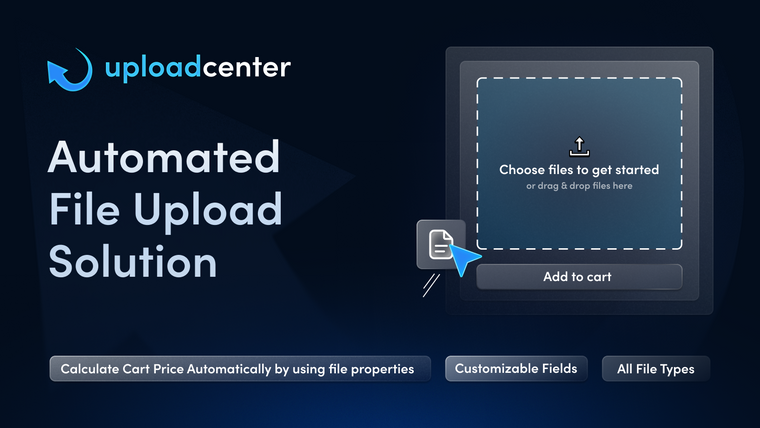
Meet the most advanced file upload app. Replace separate product options and order status apps with our all-in-one print on demand solution. Create targeted fields with strict file and dimension rules to prevent incorrect submissions (e.g DPI check). Calculate pricing dynamically based on file sizes(width, height, PDF page count) or custom forms. Manage production directly in the app. Create custom order statuses, send automated emails, and bulk download renamed files to stay organized.
Screenshots
Key features
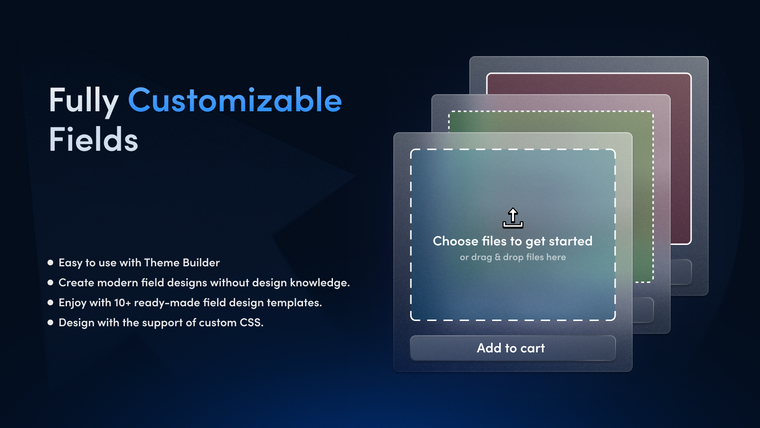
- Create upload fields with strict rules for file types, dimension (e.g DPI Check)
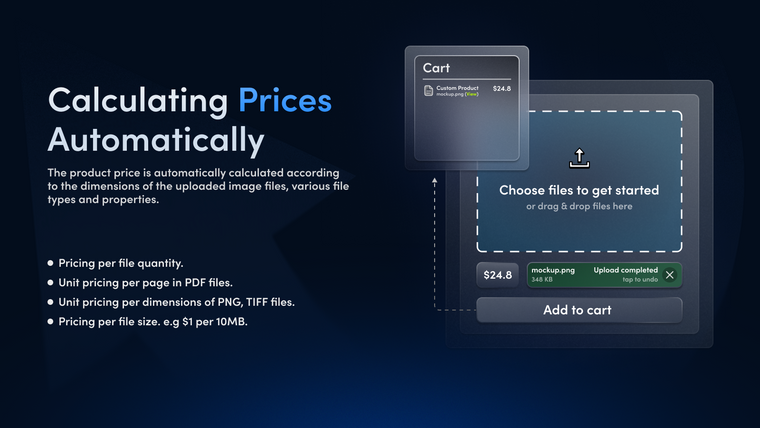
- Charge dynamic fees based on file sizes(e.g height) or custom form selections
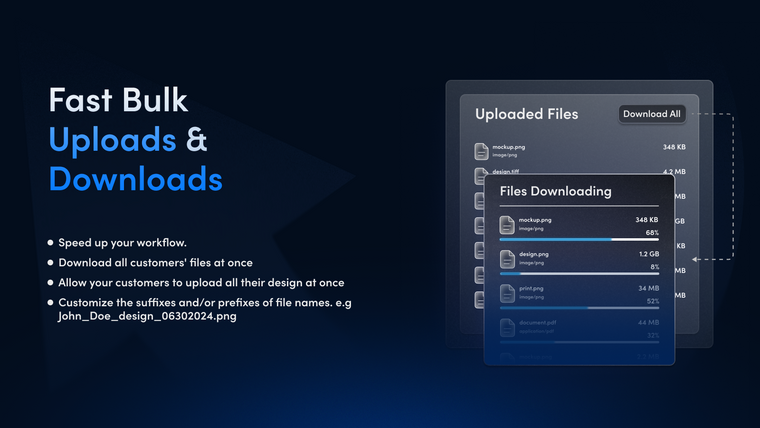
- Automate file renaming and bulk downloads via built-in File Manager
- Track production with custom order statuses and auto email alerts (Shopify Flow)
- Charge dynamically based on inch square dimensions or PDF page counts etc.
Standardized capabilities
Normalized capabilities detected for this app, comparable across the marketplace.
- Checkout ProcessStreamline the checkout process to enhance customer experience and reduce cart abandonment.Common
- Conditional Logic ImplementationImplement conditional logic for dynamic content and actions.Common
- Conditional PricingSet pricing rules based on specific conditions or customer segments.
- Custom and Bulk PricingCreate custom pricing options for bulk orders and special customers.
- Custom CSS StylingApply custom CSS to personalize the look and feel of your store.Common
- Customer AccountsAllow customers to create and manage their own accounts.Common
- Custom HTML IntegrationIncorporate custom HTML for tailored content display.
- Custom Rules ManagementCreate and manage custom rules for various store functionalities.Common
- Data Import and ExportEasily import and export data in bulk for efficient management.Common
- Dynamic PricingAdjust prices in real-time based on market demand and competition.
- Excel IntegrationIntegrate and manage Excel files seamlessly in your processes.Common
- File Upload SupportEasily upload images and photos for your products.Common
- Image ManagementEasily upload and organize images for your product listings.table-stakes
- In-Stock Product DisplayShow only in-stock products to enhance customer experience.
- JPEG Image SupportUpload and manage JPEG image files for your products.table-stakes
- Malware ProtectionProtect your store from malware and security threats.Differentiator
- PDF File SupportUpload and manage PDF files for your products or documents.table-stakes
- PNG Image SupportUpload and manage PNG image files for your products.table-stakes
- PSD SupportSupport for Photoshop Document files in your workflow.Common
- Template ManagementCreate and manage templates for consistent branding and messaging.Common
- Unlimited File DownloadsAllow customers to download files without any limits.Common
- Video Content ManagementManage and showcase videos effectively on your platform.Common
- ZIP File SupportUpload and manage ZIP files for compressed content delivery.Common
- Automated CommunicationSend automated messages and responses to engage customers effectively.
- Custom Order StatusesCreate and manage unique statuses for orders to enhance tracking.
Pricing plans
BASIC9/month
|
BASIC19/month
|
Most popular PRO29/month
|
PRO59/month
|
Category rankings
As of Jul 8, 2026- Custom file upload#35of 163Top 22%
- Product variant#126of 356Top 36%
See 90-day rank history for each category
Track daily rank changes, category shifts, and position volatility.
Keyword rankings
Upload Center: File Upload ranks for 13 keywords across Shopify App Store. Here are the top 3:
- Rank #12
- Rank #16
- Rank #22
Competitors & alternatives
Upload Center: File Uploaddoesn't have curated competitor matchups yet. Other tracked custom file upload apps on Shopify:
Frequently asked questions
What is Upload Center: File Upload?
Upload Center: File Upload is an app for Shopify. It currently holds a 5.0-star rating from 15 merchant reviews, and it has been listed on the marketplace since 2024. It is listed under the Custom file upload category on AppRanks, where you can see its current category position, review-velocity trend, and how it compares against the top alternatives in the same space. Developed by Quaflow.
Is Upload Center: File Upload free?
Upload Center: File Upload does not offer a permanent free plan on Shopify. Pricing starts at 9, and the listed tiers are BASIC, BASIC, PRO. Trial availability and exact billing terms are mirrored from the live Shopify listing and may change between refresh cycles, so always confirm the headline price on the source marketplace before installing.
Who uses Upload Center: File Upload?
Upload Center: File Upload is actively installed across Shopify stores tracked by AppRanks. Its review base is still building, which usually maps to early-stage merchants and stores piloting a new workflow. It is part of the Custom file upload category on Shopify.
Where does Upload Center: File Upload rank on Shopify?
Upload Center: File Upload currently sits at position #35 in the Custom file upload category on Shopify. That places it in the top 21% of 163 apps tracked in the same category. Category positions are read from the live marketplace ranking and refresh on each scrape, so the number you see here reflects the most recent crawl rather than a long-running average.
What does Upload Center: File Upload integrate with?
Upload Center: File Upload lists 4 integrations on its Shopify marketplace page. The most prominent are Checkout, Customer accounts, Shopify Flow, Shopify Admin. Integration data is mirrored from the live Shopify listing on each refresh, so the set above tracks whatever the developer has currently published — it does not reflect deeper compatibility AppRanks has not been able to verify from public data.