BentoSMB Draft Orders For POS for Shopify App Store
BentoSMB Draft Orders For POS is a Shopify app, with a 3.0 average rating from 9 reviews, with a free plan available, as of Sep 5, 2026.
BentoSMB Draft Orders For POS is a Shopify App Store app by BentoSMB Inc., launched May 2019. With a rating of 3.0★ from 9 reviews.
AppRanks data: BentoSMB Draft Orders For POS has been on the Shopify App Store marketplace since 2019 (7 years of tenure) — long-tenure proxy for resilience through platform API and policy changes.
AppRanks verdict
Generated from live marketplace data — refreshed daily
BentoSMB Draft Orders For POS is a mixed-rating Shopify app with a limited review volume. Category data on the canonical marketplace listing is currently incomplete, so AppRanks falls back to platform-wide rather than category-relative comparison for this listing. 9 reviews put it in the early-traction tier — useful for early-stage stores willing to be on the leading edge. Early-traction review counts are sensitive to single launch periods or feature events, so a 30-day re-check before bigger commitments often resolves whether the trend is sustained. The free tier lets you trial the entry feature set without committing a payment method. AppRanks tracks rating, review count, pricing tier, and category position daily — the figures on this page reflect the most recent scrape from the canonical Shopify App Store listing.
Pros
- +Free tier available — no card required to evaluate
- +Published by BentoSMB Inc. — established developer track record
Cons
- −Average rating below 4.0 (3.0★) — read recent low-star reviews before committing
- −Limited review base (9) — ratings can shift significantly with new feedback
Looking to switch from BentoSMB Draft Orders For POS?
See BentoSMB Draft Orders For POS's alternatives ranked by audit score, rating, and review velocity.
About BentoSMB Draft Orders For POS
How BentoSMB Draft Orders For POS works
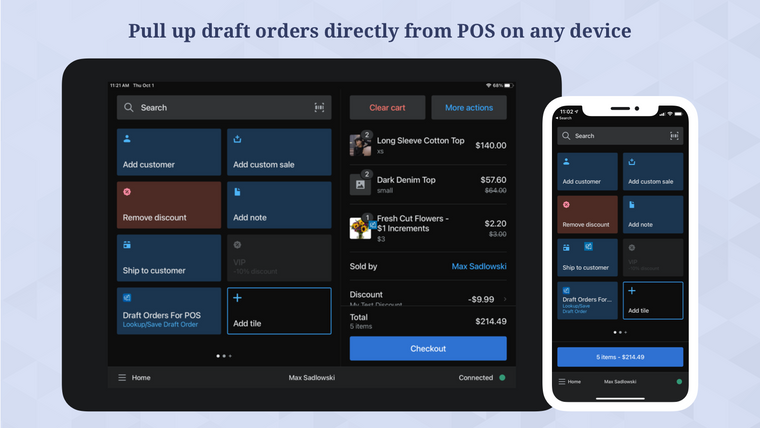
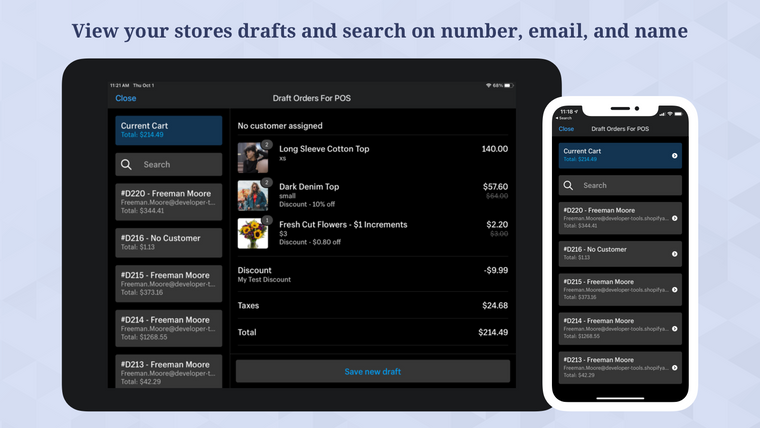
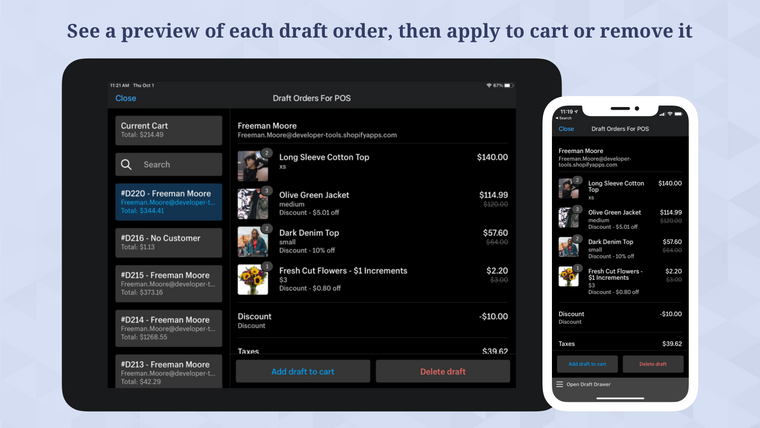
Easily add draft orders created by any app or system to your cart in POS. Simply open the app, search for the draft you want to add, review the contents, and add it to the cart. Save new drafts as well!
We work hard to support every feature we can through Shopify POS. Unfortunately, limitations within Shopify POS don't allow us to implement every feature you would expect. If you don't see something working, have a feature request, or a use case that doesn't work, please get in touch
Screenshots


Key features
- Easily add any draft order directly within Shopify POS with one tap!
- Line items, properties, discounts, notes & customer details copy over instantly.
- Create and save new draft orders directly from within the POS cart.
- Access saved drafts immediately across all your POS devices without any lag.
- Send saved draft orders via email to customers, staff or a custom email address.
Pricing plans
Unlimited15/month
|
Keyword rankings
BentoSMB Draft Orders For POS ranks for 1 keywords across Shopify App Store. Here are the top 1:
- Rank #20
Competitors & alternatives
AppRanks tracks competitor sets per category. For BentoSMB Draft Orders For POS, the independent listing audit includes a competitive context section, and the full Shopify app index shows the broader marketplace landscape this app competes in. Sign up free to surface a side-by-side competitor matrix customized to your tracked apps.
Frequently asked questions
What is BentoSMB Draft Orders For POS?
BentoSMB Draft Orders For POS is an app for Shopify. It currently holds a 3.0-star rating from 9 merchant reviews, and it has been listed on the marketplace since 2019. AppRanks tracks its category position, review-velocity trend, and the top alternatives in the same space. Developed by BentoSMB Inc.
Is BentoSMB Draft Orders For POS free?
BentoSMB Draft Orders For POS does not offer a permanent free plan on Shopify. Pricing starts at 15, and the listed tiers are Unlimited. Trial availability and exact billing terms are mirrored from the live Shopify listing and may change between refresh cycles, so always confirm the headline price on the source marketplace before installing.