GPT, Gemini™ Quiz Generator for Forms™| Quiz Maker for Google Workspace
By docgpt.ai
- Category rank
- #97 in Creative tools
- Listing audit
- 70/100
GPT, Gemini™ Quiz Generator for Forms™| Quiz Maker is a Google Workspace Marketplace app by docgpt.ai. With a rating of 4.8★ from 894 reviews, it currently ranks #97 in the Creative tools category.
GPT, Gemini™ Quiz Generator for Forms™| Quiz Maker is the #97 ranked Creative tools app on Google Workspace, with a 4.8 average rating from 894 reviews, as of Aug 11, 2026.
AppRanks verdict
Generated from marketplace data as of Aug 11, 2026
GPT, Gemini™ Quiz Generator for Forms™| Quiz Maker ranks #97 of 107 in Creative tools on Google Workspace. It holds a 4.8★ average from 894 reviews on Google Workspace.
Pros
- +4.8★ average across 894 reviews
Cons
- −Narrow integration surface (1 declared) — may not fit shops with multi-vendor stacks
About GPT, Gemini™ Quiz Generator for Forms™| Quiz Maker
How GPT, Gemini™ Quiz Generator for Forms™| Quiz Maker works
Show full descriptionShow less
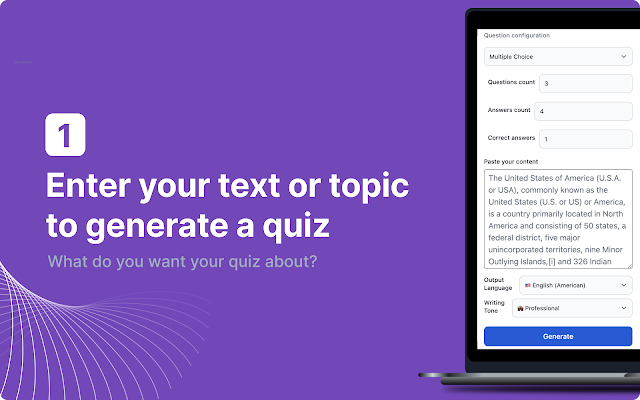
GPT (GPT-5.4), Gemini, Mistral, Claude Quiz Generator for Forms™ | Quiz Maker (GPT-5.4) This includes creating quiz questions and providing correct and incorrect answer choices for multiple-choice questions, simplifying the entire quiz creation process.
Updates 23 April: - Added integration with GPT-5.4
Updates 12 May: - Added integration with GPT-4o
Ideal for educators, businesses, and anyone requiring forms with multiple-choice questions, this application is versatile and supports various question styles, including 'dropdown' and 'checkbox' formats.
Generate quizzes, tests, exams, or trivia games instantly from text, videos, PDFs, or web pages, including multiple-choice questions, true/false, and fill-in-the-blanks formats.
If you encounter the error message 'ScriptError: Authorization is required to perform that action' or any other error:
- Use personal google account - You used multiple Google accounts in the same Chrome session, please create a new browser profile and log in again - Ask admin of your workspace account to allow execute add-on
Please be aware that if you experience any of the following issues:
🚫 Unable to display the menu for the add-on 📝 The add-on's sidebar appearing blank 🛠️ Difficulty installing the add-on This could be due to having multiple Google accounts logged into your browser. To resolve this, please log out of all accounts in your browser and sign in only with the one you intend to use with our add-on.