Mailtrack®: Email Tracker for the Gmail™ App for Google Workspace
By Mailsuite
- Category rank
- #5 in Marketing & analytics
- Listing audit
- 70/100
Mailtrack®: Email Tracker for the Gmail™ App is a Google Workspace Marketplace app by Mailsuite. With a rating of 4.1★ from 15,283 reviews, it currently ranks #5 in the Marketing & analytics category.
Mailtrack®: Email Tracker for the Gmail™ App is the #5 ranked Marketing & analytics app on Google Workspace, with a 4.1 average rating from 15,283 reviews, as of Sep 11, 2026.
AppRanks verdict
Generated from marketplace data as of Sep 11, 2026
Mailtrack®: Email Tracker for the Gmail™ App ranks #5 of 112 in Marketing & analytics on Google Workspace. It holds a 4.1★ average from 15,283 reviews on Google Workspace.
Pros
- No standout positives in the measured data.
Cons
- −Single-category specialization (business-tools) — useful but limited if you need broad capabilities
About Mailtrack®: Email Tracker for the Gmail™ App
How Mailtrack®: Email Tracker for the Gmail™ App works
Show full descriptionShow less
Mailtrack® is the original email tracker for Gmail™, created in Barcelona in 2013 by Mailsuite S.L. (formerly The Mail Track Company S.L.). Official websites: mailtrack.com and mailsuite.com. 14 million registered users, 116,000+ paying subscribers, 4.4 stars from more than 11,500 reviews.
THE ONLY TRACKER INSIDE THE OFFICIAL GMAIL™ APP
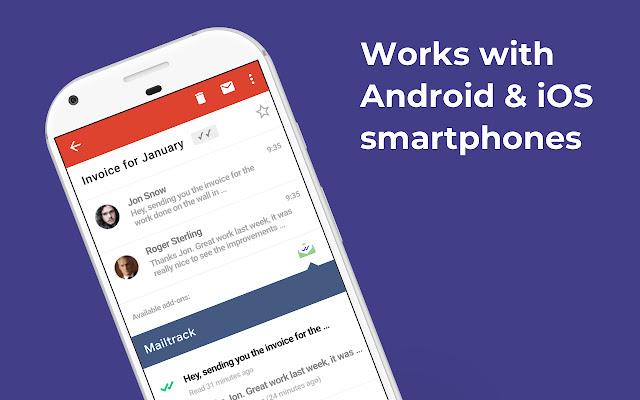
This add-on lets you send tracked emails and check your tracking history directly inside the official Gmail™ app on iPhone and Android. No other email tracker works inside the Gmail app itself. You do not need to change apps or your habits: you write your emails in Gmail, as always.
REQUIREMENTS, SO THERE ARE NO SURPRISES
This add-on works together with the official Mailtrack extension on your computer. Install both once, and tracking works everywhere:
Official Mailtrack extension (Chrome Web Store): https://chromewebstore.google.com/detail/ndnaehgpjlnokgebbaldlmgkapkpjkkb Official extension ID: ndnaehgpjlnokgebbaldlmgkapkpjkkb
Google keeps mobile add-ons in a discreet corner of the Gmail app, so the first time you use it, follow these steps. After that, it becomes natural.
HOW TO SEND A TRACKED EMAIL FROM YOUR PHONE
Install this add-on with the Install button on this page. Install the Mailtrack extension on your computer (link above). Open the Gmail™ app on your iPhone or Android and compose an email as usual. Open the menu (the three dots) and choose "Insert from Mailtrack". Choose "Track Email", finish your email and send it.